


AdvancedShadowsOfDoubt
Новые Случаи, добавляет в геймплей и исправляет некоторые вещи.

 Мод для Shadows of Doubt
от spdx
Структура для изменения определенных аспектов системы поставщика и интерактивных игровых устройств. По умолчанию, диверсифицирует списки поставщиков с различными предметами, которые вы не можете купить в ванильной игре. Курение сигарет теперь ваниль, Вау!
Retailier — мод для Shadows of Doubt (Шэдоус оф Даут) от автора spdx. Структура для изменения определенных аспектов системы поставщика и интерактивных игровых устройств. По умолчанию, диверсифицирует списки поставщиков с различными предметами, которые вы не можете купить в ванильной игре. Курение сигарет теперь ваниль, Вау!
Его скачали 14,7 тыс. раз: это 27-е место среди модов Shadows of Doubt в нашем каталоге, редкость — «эпический» (топ-20% по скачиваниям). Мод давно не обновлялся — проверьте совместимость с текущей версией игры, актуальная версия — 1.4.1.
Для работы ему нужны: BepInExPack IL2CPP, SODCommon.
Текст автора на языке оригинала
Default functionality: adds some items I thought were "missing" from the ingame business menus and extends the functionality of some existing items.
Extended functionality (for modders): lets you add items to vendor lists as long as they're in Toolbox.Instance.objectPresetDictionary, and lets you change (some) properties of InteractablePresets!
Installation is best done through r2modmanager and Thunderstore. Manual installation is standard for BepInEx plugins:
The mod generates a pair of files, each inside their own folder in the "Savestore" subdirectory on first run, which it then reads from. These files contain InteractablePreset names that are then pulled from the Toolbox's objectPresetDictionary by the code and modified.
This subdirectory contains all files pertaining to menu modifications. By default, _base.json is generated and placed inside for the mod to read from after its initial run.
Retailier loads JSON files from this directory and assembles them into a dictionary, with string keys and string array values. Each key corresponds to a MenuPreset name, and their values are sets of InteractablePreset names.
You can add more files to this folder as long as they're formatted properly! Please refer to the base file for a reference.
This section contains version control information and whether or not its changes should completely replace (override) other changes. When set to false, these changes are additive.
Retailier processes this structure first, populating the corresponding MenuPreset name key with InteractablePreset names.
Combines are second to be processed, and combine an arbitrary number of Menus into one. The key is the MenuPreset name to be combined into, and the value is an array containing names from Menus.
This now works with existing Menus, so you can create a "base" Menu and add the contents of other Menus to it by setting up a Combine.
Aliases are last to be processed now that all the entries are configured. It's a simple copy of the existing dictionary keypairs, just under different keys.
Some businesses, for example the Chinese restaurant, have different names to the MenuPresets they use (ChineseEatery > Chinese). These businesses' sold items are replaced just before the game finalizes city generation, as items sold by businesses seem to be "locked in" to game saves to prevent them from changing. The process I use aims to preserve these values through use of the game's own pseudorandom number generation algorithm.
This subdirectory contains all files pertaining to interactable modifications. Like with menus/, a _base.json is generated, however it currently has no metadata and changes to existing names across tables may conflict.
Retailier loads files in this directory and compiles them into a list of key-value pairs. Each key is a two-entry array containing the InteractablePreset name and the property you'd like to change, followed by a value of a supported datatype.
Currently supported datatypes:
The source code for this mod is available on GitHub: https://github.com/spdx-github/spdx_Retailier
В r2modman ставится автоматически
Файл скачивается с официального сервера Thunderstore, без перезаливов и сторонних установщиков
Подробная инструкция для Shadows of DoubtВставьте значок в описание на Thunderstore, в README или в Discord — русскоязычные игроки сразу попадут на страницу с переводом и инструкцией.

[](https://modka.app/shadows-of-doubt/spdx-retailier/)<a href="https://modka.app/shadows-of-doubt/spdx-retailier/"><img src="https://modka.app/badge.png" alt="Описание на русском — Модка" height="44"></a>[url=https://modka.app/shadows-of-doubt/spdx-retailier/]Описание на русском — Модка[/url]Скачайте менеджер модов r2modman (или Gale) и выберите в нём игру Shadows of Doubt. Создайте профиль — так моды не смешаются с чистой версией игры. Найдите «Retailier» во вкладке Online и нажмите Download — BepInEx и все зависимости подтянутся сами. Нажмите «Start modded» — игра запустится с модами. Чтобы сыграть без модов, запустите игру как обычно из Steam — r2modman не трогает чистую версию игры.
Файл скачивается с официального сервера Thunderstore, куда его загрузил spdx. Мы не перезаливаем и не изменяем моды.
Установите вместе с ним: BepInExPack IL2CPP, SODCommon. В менеджере модов зависимости подтягиваются автоматически.
1 мая 2025, актуальная версия — 1.4.1. Это больше года назад: перед установкой проверьте, работает ли мод на текущей версии игры.
Новые Случаи, добавляет в геймплей и исправляет некоторые вещи.

Особенности: Street & District edit, Advanced Building Edit,!!! Используйте 1080p!!!, если вы используете DENSITY, установите самый низкий уровень для очень низкого и самого высокого!!!

Улучшает город и добавляет новый тип здания

Удалите фильтры здравомыслия из вариантов внутренней отделки

Исправляет настенную и потолочную мебель, которая не может быть размещена, позволяет игнорировать ограничения на размещение и добавляет окраску на месте размещенной мебели.
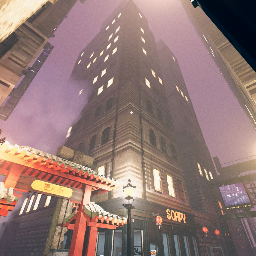
Этот мод позволяет изменять более продвинутые настройки поколения города.