
EdB Prepare Carefully
Настройте своих колонистов RimWorld, выберите снаряжение и тщательно подготовьтесь к аварийной посадке! Используйте дополнительные ограничения по точкам, чтобы попытаться создать сбалансированный старт или сохранить очки


 Мод для RimWorld
от VinaLx
Особенности ResearchPal • Динамически генерируемое исследовательское дерево на основе алгоритма компоновки графов. • Показывает исследовательские проекты, здания, растения и рецепты, разблокированные каждым исследованием
ResearchPal - Forked — мод для RimWorld (Римворлд) от автора VinaLx. Особенности ResearchPal • Динамически генерируемое исследовательское дерево на основе алгоритма компоновки графов. • Показывает исследовательские проекты, здания, растения и рецепты, разблокированные каждым исследованием
На него подписались 363,6 тыс. раз в Мастерской Steam: это 390-е место среди модов RimWorld в нашем каталоге, редкость — «обычный» (нижняя половина по подпискам). Мод давно не обновлялся — проверьте совместимость с текущей версией игры.
Нужны ли ему другие моды, видно на его странице в Мастерской Steam в блоке «Необходимые продукты» — при подписке Steam сам предложит их добавить.
Текст автора на языке оригинала
This mod completely rewrites the ResearchPal's graph layout algorithm and adds quality-of-life features to the original ResearchPal.
In this forked version:
false.true.(Currently all vanilla expanded series techs are grouped together (based on the name of the mod "Vanilla XXX Expanded - YYY) with this option turned on. It is only a temporary solution of mod grouping).
5 (So a mod adding 5 techs or more will be grouped together and placed separately).false.false but probably would be true in the future if works as intended.Save compatibility?
You can add it to existing saves without problems. Removing this mod causes some errors when loading, but these should not affect gameplay - and will go away after saving.
Why is research X at position Y?
Mostly it's determined by a heuristic-based algorithm, which means that in general we try our best to guess the better position of a tech to be at, but not actually know why they are eventually there. Details see below.
Loading performance?
Reportedly much better than the original ResearchPal, but do let me know me if you believe the mod is causing serious loading performance issues. You can also try to enable the background generation option and see if situations improve.
This looks very similar to ResearchTree and ResearchPal
There was first Fluffy's research tree, then NotFood and Skyarkangel's ResearchPal is a fork of it, and this mod is a fork of the latter. We're all basically using the same UI framework (supposely created by Fluffy) so of course.
Let's start with a quote:
Why is research X in position Y? Honestly, I have no idea.
The new algorithm is mainly based on the Sugiyama's original work with some my personal tweaks, which:
You may not know what I'm talking about, but the core algorithm has two important implications:
Описание длинное — здесь его начало. Читать целиком на странице автора
Мод ставится подпиской в Мастерской Steam — без архивов, перезаливов и сторонних установщиков
Подробная инструкция для RimWorldВставьте значок в описание на Мастерская Steam, в README или в Discord — русскоязычные игроки сразу попадут на страницу с переводом и инструкцией.

[](https://modka.app/rimworld/researchpal-forked/)<a href="https://modka.app/rimworld/researchpal-forked/"><img src="https://modka.app/badge.png" alt="Описание на русском — Модка" height="44"></a>[url=https://modka.app/rimworld/researchpal-forked/]Описание на русском — Модка[/url]Откройте страницу мода «ResearchPal - Forked» в Мастерской Steam (кнопка «Скачать» на нашем сайте ведёт именно туда) и нажмите «Подписаться» — Steam сам скачает мод и будет его обновлять. Если Steam покажет список обязательных модов, подпишитесь и на них — без них мод не заработает. Запустите RimWorld, откройте «Моды» в главном меню, включите мод и расставьте порядок загрузки (библиотеки вроде Harmony — выше остальных). Игра перезапустится с новым набором. Если мод не появился в игре, откройте вкладку «Загрузки» в Steam и дождитесь, пока он скачается полностью, затем перезапустите игру. Чтобы убрать мод, нажмите «Отписаться» на его странице в Мастерской — Steam удалит его файлы сам.
Мы ничего не перезаливаем: кнопка скачивания открывает официальную страницу мода в Мастерской Steam. Там нужно нажать «Подписаться» — файлы загрузит и будет обновлять сам Steam.
25 октября 2021. Это больше года назад: перед установкой проверьте, работает ли мод на текущей версии игры.
Настройте своих колонистов RimWorld, выберите снаряжение и тщательно подготовьтесь к аварийной посадке! Используйте дополнительные ограничения по точкам, чтобы попытаться создать сбалансированный старт или сохранить очки

«Величайший мод на перевозку» - Колонисты куриного плукера собирают вещи в свой инвентарь, а затем перевозят все это в запас. Этот способ перевозки значительно увеличит перевозку..

RimHUD - это мод пользовательского интерфейса, который отображает подробную информацию о выбранном персонаже или существе. Дисплей HUD интегрирован в панель проверки, которая может быть изменена в соответствии с ..

Набор инструментов, чтобы сделать вашу жизнь на Rim немного проще. Легко запретить и незапретить предметы, выбрать похожие вещи, срочно перевезти вещи и повлиять на всю карту
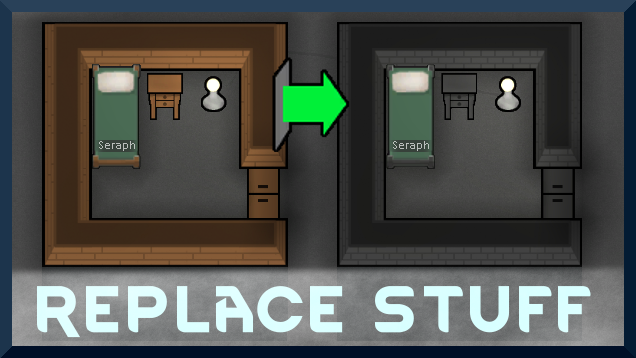
Размещайте здания в любом месте, поверх существующих вещей, и игра справится с этим. Не умер за 1,6! Мои заметки на 1.6, но TL;DR: 1.6 только добавляет чертежи над стенами - не делает..

Рамки для создания новых инопланетных рас в Rimworld Если вы когда-нибудь думали, что расовое разнообразие в риммире... не так многообразно, и вы хотите изменить это, вы пришли