
MoreHeadPlus
Добавляет в мод MoreHead ещё больше косметики: Nintendo, Sega, аниме и многое другое.
 Мод для R.E.P.O.
от Redfops
Масштабы карт с количеством игроков и опциями конфигурирования, необязательное масштабирование за пределы 11 уровня
PlayerScaling — мод для R.E.P.O. (Репо) от автора Redfops. Масштабы карт с количеством игроков и опциями конфигурирования, необязательное масштабирование за пределы 11 уровня
Его скачали 216,6 тыс. раз: это 246-е место среди модов R.E.P.O. в нашем каталоге, редкость — «редкий» (топ-50% по скачиваниям). Мод давно не обновлялся — проверьте совместимость с текущей версией игры, актуальная версия — 1.2.4.
Для работы ему нужны: BepInExPack.
Текст автора на языке оригинала
This mod was created to allow for the map to be expanded to accomodate larger groups, and also has options for making the
Click me to expand
Multiplies the player scaling factor by this number.
The player scaling factor is set to 1 unless there are at least this many players, or downscaling is enabled.
The player scaling factor will go up by 1 each time the number of players goes up by this amount. Decrease for more player scaling, increase for less.
Disabled by default, enable if you want the map to get smaller for fewer players.
The lowest the multiplier will go for downscaling, default 0.5x. I don't recommend putting this below 0.5 as it's untested and likely to break the game.
If this is disabled, the map size will not be affected by player count.
Multiplies the map size by this amount. Applies regardless of whether or not the Map Scaling is enabled.
Changes how quickly enemies increase in number. Higher means they will grow in numbers more quickly, but will not change their maximum amount.
This affects the maximum number of total enemies you will see per map module (the big squares on the map). Default is in line with vanilla. Set higher to have the enemy count continue scaling past round 11.
Multiplies the amount of valuables by this amount.
If this is disabled, difficulty will not change with player count.
Multiplies the difficulty which mostly affects room types and enemy spawning delay. Applies regardless of whether or not Difficulty scaling is enabled.
Adds to the difficulty to have it start slightly higher.
The map size scales linearly with players and will break past the normal limits. You will also see more than 4 extracts on these larger maps.
Enemies and Valuables are multiplied in accordance with the map size changes, so you can expect to see a similar density of enemies and valuables as with a normal map, but there will be more overall.
The Game's general difficulty scaling will be accelerated for larger groups, but more subtly than other factors. Specifically the difficulty is multiplied by the square root of the player scaling factor.
I highly recommend all of these mods for large groups for a better experience!
UpgradeEveryRound is another mod by me that allows each player to get one free upgrade every time you visit the shop.
RoboUnion is a mod by Linkoid that allows you to break past the normal cap of 6 players.
MoreShopItems is a mod by GalaxyMods that increases the number of available items in the shop.
В r2modman ставится автоматически
Файл скачивается с официального сервера Thunderstore, без перезаливов и сторонних установщиков
Подробная инструкция для R.E.P.O.Вставьте значок в описание на Thunderstore, в README или в Discord — русскоязычные игроки сразу попадут на страницу с переводом и инструкцией.

[](https://modka.app/repo/redfops-playerscaling/)<a href="https://modka.app/repo/redfops-playerscaling/"><img src="https://modka.app/badge.png" alt="Описание на русском — Модка" height="44"></a>[url=https://modka.app/repo/redfops-playerscaling/]Описание на русском — Модка[/url]Скачайте менеджер модов r2modman (или Gale) и выберите в нём игру R.E.P.O.. Создайте профиль — так моды не смешаются с чистой версией игры. Найдите «PlayerScaling» во вкладке Online и нажмите Download — BepInEx и все зависимости подтянутся сами. Нажмите «Start modded» — игра запустится с модами. Для мультиплеера всем игрокам нужен одинаковый набор модов: в r2modman профиль можно экспортировать кодом и отправить друзьям.
Файл скачивается с официального сервера Thunderstore, куда его загрузил Redfops. Мы не перезаливаем и не изменяем моды.
Автор не указал, клиентский это мод или серверный. Безопаснее, чтобы одинаковый набор модов был у всех игроков в лобби: проще всего поделиться профилем r2modman.
Установите вместе с ним: BepInExPack. В менеджере модов зависимости подтягиваются автоматически.
15 июня 2025, актуальная версия — 1.2.4. Это больше года назад: перед установкой проверьте, работает ли мод на текущей версии игры.
Добавляет в мод MoreHead ещё больше косметики: Nintendo, Sega, аниме и многое другое.
Позволяет слышать озвучку чата (TTS) от погибших игроков. Настраивается.
Предметы-улучшения теперь могут появляться на уровне: их можно найти во время исследования, а не только купить.
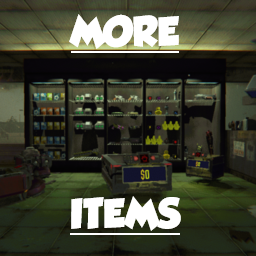
MoreShopItems Updated: в магазине на полках теперь больше предметов. Обновлено для REPO v0.5.x.

Полоска здоровья врагов и показ нанесённого урона от Xiaohai.

Более 250 забавных ценностей и оружия с уникальными эффектами и звуками для R.E.P.O.