
PEAK Unlimited
Снимает ограничение на число игроков, чтобы можно было играть с более чем четырьмя друзьями. Готов к обновлению с кроссплеем.


 Мод для PEAK
от RTLC
Продвинутый плагин переводчика
XUnity AutoTranslator — мод для PEAK (Пик) от автора RTLC. Продвинутый плагин переводчика
Его скачали 124,8 тыс. раз: это 98-е место среди модов PEAK в нашем каталоге, редкость — «редкий» (топ-50% по скачиваниям). Мод обновлялся в течение года, актуальная версия — 5.6.11.
Для работы ему нужны: BepInExPack.
Текст автора на языке оригинала
Advanced translator plugin for Unity-based games.
This Thunderstore package provides XUnity.AutoTranslator as a shared dependency for translation mods. It can translate Unity game text automatically and also provides the tools needed for manual, curated translations.
Original project: bbepis/XUnity.AutoTranslator Original author: bbepis Thunderstore dependency ID: Hayrizan-XUnity_AutoTranslator Latest upstream release checked: v5.6.1 — 19.04.2026
Use this package when your mod, translation pack, or localization project needs XUnity.AutoTranslator but you do not want to bundle the same XUnity files directly inside your archive.
This is especially useful for Thunderstore packages because multiple DLLs and duplicated XUnity files can cause upload or dependency issues such as:
Package rejected - Invalid submissionInstead of shipping XUnity.AutoTranslator inside every localization archive, add this package as a dependency and keep your own mod archive cleaner.
Install this package through one of the supported Thunderstore-compatible mod managers:
The manager will install this package automatically if another mod lists it as a dependency.
For most BepInEx-based games, configuration files are generated inside:
BepInEx/config/This Thunderstore package is intended to use translation files from:
BepInEx/config/Translation//Text/For example:
BepInEx/config/Translation/es/Text/Translate.txt
BepInEx/config/Translation/ru/Text/Translate.txt
This differs from the original XUnity.AutoTranslator default path, which usually uses BepInEx/Translation/. For Thunderstore-compatible mod managers, using BepInEx/config/Translation/ is safer because a direct BepInEx/Translation/ folder may be removed, flattened, or not created during installation.
If you are publishing a Thunderstore translation mod, add XUnity.AutoTranslator to your manifest.json dependencies.
Example:
{
  "dependencies": [
    "Hayrizan-XUnity_AutoTranslator-5.6.1"
  ]
}
Use the version that matches the package version you are targeting.
If you are publishing a Thunderstore translation pack that depends on this package, do not include XUnity.AutoTranslator DLLs, plugin files, or unnecessary config files inside your own archive. Add this package as a dependency in manifest.json and include only your translation files, README, manifest, and icon.
The original XUnity.AutoTranslator configuration usually points to Translation\{Lang}\Text:
[Files]
Directory=Translation\{Lang}\Text
OutputFile=Translation\{Lang}\Text\_AutoGeneratedTranslations.txt
SubstitutionFile=Translation\{Lang}\Text\_Substitutions.txt
PreprocessorsFile=Translation\{Lang}\Text\_Preprocessors.txt
PostprocessorsFile=Translation\{Lang}\Text\_Postprocessors.txt
For this Thunderstore package, the [Files] paths should use config\Translation\{Lang}\Text instead:
[Files]
Directory=config\Translation\{Lang}\Text
OutputFile=config\Translation\{Lang}\Text\_AutoGeneratedTranslations.txt
SubstitutionFile=config\Translation\{Lang}\Text\_Substitutions.txt
PreprocessorsFile=config\Translation\{Lang}\Text\_Preprocessors.txt
PostprocessorsFile=config\Translation\{Lang}\Text\_Postprocessors.txt
This means translation packs should place their files here:
BepInEx/config/Translation//Text/Translate.txtExamples:
BepInEx/config/Translation/es/Text/Translate.txt
BepInEx/config/Translation/ru/Text/Translate.txt
Avoid packaging translations directly under:
BepInEx/Translation//Text/Translate.txtWhen installed through Thunderstore-compatible mod managers, the direct BepInEx/Translation/ folder may be removed, flattened, or not created, which can cause Translate.txt to be installed in the wrong location.
The latest upstream release checked while updating this README is v5.6.1.
Recent upstream highlights:
v5.6.1 — fixed IL2CPP font asset bundle loading issues and IL2CPP hotkey/GUI unstripping problems.v5.6 — added UIElements support and fixed Papago translator compatibility with the current website structure.v5.5.2Описание длинное — здесь его начало. Читать целиком на странице автора
В r2modman ставится автоматически
Файл скачивается с официального сервера Thunderstore, без перезаливов и сторонних установщиков
Подробная инструкция для PEAKВставьте значок в описание на Thunderstore, в README или в Discord — русскоязычные игроки сразу попадут на страницу с переводом и инструкцией.

[](https://modka.app/peak/rtlc-xunity-autotranslator/)<a href="https://modka.app/peak/rtlc-xunity-autotranslator/"><img src="https://modka.app/badge.png" alt="Описание на русском — Модка" height="44"></a>[url=https://modka.app/peak/rtlc-xunity-autotranslator/]Описание на русском — Модка[/url]Скачайте менеджер модов r2modman (или Gale) и выберите в нём игру PEAK. Создайте профиль — так моды не смешаются с чистой версией игры. Найдите «XUnity AutoTranslator» во вкладке Online и нажмите Download — BepInEx и все зависимости подтянутся сами. Нажмите «Start modded» — игра запустится с модами. Для мультиплеера всем игрокам нужен одинаковый набор модов: в r2modman профиль можно экспортировать кодом и отправить друзьям.
Файл скачивается с официального сервера Thunderstore, куда его загрузил RTLC. Мы не перезаливаем и не изменяем моды.
Автор не указал, клиентский это мод или серверный. Безопаснее, чтобы одинаковый набор модов был у всех игроков в лобби: проще всего поделиться профилем r2modman.
Установите вместе с ним: BepInExPack. В менеджере модов зависимости подтягиваются автоматически.
12 мая 2026, актуальная версия — 5.6.11. Дата берётся с официальной страницы мода при каждом обновлении каталога.
Снимает ограничение на число игроков, чтобы можно было играть с более чем четырьмя друзьями. Готов к обновлению с кроссплеем.

Позволяет носить напарников на себе, даже когда они в сознании.
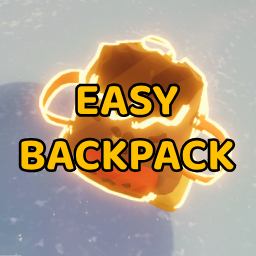
Даёт доступ к рюкзаку, не снимая и не бросая его.

Добавляет 40 новых цветов кожи.

Запоминает место вашей смерти и расставляет в мире скелеты там, где погибли другие игроки. Помогает отмечать опасные места и создаёт ощущение общего пути со всеми, кто сорвался.
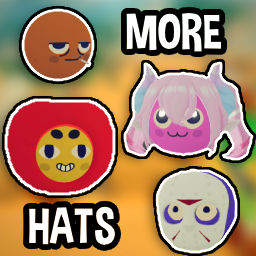
Добавляет в PEAK новые шляпы.