
EasyBackpack
Даёт доступ к рюкзаку, не снимая и не бросая его.

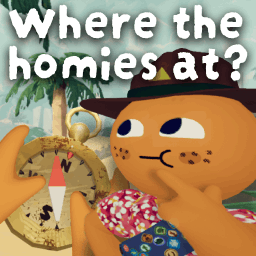
 Мод для PEAK
от OnlyCook
Единственный мод для направлений, которые вам когда-либо понадобятся! Включает: ярлыки игроков, лучшие пинги, пинги предметов, компас, призрачная бесплатная камера и многое другое
Sense of Direction — мод для PEAK (Пик) от автора OnlyCook. Единственный мод для направлений, которые вам когда-либо понадобятся! Включает: ярлыки игроков, лучшие пинги, пинги предметов, компас, призрачная бесплатная камера и многое другое
Его скачали 31,3 тыс. раз: это 256-е место среди модов PEAK в нашем каталоге, редкость — «обычный» (нижняя половина по скачиваниям). Мод обновлялся в последний месяц, актуальная версия — 1.1.7.
Для работы ему нужны: BepInExPack PEAK.
Автор пометил мод как клиентский: достаточно установить его себе, друзьям и хосту он не нужен.
4 шт · нажмите, чтобы открыть
Текст автора на языке оригинала
The only mod for directions you'll ever need, highly customizable and very user friendly to set up!
This mod keeps every teammate on your screen even when they're out of view, makes pings actually visible and useful (you can even ping items/objects), adds a powerful compass, and much more.
Client-sided, no other player needs it installed for this to work.
Fully localized in all 15 languages the game ships with: English, Français, Italiano, Deutsch, Español (España), 日本語, 한국어, Português (Brasil), Русский, 简体中文, 繁體中文, Español (Latinoamérica), Українська, Polski, Türkçe.
G)T to show all unopened luggage within 100m temporarily, has a 15s cooldownOpen with F8 at any time.
Every visual setting laid out over a live preview of what it actually does, fully translated with explanations, updating in real time as you change it. No dependencies needed. Most (but not all) settings are editable here, if something seems missing check the mod's config directly, ghost free-cam and compass spawning options in particular are there only.
Press B while dead to fly around freely instead of being stuck spectating a teammate. Combine it with ghost pinging (works automatically) to scout ahead and ping dangers, loot or better paths for whoever's still alive. How limited dead players are, decides the host (50m within the spectating player by default).
Found a bug or have a suggestion? Please fill out this form or send me an email at theactualcooker@gmail.com.
Config file: BepInEx/config/OnlyCook.SenseOfDirection.cfg.
View config information
If you have PEAKLib.ModConfig installed, every setting below is also editable in the game's settings under Mod Settings → Sense of Direction, no need to touch the config file by hand. Easiest way to get an overview and tweak things visually, is the F8 quick setup panel described above though (but it doesn't contain everything).
F8).G), display mode (Toggle/AlwaysOn/Hold) and its timings, min/max distance, font sizes, distance/badges/character-color toggles, badge icon size, whether to replace vanilla's own labels, and the through-walls skeleton ESP (off by default).Описание длинное — здесь его начало. Читать целиком на странице автора
В r2modman ставится автоматически
Файл скачивается с официального сервера Thunderstore, без перезаливов и сторонних установщиков
Подробная инструкция для PEAKВставьте значок в описание на Thunderstore, в README или в Discord — русскоязычные игроки сразу попадут на страницу с переводом и инструкцией.

[](https://modka.app/peak/onlycook-sense-of-direction/)<a href="https://modka.app/peak/onlycook-sense-of-direction/"><img src="https://modka.app/badge.png" alt="Описание на русском — Модка" height="44"></a>[url=https://modka.app/peak/onlycook-sense-of-direction/]Описание на русском — Модка[/url]Скачайте менеджер модов r2modman (или Gale) и выберите в нём игру PEAK. Создайте профиль — так моды не смешаются с чистой версией игры. Найдите «Sense of Direction» во вкладке Online и нажмите Download — BepInEx и все зависимости подтянутся сами. Нажмите «Start modded» — игра запустится с модами. Для мультиплеера всем игрокам нужен одинаковый набор модов: в r2modman профиль можно экспортировать кодом и отправить друзьям.
Файл скачивается с официального сервера Thunderstore, куда его загрузил OnlyCook. Мы не перезаливаем и не изменяем моды.
Автор пометил мод как клиентский: достаточно установить его себе, друзьям и хосту он не нужен.
Установите вместе с ним: BepInExPack PEAK. В менеджере модов зависимости подтягиваются автоматически.
20 октября 2026, актуальная версия — 1.1.7. Дата берётся с официальной страницы мода при каждом обновлении каталога.
Даёт доступ к рюкзаку, не снимая и не бросая его.
Добавляет зум с колёсиком мыши и необязательным оверлеем бинокля. Замечайте всё, как орёл.

Показывает полоски выносливости напарников рядом с вами, а также время и дистанцию вашего подъёма.
Удобная настройка модов прямо в игре.

Обновлён для 1.7. Нажмите X на клавиатуре (или LB на геймпаде), чтобы упасть рэгдоллом, причём с лёгким толчком в направлении движения, так выглядит динамичнее и веселее.

Запоминает громкость голоса, которую вы выставили друзьям, и не нужно настраивать её заново каждую игру.