
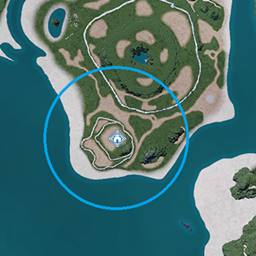
Extended Base Range
Установите пользовательский диапазон базы, расширяя значения по умолчанию из базовой игры (UE4SS Mod)

 Мод для Palworld
от yakuzadeso
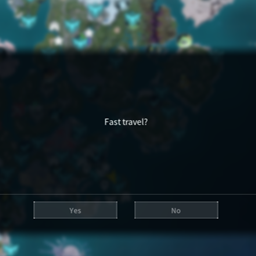
Быстрые поездки из любого места в любую точку быстрого путешествия.
Fast travel from anywhere - UE4SS lua — мод для Palworld (Палворлд) от автора yakuzadeso. Быстрые поездки из любого места в любую точку быстрого путешествия.
Его скачали 201,6 тыс. раз: это 8-е место среди модов Palworld в нашем каталоге, редкость — «легендарный» (топ-5% по скачиваниям). Мод обновлялся в последние полгода, актуальная версия — FastTravelFromAnywhere1010.zip.
Дополнительных модов для работы не требует.
Текст автора на языке оригинала
Fast travel from anywhere to any fast travel point.
You can find a blueprint variant of the mod here: Fast travel from anywhere - Blueprints variant
Installation
Download and install UE4SS. You can find the download link when you scroll all the way down. The file you should download should look something like "UE4SS_v3.0.1-1011-gb50986bd.zip".
To install UE4SS you need to extract its .zip archive and then go to where your game is installed and navigate to this path: \Pal\Binaries\Win64. Drop the extracted files here. In the end it should look like this:
\Pal\Binaries\Win64\dwmapi.dll \Pal\Binaries\Win64\ue4ss
Download the mod and extract its .zip file.
Go to where your game is installed and navigate to \Pal\Binaries\Win64\ue4ss\Mods\.
Drop the FastTravelFromAnywhere folder from the mod in there.
In the end it should look like this:
\Pal\Binaries\Win64\ue4ss\Mods\FastTravelFromAnywhere\Scripts\
The paths might be different for the gamepass version of the game.
Troubleshooting
If you have any issues with the mod you first need to make sure that ue4ss is running. Navigate to \Pal\Binaries\Win64\ue4ss and look for a file named "UE4SS.log". If there is no such file and you've already ran the game then that mean that UE4SS was not installed correctly.
If there is, you can open that file with a text editor like Notepad and check for errors. If the mod is installed correctly and UE4SS is loading it then you should see something like this in it:
[2026-06-14 00:17:08.1142345] Mod 'FastTravelFromAnywhere' has enabled.txt, starting mod.
If not then you probably didn't install the mod correctly.
If you want you can upload the contents of that file on Pastebin.com and then share the pastebin link in a comment explaining your issue.
[](https://www.curseforge.com/linkout?remoteUrl=https://ko-fi.com/yakuzadeso)
**
**
Файл скачивается с официального сервера CurseForge, без перезаливов и сторонних установщиков
Подробная инструкция для PalworldВставьте значок в описание на CurseForge, в README или в Discord — русскоязычные игроки сразу попадут на страницу с переводом и инструкцией.

[](https://modka.app/palworld/fast-travel-from-anywhere/)<a href="https://modka.app/palworld/fast-travel-from-anywhere/"><img src="https://modka.app/badge.png" alt="Описание на русском — Модка" height="44"></a>[url=https://modka.app/palworld/fast-travel-from-anywhere/]Описание на русском — Модка[/url]Скачайте «Fast travel from anywhere - UE4SS lua» кнопкой «Скачать» — файл придёт с CurseForge. Откройте папку игры (Steam: правой кнопкой по игре → «Управление» → «Просмотреть локальные файлы») и перейдите в Pal\Content\Paks\~mods. Если папки ~mods нет — создайте её. Распакуйте архив и перенесите в ~mods файлы .pak (а также .ucas и .utoc с тем же названием, если они есть). Запустите игру — мод уже работает.
Файл скачивается с официального сервера CurseForge, куда его загрузил yakuzadeso. Мы не перезаливаем и не изменяем моды.
30 июля 2026, актуальная версия — FastTravelFromAnywhere1010.zip. Дата берётся с официальной страницы мода при каждом обновлении каталога.
Установите пользовательский диапазон базы, расширяя значения по умолчанию из базовой игры (UE4SS Mod)

Измените скорость производства яиц на ферме, чтобы быть быстрее (1, 15, 100)

В лагере нет ограничений по весу.
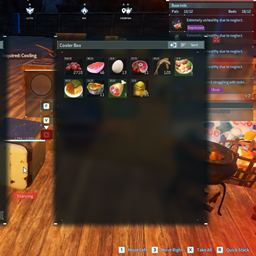
Отключает распад пищи.

Добавление предметов в таблицы выпадения монстров

Make all Tower Boss Capturable