



CelestialYi
Небесная кожа Ии


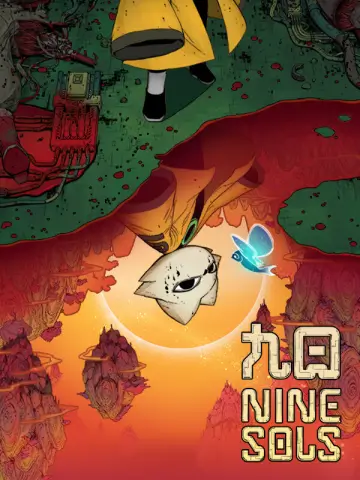 Мод для Nine Sols
от Marcerys
Дарить Свежий новый взгляд, где каждое волокно его бытия обвязывается заброшенными черными нитями Пустоты. Полностью совместим с новым Kunlun.
Lost Yi — мод для Nine Sols (Найн Солс) от автора Marcerys. Дарить Свежий новый взгляд, где каждое волокно его бытия обвязывается заброшенными черными нитями Пустоты. Полностью совместим с новым Kunlun.
Его скачали 1,2 тыс. раз: это 30-е место среди модов Nine Sols в нашем каталоге, редкость — «редкий» (топ-50% по скачиваниям). Мод обновлялся в течение года, актуальная версия — 2.0.0.
Для работы ему нужны: BepInExPack, NineSolsAPI, CustomSols.
Текст автора на языке оригинала
Heavily inspired by the Lost Hornet skin mod from Hollow Knight: Silksong, Yi gets lost in the Void and lets it take over, augmenting his powers (just visually!). The pack features a custom hold talisman animation for Qi Blast and Full Control.
Requires Yukikaco's CustomSols mod to work: https://thunderstore.io/c/nine-sols/p/Yukikaco/CustomSols/ (and implicitly, the Nine Sols API). BepInEx's Configuration Manager is highly recommended.
In the .zip file, you will find a folder named "Lost Yi". Place this folder in "[Your Nine Sols game path]\BepInEx\Config\CustomSols" alongside the other folders, Default, ExampleAllUse and so on. After booting up Nine Sols, press F1 to open the configuration manager, then under "CustomSols 1.0.0", at the "Select Skin" dropdown click on "Lost Yi" and wait for the game to load it. It may take several seconds, or even minutes for lower end PCs, as there's over 1000 sprites in the pack. Do not panic because of the longer load time, it's basically like a Minecraft texture pack but for Nine Sols!
В r2modman ставится автоматически
Файл скачивается с официального сервера Thunderstore, без перезаливов и сторонних установщиков
Подробная инструкция для Nine SolsВставьте значок в описание на Thunderstore, в README или в Discord — русскоязычные игроки сразу попадут на страницу с переводом и инструкцией.

[](https://modka.app/nine-sols/marcerys-lost-yi/)<a href="https://modka.app/nine-sols/marcerys-lost-yi/"><img src="https://modka.app/badge.png" alt="Описание на русском — Модка" height="44"></a>[url=https://modka.app/nine-sols/marcerys-lost-yi/]Описание на русском — Модка[/url]Скачайте менеджер модов r2modman (или Gale) и выберите в нём игру Nine Sols. Создайте профиль — так моды не смешаются с чистой версией игры. Найдите «Lost Yi» во вкладке Online и нажмите Download — BepInEx и все зависимости подтянутся сами. Нажмите «Start modded» — игра запустится с модами. Чтобы сыграть без модов, запустите игру как обычно из Steam — r2modman не трогает чистую версию игры.
Файл скачивается с официального сервера Thunderstore, куда его загрузил Marcerys. Мы не перезаливаем и не изменяем моды.
Установите вместе с ним: BepInExPack, NineSolsAPI, CustomSols. В менеджере модов зависимости подтягиваются автоматически.
25 ноября 2025, актуальная версия — 2.0.0. Дата берётся с официальной страницы мода при каждом обновлении каталога.
Небесная кожа Ии

Сияющая кожа Yi

Добавляет водные эффекты в yi. Широко используется мод Damned Destinys для нанесения большинства сырых текстур.

Arruma erros de português e de tradução em PT-BR

Лавская кожа Йи

Название: Nine Sols