
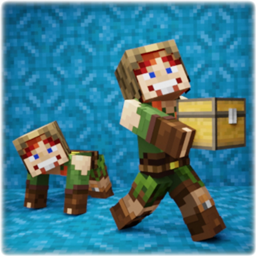
More Body Actions + Pickup & Carry!
Это дополнение позволяет вам сидеть, лежать, ползать, подниматься по стенам и собирать моба, игрока или блок и нести его! Вы также можете пролезть через отверстие в 1 блок! Также работает в мультиплеере!

 Мод для Minecraft Bedrock (PE)
от sirob
Это дополнение добавляет новый элемент, с помощью которого открывается меню, где вы можете выполнять, добавлять, редактировать, удалять команды и многое другое! Мультиплеер поддерживается! Совместим со всеми другими дополнениями!
Turbo Commands — мод для Minecraft Bedrock (PE) (Майнкрафт ПЕ) от автора sirob. Это дополнение добавляет новый элемент, с помощью которого открывается меню, где вы можете выполнять, добавлять, редактировать, удалять команды и многое другое! Мультиплеер поддерживается! Совместим со всеми другими дополнениями!
Его скачали 695,3 тыс. раз: это 98-е место среди модов Minecraft Bedrock (PE) в нашем каталоге, редкость — «редкий» (топ-50% по скачиваниям). Мод обновлялся в последний месяц, актуальная версия — RP-26.60-TurboCommands-v1.1.30.mcpack.
Дополнительных модов для работы не требует.
1 шт · нажмите, чтобы открыть
Текст автора на языке оригинала
Tired of typing commands in chat? This addon allows you to save any command and execute it with the click of a button! Multiplayer is supported! Compatible with all other addons!
⭐ Repeated command execution! By pressing one button, you can execute your command as many times as you want! The delay between executions is adjustable!
⭐ Fully customizable! The color of commands in the buttons, the order of sorting, display the result of the execution in the chat and much more!
⭐ Supports multiplayer! Only operators can get access the menu!
⭐ Fully compatible with any other addons!
After entering the world with this addon, you will not have access to the menu. To gain access type: /function sirob_turbocommands
After that you will get access and you will be given the "Turbo Commands" item:
Use it (tap the screen or right mouse button) to open the Turbo Commands Menu:
We pre-added some commonly used commands!
Useless commands? You can delete or replace them with your own or add new ones! We'll look into that later
Click on any command to execute it once
In the main menu press the "Add command" button,
In the input field enter your command
And in the dropdown list select where to insert the new command
In the main menu press the "Repeated command execution" button,
Select the command that will be executed repeatedly,
Set the number of repetitions,
And set a delay in ticks between executions (1 second = 20 ticks)
In the main menu press the "Manage my commands" button,
Select the command you want to edit or delete,
And edit the command in the input field. To delete the command, leave the input field blank
In the main menu press the "My preferences" button.
And here you can adjust your preferences:
Note: these are not global addon settings, but your personal preferences. Each player can customize his preferences however he wants!
Here you can configure:
🔧Bold buttons font. If enabled, all buttons in the menu except the command buttons will be in bold
🔧Bold commands buttons font. If enabled, the command buttons will be in bold
🔧Sort commands by frequency of use instead of sorting by recent:
Sorting “by frequency of use”: the more times you use a command, the higher it will be in the list.
*Sorting "by recent*": the last used command is moved to the top of the list.
🔧Show "/" before commands in buttons. If disabled, commands will be displayed without the "/"
🔧Show commands output in chat. If disabled, the command output will be hidden (this does not affect any /gamerule)
🔧Show in red failed commands in buttons. If disabled, the command in the button will not be colored red if its execution failed
🔧Reopen menu after selecting command. If enabled, the menu will reopen after you click on the command
🔧Color of commands in the buttons.
Just type /execute as playername run function sirob_turbocommands
To revoke access, enter the above command again
Warning: A player with access to Turbo Commands will be able to use all minecraft commands even if he is not an operator!
After entering the world, type /function sirob_turbocommands
Use the item given to you to open the menu!
❓Does this addon work on realms? Download the world from your realm, enable the necessary experiments, add this addon to it, and upload it back to the realm. If it still doesn't work, then it's a realms bug
❓I lost the "Turbo Commands" item, where can I find it? It can be found in the creative inventory in the "Construction" tab
❓Your addon doesn't work! Please perform all actions listed below:
❓Your addon works in a local world but does not work on the server! Make sure that you have followed all the steps in the previous point. If you are using Aternos, try "turning off and on again" the experiment toggles, as there is a known issue where they sometimes do not activate on the first attempt. Also, ensure that your hosting provider supports script execution in addons (Beta APIs).
Файл скачивается с официального сервера CurseForge, без перезаливов и сторонних установщиков
Подробная инструкция для Minecraft Bedrock (PE)Вставьте значок в описание на CurseForge, в README или в Discord — русскоязычные игроки сразу попадут на страницу с переводом и инструкцией.

[](https://modka.app/minecraft-bedrock/turbo-commands-cf/)<a href="https://modka.app/minecraft-bedrock/turbo-commands-cf/"><img src="https://modka.app/badge.png" alt="Описание на русском — Модка" height="44"></a>[url=https://modka.app/minecraft-bedrock/turbo-commands-cf/]Описание на русском — Модка[/url]Скачайте «Turbo Commands» кнопкой «Скачать» — файл придёт с CurseForge. Откройте скачанный файл .mcaddon или .mcpack — на ПК двойным щелчком, на телефоне через «Открыть с помощью» → Minecraft. Игра покажет «Импорт выполнен». Создайте мир или откройте настройки существующего: в разделах «Пакеты поведения» и «Наборы ресурсов» нажмите на аддон и «Активировать». Если аддон требует экспериментальные функции — включите их в настройках мира в разделе «Эксперименты».
Файл скачивается с официального сервера CurseForge, куда его загрузил sirob. Мы не перезаливаем и не изменяем моды.
31 октября 2026, актуальная версия — RP-26.60-TurboCommands-v1.1.30.mcpack. Дата берётся с официальной страницы мода при каждом обновлении каталога.
Это дополнение позволяет вам сидеть, лежать, ползать, подниматься по стенам и собирать моба, игрока или блок и нести его! Вы также можете пролезть через отверстие в 1 блок! Также работает в мультиплеере!

Создайте условия для быстрой телепортации! Общественная система путевых точек со списком «мои любимые»! Каждый игрок может иметь и публиковать до 999 путевых точек! Количество игроков онлайн не ограничено! Совместим с любыми дополнениями! Классные эффекты камеры при телепортации!
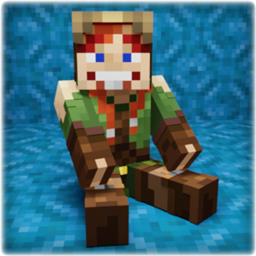
Этот аддон позволяет вам сидеть, лежать, ползать и перелезать через стены! Камера от первого лица корректирует свое положение в зависимости от состояния тела. Вы также можете пролезть через отверстие в 1 блок! Также работает в мультиплеере!

3D GUNS Mod с хэдшотами, плавной анимацией, оружием с частотой стрельбы 1200 оборотов в минуту и многое другое! Скачайте сейчас и получите множество оружия в вашем мире Minecraft!!!

Этот Texture Pack / Addon был вдохновлен различными модами Minecraft Java Foliage и направлен на то, чтобы сделать внутриигровую листву более плотной и менее повторяющейся, улучшая текстуры, модели и добавляя варианты почти ко всем внутриигровым листвам.
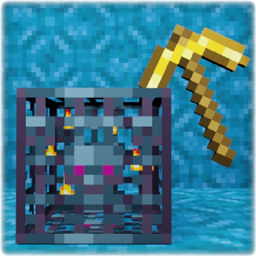
Разбейте появление мафии киркой, очарованной Silk Touch, и она упадет! Теперь вы можете взять его с собой и разместить там, где захотите! Моб внутри будет сохранена!