Начните вводить название — например, MoreHead, Sodium или PEAK

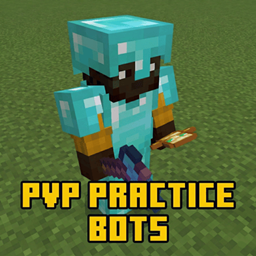
PvP Practice Bots — иконка
Обложка Minecraft Bedrock (PE)Мод для Minecraft Bedrock (PE)

PvP Practice Bots

от petstorebuffet

Полностью автоматические PvP-боты, которые будут сражаться, лечить и защищаться от вас, чтобы практиковать различные стили PvP, такие как Sword, Axe или Mace, или создавать свой собственный ИИ без каких-либо знаний кодирования! Записывайте все это с помощью /record и следите за этим!

  • Обычный
  • 339,2 тыс. скачиваний
  • Версия PvP Practice B…
  • Обновлён 16 октября 2026
  • PvP
  • Игроки
  • Ванилла+

О моде PvP Practice Bots

PvP Practice Bots — мод для Minecraft Bedrock (PE) (Майнкрафт ПЕ) от автора petstorebuffet. Полностью автоматические PvP-боты, которые будут сражаться, лечить и защищаться от вас, чтобы практиковать различные стили PvP, такие как Sword, Axe или Mace, или создавать свой собственный ИИ без каких-либо знаний кодирования! Записывайте все это с помощью /record и следите за этим!

Его скачали 339,2 тыс. раз: это 215-е место среди модов Minecraft Bedrock (PE) в нашем каталоге, редкость — «обычный» (нижняя половина по скачиваниям). Мод обновлялся в последний месяц, актуальная версия — PvP Practice Bots (v2.9).mcaddon.

Дополнительных модов для работы не требует.

Скриншоты

7 шт · нажмите, чтобы открыть

Полное описание PvP Practice Bots

Текст автора на языке оригинала

!! IMPORTANT !! Beta APIs need to be enabled!

And you must be on the most recent Minecraft version!**

If using Blurrys, make sure this add-on is above Blurrys in the BP list. (still working on compatability issues)

Now with a dual system and a way to share custom bots!

Wiki Page: PvP Practice Bots WIKI

**

Custom Skins Tutorial (different add-on but still applies)

Custom Skin Tutorial **

How to share custom bots:

How to share custom bots**

To begin, start by spawning one with the following:

every input is optional and will default to something else if not inputted /spawnbot **Target options: "" = command sender "bot" = other bots "player" = non-bot players "mob" = non-player/bot entities "all" = closest entity "partialName" = whoever's partial name you input, ex: (my name is petstorebuft) so "pets"

Ignored Tag options: "" = none "none" = none**

then if you notice too many, just run /removebots (bots are considered players, so @p, @r, and @a selectors work on them)

If you're curious about the internals, just type /botdebug

If you want to create your own bot, use the following: /botbuilder

To help debug or test run: /forceaction

Give someone a kit: /kit Save your inventory as a custom kit: /savekit List all kits:** /kits

And finally to adjust various settings and enable better AI type: /settings**

To record your game use: /record /stoprec /playback

To record custom actions, run: /recordaction

/spawnbot, /removebots, /kit, and /mlspawn have command block support!

How to set up duels:

**

To begin as an admin, type /duels; this will open a menu (for players, if they type it, they don't have the same options). In this menu you can create and edit duels; simply press "new duel," create it, edit it, and fill out the information that you want!

To start a duel either type /duels and select one, or type /duel

Then if you want to end the duel you are in, or you're an admin and want to end specific duels, simply type **/endduel

**/Endduel works in command blocks too!

Introduction to machine learning bots:

Machine learning bots work by getting "trained"; they will learn from fighting and "upload" the data to a global brain, and then future ML bots will pull from the brain and apply it to their current combat to be better at fighting. To spawn a single ML bot: /mlspawn

The spawned bot will now learn by fighting you or the set target, but this is very slow, so you can train multiple at once via: /mltrain

This will spawn multiple pairs of bots that fight each other while learning; one focuses on defense while the other focuses on attacking, resulting in a good balance. You can also train multiple types of kits with this. To apply the learned data to the pre-made bots, just run: /mltoggle

To see the total bot data, like what it's learned / the storage it's used, run these two commands: /mlstats /mldata

Then to reset a trained class's data run: /mlreset

Finally to adjust the ML settings run: /mlsettings

Currently there are 5 types of pre-built bots:

Sword: only a diamond sword + armor, with basic enchants

axe: diamond sword/axe/armor, basic enchants bow, crossbow 5 arrows

mace: two maces with enchants enchanted diamond sword/axe/armor 2 totems, multiple strength/speed pots a stack of golden apples 2 stacks of wind charges 2 stacks of pearls elytra (doesn't use yet)

UHC: diamond armor/sword/axe/pickaxe, basic enchants 2 stacks of wood/cobblestone 2 lava buckets 2 water buckets 16 webs 16 arrows bow/crossbow basic enchants

crystal: netherite sword/axe/pickaxe/armor, typical enchants 11 totems 4 stacks of pearls 5 stacks of crystals 3 stacks of xp bottles 3 stacks of obsidian 2 stacks of respawn anchors 2 stacks of glowstone 1 stack of arrows 1 stack of golden apples 1 enchanted crossbow

cart: netherite sword/armor, typical enchants 2 stacks of rails 2 stacks of golden apples 2 stacks of webs 1 stack of XP bottles 2 stacks of pearls 1 stack of arrows 19 TNT minecarts 6 instant health 2 potions crossbow w/ Quick Charge 3 enchanted flint and steal enchanted bow

The bots scale with difficulty via attack speed, accuracy, and various habits. This pack will be updated to improve the AI and add more kits!

Helpful to know:

**

Bots by default will get auto tagged by the action they are performing the tag will look like: action_ so for example action_basic_attack or action_none, this can be used to be detected by command blocks for custom things, or running the /forceaction command

How to create custom AI bots:

All custom bots have the tag CustomBot_botId, so you can use that to auto-do stuff to them!

Custom Bot tutorial!

Support & Custom Work

Check me out on Fiverr

Discord server: https://discord.gg/QgeeGsEAkp

Discord username: petstorebuffet

I will 100% take any advice on this pack for features to add or any bugs that need fixing!

Как установить PvP Practice Bots

Файл скачивается с официального сервера CurseForge, без перезаливов и сторонних установщиков

Подробная инструкция для Minecraft Bedrock (PE)
  1. Скачайте «PvP Practice Bots» кнопкой «Скачать» — файл придёт с CurseForge.
  2. Откройте скачанный файл .mcaddon или .mcpack — на ПК двойным щелчком, на телефоне через «Открыть с помощью» → Minecraft. Игра покажет «Импорт выполнен».
  3. Создайте мир или откройте настройки существующего: в разделах «Пакеты поведения» и «Наборы ресурсов» нажмите на аддон и «Активировать».
  4. Если аддон требует экспериментальные функции — включите их в настройках мира в разделе «Эксперименты».
Вы автор мода? Поставьте ссылку на русское описание

Вставьте значок в описание на CurseForge, в README или в Discord — русскоязычные игроки сразу попадут на страницу с переводом и инструкцией.

Описание на русском — Модка
Markdown[![Описание на русском — Модка](https://modka.app/badge.png)](https://modka.app/minecraft-bedrock/pvp-practice-bots/)
HTML<a href="https://modka.app/minecraft-bedrock/pvp-practice-bots/"><img src="https://modka.app/badge.png" alt="Описание на русском — Модка" height="44"></a>
Steam (BBCode)[url=https://modka.app/minecraft-bedrock/pvp-practice-bots/]Описание на русском — Модка[/url]

Частые вопросы о PvP Practice Bots

Как установить PvP Practice Bots?

Скачайте «PvP Practice Bots» кнопкой «Скачать» — файл придёт с CurseForge. Откройте скачанный файл .mcaddon или .mcpack — на ПК двойным щелчком, на телефоне через «Открыть с помощью» → Minecraft. Игра покажет «Импорт выполнен». Создайте мир или откройте настройки существующего: в разделах «Пакеты поведения» и «Наборы ресурсов» нажмите на аддон и «Активировать». Если аддон требует экспериментальные функции — включите их в настройках мира в разделе «Эксперименты».

Безопасен ли PvP Practice Bots?

Файл скачивается с официального сервера CurseForge, куда его загрузил petstorebuffet. Мы не перезаливаем и не изменяем моды.

Когда PvP Practice Bots обновлялся последний раз?

16 октября 2026, актуальная версия — PvP Practice Bots (v2.9).mcaddon. Дата берётся с официальной страницы мода при каждом обновлении каталога.

Aplok Guns — иконка

Aplok Guns

Удобное для выживания военное дополнение, построенное вокруг ванильного оружия, удовлетворяющее эффектам и оптимизированное. Он добавляет много оружия, взрывчатых веществ, предметов, блоков, с помощью ремесленного оборудования, полезных принадлежностей и мелких деталей.

Легендарный3,8 млнМинимализм

Advanced Waypoints — иконка

Advanced Waypoints

Вы когда-нибудь терялись в своем доме во время исследования? Теперь ваши проблемы закончились с этим дополнением Waypoint, которое поможет вам создать точки в вашем мире.

Редкий690,7 тыс.Игроки

Ultimate Cheat Menu - Achievement Friendly — иконка

Ultimate Cheat Menu - Achievement Friendly

Это позволяет использовать читы в вашем мире выживания или на сервере без потери достижений. Это не только для обмана, но и делает все команды проще и удобнее в использовании, улучшая общий геймплей и управление.

Редкий478,3 тыс.Выживание

Revive Me! — иконка

Revive Me!

Первый в мире аддон без Player.json

Обычный189,8 тыс.Выживание

🔥GUNS 3D Mod and Addon Pack Download – SIMPLE ARSENAL ADD-ON!!🔥 — иконка

🔥GUNS 3D Mod and Addon Pack Download – SIMPLE ARSENAL ADD-ON!!🔥

3D GUNS Mod с хэдшотами, плавной анимацией, оружием с частотой стрельбы 1200 оборотов в минуту и многое другое! Скачайте сейчас и получите множество оружия в вашем мире Minecraft!!!

Легендарный3,7 млнДатапаки

Modern Furniture | +750 BLOCKS — иконка

Modern Furniture | +750 BLOCKS

Современная мебель - это аддон декора с более чем 750 блоками, предлагающий широкий выбор гладких и стильных предметов мебели. Идеально подходит для создания современных жилых помещений с уникальным и функциональным дизайном. Идеально подходит для современных зданий и внутренней отделки.

Легендарный3 млнДатапаки