Начните вводить название — например, MoreHead, Sodium или PEAK

Physics Glue Create — иконка
Обложка Minecraft Bedrock (PE)Мод для Minecraft Bedrock (PE)

Physics Glue Create

от Sunfallmiscirts

Добавление «Super Glue» (BETA) имеет собственный физический движок, вдохновленный популярным модом Create. Он позволяет «сварить» стандартные блоки Minecraft вместе, чтобы построить функционирующие, полностью подвижные физические объекты, такие как автомобили, лодки и летательные аппараты.

  • Редкий
  • 376,4 тыс. скачиваний
  • Версия PHYSICS GLUE v…
  • Обновлён 8 июля 2026
  • Техника
  • Утилиты
  • Ванилла+

О моде Physics Glue Create

Physics Glue Create — мод для Minecraft Bedrock (PE) (Майнкрафт ПЕ) от автора Sunfallmiscirts. Добавление «Super Glue» (BETA) имеет собственный физический движок, вдохновленный популярным модом Create. Он позволяет «сварить» стандартные блоки Minecraft вместе, чтобы построить функционирующие, полностью подвижные физические объекты, такие как автомобили, лодки и летательные аппараты.

Его скачали 376,4 тыс. раз: это 193-е место среди модов Minecraft Bedrock (PE) в нашем каталоге, редкость — «редкий» (топ-50% по скачиваниям). Мод обновлялся в последние полгода, актуальная версия — PHYSICS GLUE v0.545.

Дополнительных модов для работы не требует.

Скриншоты

8 шт · нажмите, чтобы открыть

Полное описание Physics Glue Create

Текст автора на языке оригинала

[THIS ADDON IS STILL IN BETA AND MAY CONTAIN BUGS. FEEDBACK, BUG REPORTS, AND SUGGESTIONS ARE ALWAYS WELCOME IN THE COMMENTS.]

What is the Super Glue Addon?

Super Glue is a Minecraft Bedrock addon that introduces a fully custom physics engine inspired by mods such as Create Mod, Clockwork, Valkyrien Skies, and Create Aeronautics.

It allows you to weld ordinary Minecraft blocks into fully dynamic physics objects that can move, rotate, float, fly, and interact with the world.

Build creations such as:

  • Cars and trucks
  • Boats and submarines
  • Airships and airplanes
  • Helicopters
  • Windmills and turbines
  • Moving doors and elevators
  • Walking machines
  • Entire movable houses

If you can build it, you can bring it to life!

Latest Update!

  • Camera and Monitor Surveillance: Introducing the Camera, Monitor, and Physics Camera blocks! Assign matching IDs using a Wrench to wirelessly broadcast real time, true color views of your entities, blocks, and environments directly to screens.
  • Attuner Precision Steering: Take ultimate control of your flight and driving! The new Attuner block forces your vehicle to face exactly where your camera is looking, including straight up and down.
  • Glue Blasting Automation: Mechanize your assembly lines! The Glue Blaster automatically glues or unglues whatever it is attached to upon interaction.
  • Dynamic Wheels and Train Tracks: Build better land vehicles with rolling Dynamic Wheels featuring simple suspension, and construct fully guided trains using Railroad Tracks.
  • Sonic Tech and Weaponry: Bring advanced echo wave technology and immense firepower to your world with the Sonic Cannon, Sonic Laser, Sonic Armor, and Sonic Handheld Gun.
  • Polished Audio and Visuals: Enjoy beautiful new wind streaks on active Propellers, enhanced Thruster particles, better overall textures, and fresh audio for gluing (slime) and grabbing!
  • Optimized Physics and Survival Balance: Experience flawlessly smooth Ocean Physics for boats, a complete balance pass on Survival crafting recipes, and zero fall damage when riding a descending physics object.

Tools and How to Weld Objects

  • Super Glue (Stick): Best for selecting custom shapes block by block. Break blocks to select them. Use the item while looking at the sky or air to weld the selected blocks into one physics object.
  • Box Glue: Best for selecting large areas quickly. Use the item on a block to set Point 1, and another block for Point 2. Use it while looking at the sky to weld. Crouch and use the item to clear your selection.
  • Drag Tool: Allows you to pick up and move welded creations. Use while aiming at a physics object to grab it, and use it again to release. (Newly Improved: Dragging now supports more advanced movements and object manipulation!)
  • UnGlue Glue: Converts a physics object back into normal Minecraft blocks. Use while aiming at a welded creation to snap it back to the grid.
  • Ropes and Springs: Creates dynamic physical connections between two points. Use the item on the first point, then on the second point to connect. The Rope Tool creates standard cables with tension, while the Spring Tool creates bouncy, elastic connections.
  • Signal Remote: Pairs with Signal Receivers to wirelessly toggle your electrical systems and Current from a distance.
  • Sonic Handheld Gun: Throws an Echo Wave Attack. The output power determines how far the attack is thrown. The higher the power, the more EXP it requires to fire.

Special Physics Blocks

  • Seat: Allows you to sit and control your creation. Use the item on the Seat to ride it.
  • Attuner [NEW]: Forces the vehicle to seamlessly rotate and face exactly where your player camera is aiming, including vertically up and down.
  • Glue Blaster [NEW]: An interactive block that automatically glues or unglues the grid structure it is attached to when triggered.
  • Camera Block [NEW]: A stationary surveillance block. Use a Wrench to write its broadcast ID.
  • Monitor Block [NEW]: Displays a live, true color feed from any Camera block sharing its assigned ID.
  • Physics Camera [NEW]: A mobile camera that can be glued to vehicles and entities to broadcast a portable video feed back to your Monitor blocks.
  • Balloon Burner: Allows ships to float with adjustable altitude. Interact to raise the altitude, and Shift and Interact to lower it.
  • Dynamic Wheel: A true circular wheel for land vehicles. They physically roll around and feature built in simple suspension for a smoother ride. (Now correctly saves its state!)
  • Wheel: Adds standard traction for land vehicles. Can be powered autonomously via Current.
  • Railroad Track: Place these for your Train Anchors to ride on, allowing you to build fully functional, track guided trains.
  • Train Anchor: Creates precise connection offsets for minecarts and trains. Essential for making aligned train cars that track properly on Railroad Tracks.
  • Motor: Continuously spins attached blocks. Useful for rotors, fans, and mechanical systems. Motors feature advanced configurations for expanded capability. Note: A single motor can only glue and spin a maximum of 256 blocks.
  • Sonic Cannon: An advanced directional dispenser. Choose exactly where you want it to fire! Great for launching Atomic Bombs. In Place Mode, it will place blocks instead of shooting them. Place a barrel or chest on top of it to feed it the items you want to shoot.
  • Sonic Laser: Fires a laser towards a chosen coordinate, breaking any blocks it hits.
  • Sonic Armor: Advanced defensive plating. Takes up to 5 hits and outputs all the accumulated damage directly back at your enemies.
  • Atomic Bomb: A devastating explosive payload that blows up a massive radius on impact.
  • Floater: Provides buoyancy and keeps builds afloat in water.
  • Propeller: Generates lift for flying machines. Can be powered manually by a pilo

Описание длинное — здесь его начало. Читать целиком на странице автора

Как установить Physics Glue Create

Файл скачивается с официального сервера CurseForge, без перезаливов и сторонних установщиков

Подробная инструкция для Minecraft Bedrock (PE)
  1. Скачайте «Physics Glue Create» кнопкой «Скачать» — файл придёт с CurseForge.
  2. Откройте скачанный файл .mcaddon или .mcpack — на ПК двойным щелчком, на телефоне через «Открыть с помощью» → Minecraft. Игра покажет «Импорт выполнен».
  3. Создайте мир или откройте настройки существующего: в разделах «Пакеты поведения» и «Наборы ресурсов» нажмите на аддон и «Активировать».
  4. Если аддон требует экспериментальные функции — включите их в настройках мира в разделе «Эксперименты».
Вы автор мода? Поставьте ссылку на русское описание

Вставьте значок в описание на CurseForge, в README или в Discord — русскоязычные игроки сразу попадут на страницу с переводом и инструкцией.

Описание на русском — Модка
Markdown[![Описание на русском — Модка](https://modka.app/badge.png)](https://modka.app/minecraft-bedrock/physics-glue-create/)
HTML<a href="https://modka.app/minecraft-bedrock/physics-glue-create/"><img src="https://modka.app/badge.png" alt="Описание на русском — Модка" height="44"></a>
Steam (BBCode)[url=https://modka.app/minecraft-bedrock/physics-glue-create/]Описание на русском — Модка[/url]

Частые вопросы о Physics Glue Create

Как установить Physics Glue Create?

Скачайте «Physics Glue Create» кнопкой «Скачать» — файл придёт с CurseForge. Откройте скачанный файл .mcaddon или .mcpack — на ПК двойным щелчком, на телефоне через «Открыть с помощью» → Minecraft. Игра покажет «Импорт выполнен». Создайте мир или откройте настройки существующего: в разделах «Пакеты поведения» и «Наборы ресурсов» нажмите на аддон и «Активировать». Если аддон требует экспериментальные функции — включите их в настройках мира в разделе «Эксперименты».

Безопасен ли Physics Glue Create?

Файл скачивается с официального сервера CurseForge, куда его загрузил Sunfallmiscirts. Мы не перезаливаем и не изменяем моды.

Когда Physics Glue Create обновлялся последний раз?

8 июля 2026, актуальная версия — PHYSICS GLUE v0.545. Дата берётся с официальной страницы мода при каждом обновлении каталога.

Explorer's World Map & Minimap — иконка

Explorer's World Map & Minimap

Мини-карта + Атлас, Высокое качество, Оптимизированный, Настраиваемый, Полный функций, Достижения

Эпический1,8 млнТехника

Edds' VeinCapitator (Vein Miner & Tree Capitator) — иконка

Edds' VeinCapitator (Vein Miner & Tree Capitator)

Хотели бы вы срубить деревья за один раз? Или, может быть, вы хотите добывать уголь, но это займет слишком много времени? С помощью VeinCapitator вы можете сделать и то, и другое! (до 1000 блоков) Это идет с шахтером вен и подушником деревьев!
Легендарный4,3 млнМинимализм

DoubleHands - Functional Offhand like Java edition (MCPE PC etc) — иконка

DoubleHands - Functional Offhand like Java edition (MCPE PC etc)

Полностью функциональный и универсально используемый в автономном режиме, как Java, а также точные визуальные эффекты в базовом издании
Эпический1,1 млнУтилиты

TNT Addon — иконка

TNT Addon

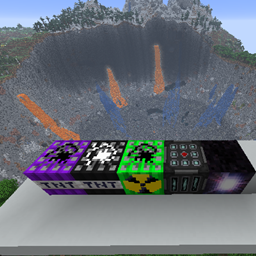
Добавлено 5 ТНТ вместе с 2 бонусными деструктивными ТНТ

Эпический848,8 тыс.Броня, инструменты и оружие

Connected Glass - Achievement Friendly — иконка

Connected Glass - Achievement Friendly

Подключенное стекло автоматически удаляет уродливые линии сетки между стеклянными блоками. Нет необходимости в крафте — поместите нормальное стекло, и оно легко соединится. Поддерживает все типы стекла и стекол. Достижения дружественные.

Редкий454 тыс.Утилиты

Bedrock Voice Chat — иконка

Bedrock Voice Chat

Proximity Voice Chat для выделенных серверов Minecraft Bedrock

Редкий384,2 тыс.Утилиты