CLASSIC UI
##
##
##
POCKET UI
##
**
******************** OTG BACKPACK **********************
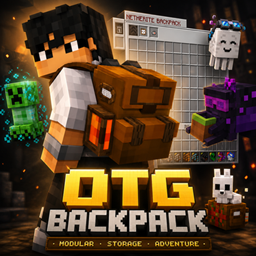
OTG Backpack is a modular survival backpack addon for Minecraft Bedrock Edition.
Start with a simple Basic Backpack and upgrade it through multiple tiers as your adventure grows:
Basic > Copper > Iron > Gold > Diamond > Netherite
Each tier increases your storage potential and unlocks more backpack utility, turning the backpack into a portable survival system for exploring, mining, building, traveling, and long-term worlds.
OTG Backpack is designed to be more than just extra storage. It includes portable workstations, fluid tanks, modules, cosmetics, placement support, quick transfer tools, mobile-friendly controls, and world settings for admins.
********************** MAIN FEATURES **********************
Upgradeable Backpack Tiers
Upgrade your backpack through six tiers:
Basic → Copper → Iron → Gold → Diamond → Netherite
Higher tiers provide more storage and unlock additional backpack systems, including:
- Built-in crafting and smelting
- Advanced utility features
Netherite Backpack
The Netherite Backpack is the highest backpack tier and provides the largest storage capacity.
Netherite features include:
- Support for the Overpack Module
- Access to advanced portable workstations
- Stronger effects from selected modules
- Improved large-storage UI
- Fire resistance when dropped as an item
Overpack Module
The Overpack Module is an endgame upgrade available for Netherite Backpacks.
It adds a second storage page containing another 126 slots, making it useful for:
- Large construction projects
Page 1 and Page 2 remain separate and can be switched from inside the backpack.
Stockpile Module
The Stockpile Module provides bulk storage separate from normal backpack slots and Overpack Page 2.
Features include:
- Automatic storage of matching items
- Large virtual item counts
- Individual withdrawal controls
Stockpile is useful for carrying large amounts of frequently collected resources without filling the main backpack inventory.
Built-in Crafting Table
Craft directly inside your backpack using the built-in 3×3 Crafting Table.
The Crafting panel supports compatible vanilla and OTG Backpack recipes.
You can also deploy a normal Crafting Table into the world when needed.
Portable Workstations
OTG Backpack provides portable workstation access depending on backpack tier, installed modules, and World Settings.
Available utilities include:
Successful workstation deployment automatically closes the backpack.
If the area is blocked or unsafe, the backpack remains open so you can reposition and try again.
Max Enchanting Setup
Netherite Backpacks can deploy a complete temporary level-30 enchanting station.
The setup includes:
- A functional Enchantment Table
- A complete Bookshelf arrangement
- Automatic rotation so the entrance faces the player
Players do not need to carry or spend Bookshelves.
The setup can automatically clear harmless ground cover such as:
The area must still be flat, supported, and free from solid blocks, liquids, carpets, or other obstacles.
The temporary structure:
- Cannot be mined for free materials
- Does not drop Bookshelves or the Enchantment Table
- Is protected against explosions and pistons
- Disappears when the owner moves too far away
- Disappears after death, teleporting, portal travel, or changing dimensions
- Is replaced when another portable workstation is deployed
Virtual Furnace and Fluid Tanks
Smelt items directly inside your backpack using lava stored in the built-in tank system.
Fluid tank features include:
- Deposit and withdrawal controls
- Virtual Furnace fuel support
- Optional automatic fluid collection
- Survival and exploration utility
A Furnace Module can also provide faster smelting.
Quick Deposit and Auto-Transfer
Unload backpack contents quickly using Quick Deposit and Auto-Transfer.
These features make it easier to transfer items into nearby chests after:
When depositing into a chest that already contains items, OTG Backpack can prioritize matching item types.
Backpack Mode and Placement Mode
OTG Backpack supports two main modes:
Backpack Mode
Used for normal portable backpack access.
Placement Mode
Used to place the backpack into the world.
Placed backpacks can be:
- Added to a base, campsite, or travel setup
Only one player can open a placed backpack at a time.
If Placement Mode is activated accidentally, crouch and open the backpack again to return to normal use.
Quick Open and Priority Slots
OTG Backpack supports multiple ways to access your backpack.
Features include:
- Quick Open using the backpack control combination
- Main inventory priority support
- Personal priority-slot selection
Your preferred priority slot can be changed through Backpack Settings.
Modules
OTG Backpack includes many optional modules that improve survival, exploration, storage, and combat.
Available modules include: