

🍎🌱Farmer's Delight: Bedrock🌱🍎
Farmer's Delight, от Java до Bedrock (неофициальный порт)


 Мод для Minecraft Bedrock (PE)
от Neq_Gamerz
Выберите совместимые чары для предмета, который вы держите. Нажмите, чтобы открыть UI выбора. Достижимый дизайн; никаких команд или экспериментов, кроме включения пакета
Auto Enchant (By Neq) — мод для Minecraft Bedrock (PE) (Майнкрафт ПЕ) от автора Neq_Gamerz. Выберите совместимые чары для предмета, который вы держите. Нажмите, чтобы открыть UI выбора. Достижимый дизайн; никаких команд или экспериментов, кроме включения пакета
Его скачали 192,9 тыс. раз: это 353-е место среди модов Minecraft Bedrock (PE) в нашем каталоге, редкость — «обычный» (нижняя половина по скачиваниям). Мод обновлялся в последний месяц, актуальная версия — Auto_Enchantments_Achievement_Friendly_v3.0.0.mcpack.
Дополнительных модов для работы не требует.
8 шт · нажмите, чтобы открыть
Текст автора на языке оригинала
Auto Enchantment is a lightweight, achievement-friendly mod that streamlines the enchanting process in Minecraft. It automatically applies enchantments according to configurable rules while preserving in-game achievements and vanilla progression.
Author: NeqGamerz
Compatible with Minecraft Bedrock Edition v1.21.111 and above. Use on earlier versions is unsupported and may cause unexpected behavior.
Follow any additional installation instructions included with the official download.
Specific configuration keys and examples are included with the official release.
For official downloads, updates, permission requests, or support, refer to the mod’s official page or the author’s listed channels included with the release.
This mod is proprietary. Redistribution, repackaging, mirrors, or inclusion in third-party bundles/modpacks is strictly prohibited without explicit written permission from the author.
Ready to simplify your enchanting while keeping achievements intact — install from the official link and enjoy.
Файл скачивается с официального сервера CurseForge, без перезаливов и сторонних установщиков
Подробная инструкция для Minecraft Bedrock (PE)Вставьте значок в описание на CurseForge, в README или в Discord — русскоязычные игроки сразу попадут на страницу с переводом и инструкцией.

[](https://modka.app/minecraft-bedrock/auto-enchant-by-neq/)<a href="https://modka.app/minecraft-bedrock/auto-enchant-by-neq/"><img src="https://modka.app/badge.png" alt="Описание на русском — Модка" height="44"></a>[url=https://modka.app/minecraft-bedrock/auto-enchant-by-neq/]Описание на русском — Модка[/url]Скачайте «Auto Enchant (By Neq)» кнопкой «Скачать» — файл придёт с CurseForge. Откройте скачанный файл .mcaddon или .mcpack — на ПК двойным щелчком, на телефоне через «Открыть с помощью» → Minecraft. Игра покажет «Импорт выполнен». Создайте мир или откройте настройки существующего: в разделах «Пакеты поведения» и «Наборы ресурсов» нажмите на аддон и «Активировать». Если аддон требует экспериментальные функции — включите их в настройках мира в разделе «Эксперименты».
Файл скачивается с официального сервера CurseForge, куда его загрузил Neq_Gamerz. Мы не перезаливаем и не изменяем моды.
9 ноября 2026, актуальная версия — Auto_Enchantments_Achievement_Friendly_v3.0.0.mcpack. Дата берётся с официальной страницы мода при каждом обновлении каталога.
Farmer's Delight, от Java до Bedrock (неофициальный порт)
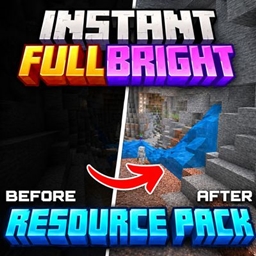
Instant Fullbright Night Vision дает Minecraft Bedrock яркий, четкий вид в темных областях с мгновенной яркой видимостью. Создан для Vanilla Minecraft.

Simple Guns добавляет несколько Guns в ваш мир, очень легкий на анимации, так идеально подходит для любого устройства, чтобы вызвать анархию!

Устали от медленной добычи и рубки деревьев? Проникните и разбейте блок, чтобы мгновенно добывать руды или срубить полные деревья, простые и отставающие.

Добавление, которое добавляет огнедышащих драконов, снаряжение, доспехи и драконьи гнезда!

нужно больше оружия? Больше оружия даст вам много вариантов оружия для вашего мира выживания.