

BonkCoop
Онлайн-кооператив для Megabonk (до 4 игроков через Steam): общие враги, боссы, этапы, реанимации. Работа продолжается.

 Мод для Megabonk
от Lart_Iste
Небольшой список модов QoL, UI и автоматизации
EnhancedMegabonk — мод для Megabonk (Мегабонк) от автора Lart_Iste. Небольшой список модов QoL, UI и автоматизации
Его скачали 2,3 тыс. раз: это 98-е место среди модов Megabonk в нашем каталоге, редкость — «обычный» (нижняя половина по скачиваниям). Мод обновлялся в последние полгода, актуальная версия — 1.1.3.
Для работы ему нужны: InstantChestsBepInEx, MegabonkBetterMinimap, Slower Timer, Better Banishes and Skips, TwitchIntegration, Silver Pot Icon, XP Pickup All, Personal Leaderboard, Swap Starting Weapon, InGame Achievements and Unlocks, ShadowFix, GoblinLab, ToggleEverythingForBepInEx, BonkersLib, DetailedRunStats, AlwaysShowBossArrow BepInEx, AutoSkipChestAnimations, LoadoutPresets, UnlocksSearch, AutoInteract, BepInExPack IL2CPP, AutoUpgradeForked, SpacebarBlock, BhopFixed.
Текст автора на языке оригинала
A curated MEGABONK modpack focused on expanding the game with QoL mechanics, automation of boring actions, UI enhancement and technical fixes, while keeping the original spirit of the game.
The pack is not designed for multiplayer. Some mods which can be considered "cheats" have been disabled by default, but are already integrated and shipped.
Recommended: use Gale Mod Manager to install and manage the modpack. Gale supports PEAK and Thunderstore profiles, handles dependencies automatically and makes updating or sharing the pack much easier. Download Gale / GitHub Also work with Thunderstore app and r2modman
PickupAllXp() every N seconds.В r2modman ставится автоматически
 InstantChestsBepInEx1.0.0
 MegabonkBetterMinimap1.4.1
 Slower Timer0.0.5
 Better Banishes and Skips0.0.4
 TwitchIntegration1.0.1
 Silver Pot Icon0.1.0XP Pickup All1.2.2
 Personal Leaderboard0.0.3
 Swap Starting Weapon0.0.2
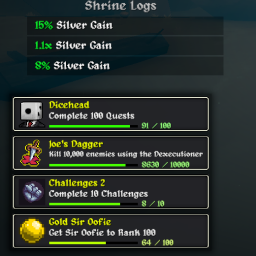 InGame Achievements and Unlocks0.0.3
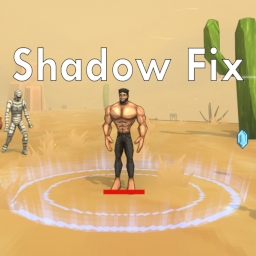 ShadowFix1.1.2
 GoblinLab1.0.3
 ToggleEverythingForBepInEx1.0.1
 BonkersLib1.0.4
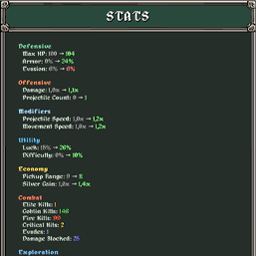 DetailedRunStats1.1.0
 AlwaysShowBossArrow BepInEx0.1.0
 AutoSkipChestAnimations1.0.0
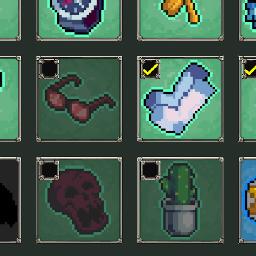 LoadoutPresets1.0.0
 UnlocksSearch1.0.0
 AutoInteract1.0.0
 BepInExPack IL2CPP6.0.755
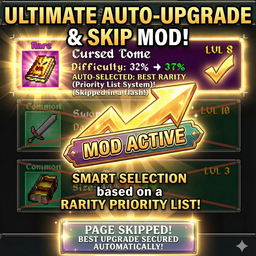 AutoUpgradeForked1.4.0
 SpacebarBlock3.0.1
 BhopFixed0.0.1
Файл скачивается с официального сервера Thunderstore, без перезаливов и сторонних установщиков
Подробная инструкция для MegabonkВставьте значок в описание на Thunderstore, в README или в Discord — русскоязычные игроки сразу попадут на страницу с переводом и инструкцией.

[](https://modka.app/megabonk/lart-iste-enhancedmegabonk/)<a href="https://modka.app/megabonk/lart-iste-enhancedmegabonk/"><img src="https://modka.app/badge.png" alt="Описание на русском — Модка" height="44"></a>[url=https://modka.app/megabonk/lart-iste-enhancedmegabonk/]Описание на русском — Модка[/url]Скачайте менеджер модов r2modman (или Gale) и выберите в нём игру Megabonk. Создайте профиль — так моды не смешаются с чистой версией игры. Найдите «EnhancedMegabonk» во вкладке Online и нажмите Download — BepInEx и все зависимости подтянутся сами. Нажмите «Start modded» — игра запустится с модами. Чтобы сыграть без модов, запустите игру как обычно из Steam — r2modman не трогает чистую версию игры.
Файл скачивается с официального сервера Thunderstore, куда его загрузил Lart_Iste. Мы не перезаливаем и не изменяем моды.
Установите вместе с ним: InstantChestsBepInEx, MegabonkBetterMinimap, Slower Timer, Better Banishes and Skips, TwitchIntegration, Silver Pot Icon, XP Pickup All, Personal Leaderboard, Swap Starting Weapon, InGame Achievements and Unlocks, ShadowFix, GoblinLab, ToggleEverythingForBepInEx, BonkersLib, DetailedRunStats, AlwaysShowBossArrow BepInEx, AutoSkipChestAnimations, LoadoutPresets, UnlocksSearch, AutoInteract, BepInExPack IL2CPP, AutoUpgradeForked, SpacebarBlock, BhopFixed. В менеджере модов зависимости подтягиваются автоматически.
28 августа 2026, актуальная версия — 1.1.3. Дата берётся с официальной страницы мода при каждом обновлении каталога.
Онлайн-кооператив для Megabonk (до 4 игроков через Steam): общие враги, боссы, этапы, реанимации. Работа продолжается.
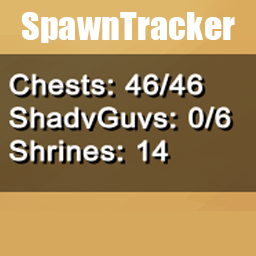
Треки и дисплеи породили сундуки, святыни и ShadyGuys в MegaBonk. Включает левое нижнее наложение, показывающее полные и неоткрытые сундуки.

Это мод BepInEx для Megabonk, который добавляет мощную веб-панель для управления, анализа и изменения игры в режиме реального времени.
Автоматическое включение настройки Skip Chest Animations, когда все изгнания были использованы.
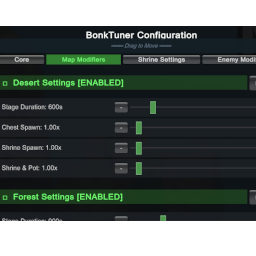
Настройте сложность игры с помощью модификаторов карт, предустановок появления противника, множителей святынь и многое другое. Функционирует внутриигровой пользовательский интерфейс для конфигурации в реальном времени.
Сохраните и загрузите предустановки для всех ваших предметов, томов и оружия.