
UnlockEverything
Разблокирует весь контент в Megabonk - предметы, оружие, тома и персонажи

 Мод для Megabonk
от BigBrainBois
Инструмент для регистрации с пользовательским интерфейсом, который позволяет динамически искать метод и классы в источнике Megabonk
Modders Logger UI — мод для Megabonk (Мегабонк) от автора BigBrainBois. Инструмент для регистрации с пользовательским интерфейсом, который позволяет динамически искать метод и классы в источнике Megabonk
Его скачали 1 тыс. раз: это 110-е место среди модов Megabonk в нашем каталоге, редкость — «обычный» (нижняя половина по скачиваниям). Мод обновлялся в течение года, актуальная версия — 1.0.0.
Для работы ему нужны: BepInExPack IL2CPP.
Текст автора на языке оригинала
A tiny in-game logger/patcher for IL2CPP Unity games. Pick a Type, Method, and optional parameter signature at runtime and Harmony-patch it to log calls — no rebuilds required.
This was made primarily because apparently the newest version of BepInEx bleeding edge and unity explorer are legitimately harder for me to get working than just creating a tool to do basically the same thing with extra steps
Note: This release ships only the plugin DLL. It assumes you already have BepInEx 6 (IL2CPP/CoreCLR) installed for the game.
Outer+Inner)#0, #1, …)BepInEx/LogOutput.logCpp2IL.exe --game-path "C:\Path\To\Your\Game" --output-root "C:\Cpp2IL-Out" --run-analysis --skip-method-dumps
This is not a full modding tutorial, do the research on using ILSpy
\BepInEx\plugins\Megabonk.LoggerUI.dllBepInEx\LogOutput.log you should see: [Info :MB-LoggerUI] Logger UI loaded. Toggle: F8ChestOpeningOuter+InnerAssets.Scripts.Actors.Player.MyPlayerOpenChest, Update System.Int32, Assets.Scripts._Data.ItemData# (e.g., #0)BepInEx\LogOutput.log for entries like: [Prefix] ChestOpening args: ...
[Postfix] ChestOpening -> (done)A config file is created on first run:
BepInEx\config\com.yourname.megabonk.loggerui.cfg[UI]
ToggleKey = F8
RequireCtrl = false
RequireAlt = false
RequireShift = falseExamples
falseToggleKey=F8, RequireCtrl=true, RequireShift=true{} (global namespace), use just the class name in Type.Parent+Child.#index.Check the config file above and ensure your hotkey + modifiers are correct. Verify BepInEx is loading the plugin in LogOutput.log.
Use Find Type to confirm the full name, then List Overloads and pick with #index.
В r2modman ставится автоматически
Файл скачивается с официального сервера Thunderstore, без перезаливов и сторонних установщиков
Подробная инструкция для MegabonkВставьте значок в описание на Thunderstore, в README или в Discord — русскоязычные игроки сразу попадут на страницу с переводом и инструкцией.

[](https://modka.app/megabonk/bigbrainbois-modders-logger-ui/)<a href="https://modka.app/megabonk/bigbrainbois-modders-logger-ui/"><img src="https://modka.app/badge.png" alt="Описание на русском — Модка" height="44"></a>[url=https://modka.app/megabonk/bigbrainbois-modders-logger-ui/]Описание на русском — Модка[/url]Скачайте менеджер модов r2modman (или Gale) и выберите в нём игру Megabonk. Создайте профиль — так моды не смешаются с чистой версией игры. Найдите «Modders Logger UI» во вкладке Online и нажмите Download — BepInEx и все зависимости подтянутся сами. Нажмите «Start modded» — игра запустится с модами. Чтобы сыграть без модов, запустите игру как обычно из Steam — r2modman не трогает чистую версию игры.
Файл скачивается с официального сервера Thunderstore, куда его загрузил BigBrainBois. Мы не перезаливаем и не изменяем моды.
Установите вместе с ним: BepInExPack IL2CPP. В менеджере модов зависимости подтягиваются автоматически.
11 октября 2025, актуальная версия — 1.0.0. Это больше года назад: перед установкой проверьте, работает ли мод на текущей версии игры.
Разблокирует весь контент в Megabonk - предметы, оружие, тома и персонажи

Бесшовный многопользовательский мод P2P для Megabonk с использованием Steamworks.
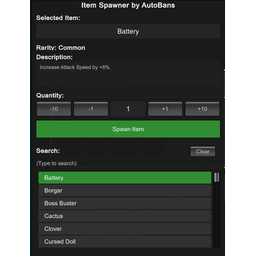
Спаунер предметов для Megabonk, позволяющий нереститься в любом предмете в игре, кроме оружия/домов.

Новый персонаж для MegaBonk, Cow-Noichi! Пользовательская статистика, анимация, оружие и модель.

Персонаж Megabonk я создал для себя просто для удовольствия.
Порт BepInEx ToggleEverything компании Semibox. Вы можете переключать все разблокированное оружие, тома и предметы (требуется Toggler).