
LooneysMenu
[BigUpdate] Исправленные ошибки, Добавлен графический интерфейс (нажмите F), некоторые проблемы существуют. Веселись!
 Мод для Mage Arena
от AntsLab
Это мод Mage Arena для отображения списка онлайн-игроков во время проведения Tab.
PlayersTab — мод для Mage Arena (Маг Арена) от автора AntsLab. Это мод Mage Arena для отображения списка онлайн-игроков во время проведения Tab.
Его скачали 1,9 тыс. раз: это 54-е место среди модов Mage Arena в нашем каталоге, редкость — «обычный» (нижняя половина по скачиваниям). Мод давно не обновлялся — проверьте совместимость с текущей версией игры, актуальная версия — 1.0.0.
Для работы ему нужны: BepInExPack.
Текст автора на языке оригинала
A tiny, zero‑HUD scoreboard that shows all players grouped by team when you hold TAB. Clean, lightweight, and configurable.
Built for BepInEx 5.x · IMGUI · C# 7.3
0)2)These managers automatically pull the correct BepInExPack for your game.
.zip from Thunderstore and extract it.AntsLab.PlayersTab.dll into your game folder under: /BepInEx/plugins/AntsLab.PlayersTab/Delete the folder BepInEx/plugins/AntsLab.PlayersTab/ (and the config at BepInEx/config/antslab.playerstab.cfg if you want a clean slate).
ShowNamelessPlayers).All options are in BepInEx/config/antslab.playerstab.cfg (created after first run).
FindObjectsByType). On older Unity versions, the list may appear empty.playerMovement, playerTeam, playername), the mod may fail to detect players or teams.The panel doesn’t show up
ShowNamelessPlayers = true.BepInEx/LogOutput.log — you should see: AntsLab PlayersTab 1.0.0 loaded.PlayerMovement component with playername/playerTeam fields.Names are cut off
RowHeight and/or PanelWidth.FontSize.Header labels look odd
UseMenuFont to fall back to the default IMGUI font.BepInEx.dllUnityEngine.dll (+ IMGUI)HarmonyLib.dllBepInPlugin("antslab.playerstab", "AntsLab PlayersTab", "1.0.0")The project is a standard BepInEx plugin. Drop the built DLL into BepInEx/plugins/AntsLab.PlayersTab/.
1.0.0
Does this reveal hidden players? No. It only reads the online player names and list them.
Is this a cheat? It’s just a visual list. Respect server rules and your game’s modding policy.
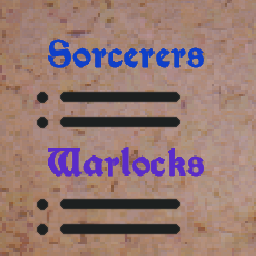
Can I change team names or colors? Not via config in this version. They’re mapped as 0 → Sorcerers, 2 → Warlocks, and Others. You can fork the source to customize.
В r2modman ставится автоматически
Файл скачивается с официального сервера Thunderstore, без перезаливов и сторонних установщиков
Подробная инструкция для Mage ArenaВставьте значок в описание на Thunderstore, в README или в Discord — русскоязычные игроки сразу попадут на страницу с переводом и инструкцией.

[](https://modka.app/mage-arena/antslab-playerstab/)<a href="https://modka.app/mage-arena/antslab-playerstab/"><img src="https://modka.app/badge.png" alt="Описание на русском — Модка" height="44"></a>[url=https://modka.app/mage-arena/antslab-playerstab/]Описание на русском — Модка[/url]Скачайте менеджер модов r2modman (или Gale) и выберите в нём игру Mage Arena. Создайте профиль — так моды не смешаются с чистой версией игры. Найдите «PlayersTab» во вкладке Online и нажмите Download — BepInEx и все зависимости подтянутся сами. Нажмите «Start modded» — игра запустится с модами. Для мультиплеера всем игрокам нужен одинаковый набор модов: в r2modman профиль можно экспортировать кодом и отправить друзьям.
Файл скачивается с официального сервера Thunderstore, куда его загрузил AntsLab. Мы не перезаливаем и не изменяем моды.
Автор не указал, клиентский это мод или серверный. Безопаснее, чтобы одинаковый набор модов был у всех игроков в лобби: проще всего поделиться профилем r2modman.
Установите вместе с ним: BepInExPack. В менеджере модов зависимости подтягиваются автоматически.
20 сентября 2025, актуальная версия — 1.0.0. Это больше года назад: перед установкой проверьте, работает ли мод на текущей версии игры.
[BigUpdate] Исправленные ошибки, Добавлен графический интерфейс (нажмите F), некоторые проблемы существуют. Веселись!
Настраиваемый мод для Mage Arena с 7 различными формами, цветами и регулируемыми свойствами.

предоставляет дополнительные возможности фильтрации вестибюля на расстояние до вестибюля. Может помочь пользователям, у которых нет лобби, доступных в браузере сервера.

Мод, чтобы легко пинать / банить игроков из вашего лобби или игры.

На основе «SimpleUIAdditions», с добавлением Ping-дисплея и меню для небольших настроек.

Мод, предназначенный для соревновательных игр, устанавливающий хозяина игры в режим только для зрителей, позволяющий наблюдать за всеми игроками. Нажмите F5, чтобы войти в режим freecam.