
MMod Crosshairs for Half-Life 2
Increase your aiming immersion!

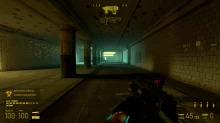
 Мод для Half-Life 2
от SPARTAN-277
A more compact vanilla HUD with a few extra features, such as HUD elements flashing colors when activated and special damage icons like Half-Life 1.
Condensed Animated HUD — мод для Half-Life 2 (Халф-Лайф 2) от автора SPARTAN-277. A more compact vanilla HUD with a few extra features, such as HUD elements flashing colors when activated and special damage icons like Half-Life 1.
Его скачали 20,6 тыс. раз: это 25-е место среди модов Half-Life 2 в нашем каталоге, редкость — «эпический» (топ-20% по скачиваниям). Мод давно не обновлялся — проверьте совместимость с текущей версией игры.
Дополнительных модов для работы не требует.
2 шт · нажмите, чтобы открыть
Текст автора на языке оригинала
Features:
Smaller overall HUD size
Weapon select no longer contains text names
The Poison Indicator has been replaced by a Special Damage Indicator. A message relevant to the special damage type recieved (burn, poison, drowning, radiation) will display a relevant HL1-inspired icon and message on the HUD.
New font (Alte DIN 1451 Mittelschrift)
HUD elemets become highlighted based on user action
Hud Panels now animate together based on context
**
Bugs:**
Sometimes when taking damage, the Health Counter will flash green instead of red. I have no idea why, and as far as I'm aware this can only be fixed by using the "No HealthSuit Flash" version. Note: As of Version 0.6, this bug happens extremely rarely.
The Commentary panel is effectively eliminated with this HUD. The audio itself is fine, but the HUD element with the bar and icon are gone.
The Hints panel will sometimes be higher up than intended.
The main menu title for Synergy or Lost Coast will appear broken. To fix, navigate to the "Condensed Animated HUD" folder and open the file "resource\clientscheme.res" with a text editor (I use Notepad++). Find the "ClientTitleFont" line and follow the instructions written there.
This mod will not work with any other HUD mod, or any mod that changes the following files:
Some issues that have happened because of other mods changing these files include messed up crosshairs and HUD fonts ("HEALTH" instead displays as a "+" for example). Make sure that no other mods being used are changing these files, or else the HUD will not work properly.
Installation Instructions:
To install for regular Half-Life 2/Episode 1/Episode 2 or MMod, choose a version and place the "Condensed Animated HUD" folder into the "custom" folder of the desired game.
To install for Synergy, navigate to your Half-Life 2 installation directory. Once there, place the included "valve_english.txt" into "Half-Life 2\hl2\resource" and replace the old "valve_english.txt" file. Then, place the "Condensed Animated HUD" folder into Synergy's "custom" folder.
If using the "Useable and fixed Annabelle, Alyxgun and gluon on maps" mod, install everything from that mod except the "custom" folder, then put this mod into the desired game’s "custom" folder.
Файл скачивается с официального сервера GameBanana, без перезаливов и сторонних установщиков
Подробная инструкция для Half-Life 2Вставьте значок в описание на GameBanana, в README или в Discord — русскоязычные игроки сразу попадут на страницу с переводом и инструкцией.

[](https://modka.app/half-life-2/condensed-animated-hud/)<a href="https://modka.app/half-life-2/condensed-animated-hud/"><img src="https://modka.app/badge.png" alt="Описание на русском — Модка" height="44"></a>[url=https://modka.app/half-life-2/condensed-animated-hud/]Описание на русском — Модка[/url]Скачайте «Condensed Animated HUD» кнопкой «Скачать» — файл придёт с официального сервера GameBanana. Откройте папку игры: в Steam — правой кнопкой по Half-Life 2 → «Управление» → «Просмотреть локальные файлы», затем hl2\custom (если папки custom нет — создайте её). Создайте в hl2\custom папку с названием мода, например hl2\custom\my_mod. Скопируйте в неё содержимое архива — папки models, materials, sound и scripts. Запустите игру — мод уже работает.
Файл скачивается с официального сервера GameBanana, куда его загрузил SPARTAN-277. Мы не перезаливаем и не изменяем моды.
4 сентября 2019. Это больше года назад: перед установкой проверьте, работает ли мод на текущей версии игры.
Increase your aiming immersion!
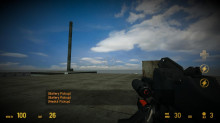
A Black Mesa Ish Hud.....
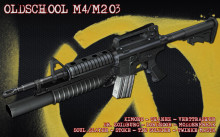
The aim of this replacement is to bring back a piece of the original feeling of the Half-Life series.
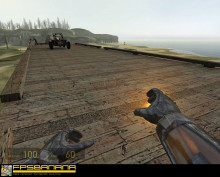
This is the same as the Gravity Gun Gloves mod for GMOD, but for HL2.

New Animation by me....
The aim of this replacement is to bring back a piece of the original feeling of the Half-Life series.