


Droppable Gods
Добавляет Артемиду, Афину, Диониса и Аида в бассейн бога, что позволяет им нерестись как обычный олимпийский бог.
 Мод для Hades II
от SMarBe
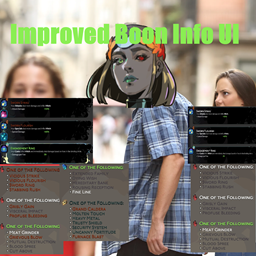
Улучшает пользовательский интерфейс, добавляя четкие цвета, которые показывают, какие бонусы уже выбраны, доступны или недоступны из-за требований.
Improved Boon Info UI — мод для Hades II (Хадес 2) от автора SMarBe. Улучшает пользовательский интерфейс, добавляя четкие цвета, которые показывают, какие бонусы уже выбраны, доступны или недоступны из-за требований.
Его скачали 4,2 тыс. раз: это 58-е место среди модов Hades II в нашем каталоге, редкость — «редкий» (топ-50% по скачиваниям). Мод обновлялся в течение года, актуальная версия — 1.4.0.
Для работы ему нужны: SJSON, Chalk, ReLoad, ENVY, ModUtil, Hell2Modding.
8 шт · нажмите, чтобы открыть
Текст автора на языке оригинала
This mod refines how boon information is displayed for all Olympian boon givers page during a run.
In the vanilla game, finding information for boons availability during an ongoing run is very complicated, it even gets worse when you add banned boons in the equation.
This mod tries to make it immediately obvious:
It avoids guesswork and reduces UI ambiguity without touching gameplay logic.
Boons are split into categories based on their current availability.
For boons without requirements:
For boons with requirements:
Boon buttons have been changed in Codex pages to give more information on their current availability state:
If a boon has requirements that are unavailable/banned and thus make it impossible to pick it up is now explicitly shown.
In this example, both Apollo's attack and special boons are banned, making it impossible to pick up the legendary.
When looking at requirements for a given boon, the only information we get is:
Headings coloring is now changed as well, based on the availability of the required boons:
Boons inside listing follow the same coloring scheme as default for available and picked ones. Then for the others, the coloring applies the same logic as above. Unfulfilled boons also have even more transparency than unpicked ones.
Icons for pinned and banned boons are also displayed at the beginning of each line if elligible.
For even more granularity on the displayed information, extra controls (LB/RB, left/right arrows) have been added to the offering pages allowing to filter boons displayed based on their current category.
Current filter pages are the following in this order:
Multiple parameters can be configured if you desire extra customization:
sacrificeBoonsAlwaysAsAvailable (Default = false) : controls whether sacrifice/replacement boons are always considered as available. This can be useful if you often use vow of denial as those will appear more often,unreplaceableSacrificeBoonsAsBanned (Default = true) : controls whether to always consider sacrifice/replacement boonОписание длинное — здесь его начало. Читать целиком на странице автора
В r2modman ставится автоматически
Файл скачивается с официального сервера Thunderstore, без перезаливов и сторонних установщиков
Подробная инструкция для Hades IIВставьте значок в описание на Thunderstore, в README или в Discord — русскоязычные игроки сразу попадут на страницу с переводом и инструкцией.

[](https://modka.app/hades-ii/smarbe-improved-boon-info-ui/)<a href="https://modka.app/hades-ii/smarbe-improved-boon-info-ui/"><img src="https://modka.app/badge.png" alt="Описание на русском — Модка" height="44"></a>[url=https://modka.app/hades-ii/smarbe-improved-boon-info-ui/]Описание на русском — Модка[/url]Скачайте менеджер модов r2modman (или Gale) и выберите в нём игру Hades II. Создайте профиль — так моды не смешаются с чистой версией игры. Найдите «Improved Boon Info UI» во вкладке Online и нажмите Download — Hell2Modding и все зависимости подтянутся сами. Нажмите «Start modded» — игра запустится с модами. Чтобы сыграть без модов, запустите игру как обычно из Steam — r2modman не трогает чистую версию игры.
Файл скачивается с официального сервера Thunderstore, куда его загрузил SMarBe. Мы не перезаливаем и не изменяем моды.
Установите вместе с ним: SJSON, Chalk, ReLoad, ENVY, ModUtil, Hell2Modding. В менеджере модов зависимости подтягиваются автоматически.
25 января 2026, актуальная версия — 1.4.0. Дата берётся с официальной страницы мода при каждом обновлении каталога.
Добавляет Артемиду, Афину, Диониса и Аида в бассейн бога, что позволяет им нерестись как обычный олимпийский бог.

Многомировая интеграция архипелага для Аида II.
Установите песни в качестве фаворитов с Music Maker и рандомизируйте их только каждый раз, когда вы возвращаетесь на Перекресток!
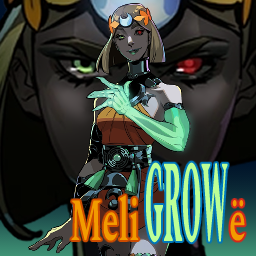
Изменяющий размер игрушечный ящик для Hades 2! Выращивайте Мелино больше или уменьшайте ее меньше, когда вы играете в бега. Сделайте свой голос глубже или выше. Очень настраиваемый!

Chaos Tricks позволяет вашим зрителям контролировать многие внутриигровые события и аспекты с помощью Twitch Bits, Channel Points или TikTok Gifts. Интерактивный опыт и вирусный контент объединяются!
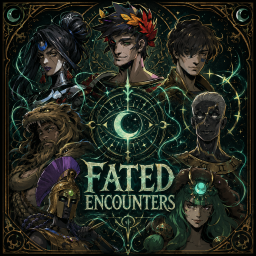
Познакомьтесь с Немезидой, Артемидой, Гераклом, Икаром и Афиной один раз за пробежку. После Истинного Конца, необязательно гарантировать Адский Контракт Загрея и реформированный Хрон в центре Эребуса-Океана. Факультативные испытания хаоса и поддержка Dream Dives.