
ProjectEternal
OBJECTIVE STACK REITERATION UNKNOWN - PROBE DEEPER UNTIL ://ERROR
 Мод для GTFO
от randomuserhi
A client-side mod that makes kill indicators consistent when you are not host.
KillIndicatorFix — мод для GTFO (ГТФО) от автора randomuserhi. A client-side mod that makes kill indicators consistent when you are not host.
Его скачали 68,9 тыс. раз: это 14-е место среди модов GTFO в нашем каталоге, редкость — «легендарный» (топ-5% по скачиваниям). Мод давно не обновлялся — проверьте совместимость с текущей версией игры, актуальная версия — 0.2.1.
Для работы ему нужны: BepInExPack GTFO, DamageSync.
Текст автора на языке оригинала
A client-side mod that makes kill indicators consistent when you are not host.
Requires Bepinex, but is not dependent on GTFO-API plugin, so you can remove GTFO-API.dll from plugins folder to keep vanilla rundown and progression.
The way this fix works is by keeping track of enemies you are shooting at:
onkill event from host is received for an enemy you are shooting at then a kill marker is shown.To prevent two kill markers from showing, the plugin keeps note of what enemies you are shooting at and what enemies it has already shown the kill marker for:
onkill event from host.markerLifeTime in config)To prevent a kill marker showing on an enemy you shot 30 minutes ago, the plugin keeps track of enemies you have shot at recently within a 1 second period (dictated by tagBufferPeriod in config)
using KillIndicatorFix;

[BepInPlugin(Module.GUID, Module.Name, Module.Version)]
[BepInDependency(KillIndicatorFix.BepInEx.Module.GUID, BepInDependency.DependencyFlags.HardDependency)]
public class Plugin : BasePlugin {
    public override void Load() {
        Kill.RegisterAll();

        Kill.OnKillIndicator += (Action)OnKillIndicator;
    }

    [OnKillIndicator]
    ///
    /// Is called whenever a kill indicator is shown for a given enemy.
    ///

    /// Enemy that kill indicator was shown for.
    /// Item used.
    /// On client, if the local player made the kill, provides the delay in milliseconds from player shot to recieving death packet from host.
    private static void OnKillIndicator(EnemyAgent enemy, ItemEquippable item, long delay) {
    }
}
If you have a mod that applies damage and you want KillIndicatorFix to work with it, you can alter the enemies HP value directly for clients and tag the enemy using:
///
/// Tag an enemy for Kill Indicator Fix to handle kills.
///

/// Enemy to tag.
/// Item that applied the damage for this tag. If not provided, uses currently equipped weapon.
/// Where the indicator should appear. Typically this is set to the hit position for bullet hit. If not provided, uses last tag's hit position when available, otherwise uses eye position. NOTE: The position is local to the enemy, not world-space.
Kill.TagEnemy(EnemyAgent enemy, ItemEquippable? item = null, Vector3? localHitPosition = null);
Example use:
Dam_EnemyDamageLimb limb = ...;
Dam_EnemyDamageBase enemy = ...

enemy.Health -= damage;
Kill.TagEnemy(enemy); // Tag the enemy, so when it dies KIF will show kill indicator as approapriate.
if (enemy.Health <= 0) {
	limb.ShowHitIndicator(...); // Important to trigger local hit marker for KillIndicatorFix (accounts for delay due to ping)
}This plugin alters the internal hp values stored by the game (when ran as client):
[HarmonyPatch(typeof(Dam_EnemyDamageLimb), nameof(Dam_EnemyDamageLimb.BulletDamage))]
[HarmonyPrefix]
public static void BulletDamage(Dam_EnemyDamageLimb __instance, float dam, ...)
{
    ...

    // Apply damage modifiers (head, occiput etc...)
    float num = __instance.ApplyWeakspotAndArmorModifiers(dam, precisionMulti);
    num = __instance.ApplyDamageFromBehindBonus(num, position, direction);
    __instance.m_base.Health -= num; // Alter the internal health value

    ...
}
The decision to do so was done out of laziness and to avoid overcomplicating the system. As a result, if your plugin relies on these values (either through modification or by reading it) then the plugin will be incompatible with this one.
If you wish to use the health values whilst still maintaining compatability, you will need to store and manage your own health values seperately. This can be done using a dictionary of InstanceIDs to corresponding health values and manually subtracting health from damage sources:
// Dictionary storing hp values for enemies
// make sure to clear this dictionary OnRundownStart() or something to prevent leaks.
private static Dictionary hpTracker = new Dictionary();

[HarmonyPatch(typeof(Dam_EnemyDamageLimb), nameof(Dam_EnemyDamageLimb.BulletDamage))]
[HarmonyPrefix]
public static void BulletDamage(Dam_EnemyDamageLimb __instance, float dam, ...)
{
    ...

    Dam_EnemyDamageBase m_base = __instance.m_base;
    EnemyAgent owner = m_base.Owner;
    int instanceID = owner.GetInstanceID();

    // Apply damage modifiers (head, occiput etc...)
    float num = __instance.ApplyWeakspotAndArmorModifiers(dam, precisionMulti);
    num = __instance.ApplyDamageFromBehindBonus(num, position, direction);

    // Manage your own health tracker - maybe remove trackers when their hp falls below 0
    if (hpTracker.ContainsKey(instanceID))
    {
        hpTracker[instanceID] = hpTracker[instanceID] - nu
Описание длинное — здесь его начало. Читать целиком на странице автора
В r2modman ставится автоматически
19 в каталоге · показаны самые популярные
OBJECTIVE STACK REITERATION UNKNOWN - PROBE DEEPER UNTIL ://ERROR

This is an extremely difficult outline.
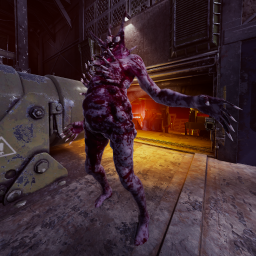
The ''Deep End'' of GTFO Modded, are you ready? 25 Expeditions. Custom Guns. 150+ Enemy Variants. Team of 4 recommended.
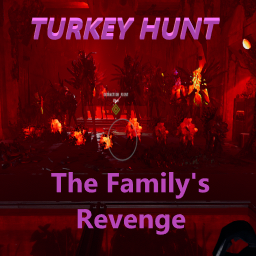
Turkey Themed Mod, 8 Levels of Slaying Turkeys.

://Survival: The Warden’s new order has come down—we fight as one, carve through the darkness, and escape this damnation with our lives intact! Together, we survive!
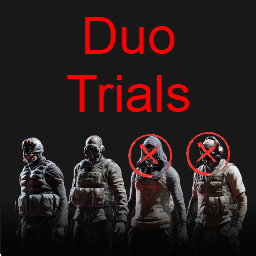
11 Expeditions available. Balanced for duo play. 5 Vanilla-enemy levels, 6 Modded-enemy levels.
Файл скачивается с официального сервера Thunderstore, без перезаливов и сторонних установщиков
Подробная инструкция для GTFOВставьте значок в описание на Thunderstore, в README или в Discord — русскоязычные игроки сразу попадут на страницу с переводом и инструкцией.

[](https://modka.app/gtfo/randomuserhi-killindicatorfix/)<a href="https://modka.app/gtfo/randomuserhi-killindicatorfix/"><img src="https://modka.app/badge.png" alt="Описание на русском — Модка" height="44"></a>[url=https://modka.app/gtfo/randomuserhi-killindicatorfix/]Описание на русском — Модка[/url]Скачайте менеджер модов r2modman (или Gale) и выберите в нём игру GTFO. Создайте профиль — так моды не смешаются с чистой версией игры. Найдите «KillIndicatorFix» во вкладке Online и нажмите Download — BepInEx и все зависимости подтянутся сами. Нажмите «Start modded» — игра запустится с модами. Для мультиплеера всем игрокам нужен одинаковый набор модов: в r2modman профиль можно экспортировать кодом и отправить друзьям.
Файл скачивается с официального сервера Thunderstore, куда его загрузил randomuserhi. Мы не перезаливаем и не изменяем моды.
Автор не указал, клиентский это мод или серверный. Безопаснее, чтобы одинаковый набор модов был у всех игроков в лобби: проще всего поделиться профилем r2modman.
Установите вместе с ним: BepInExPack GTFO, DamageSync. В менеджере модов зависимости подтягиваются автоматически.
28 сентября 2025, актуальная версия — 0.2.1. Это больше года назад: перед установкой проверьте, работает ли мод на текущей версии игры.

Change the effect value of boosters to optimal value, and they will never be consumed.
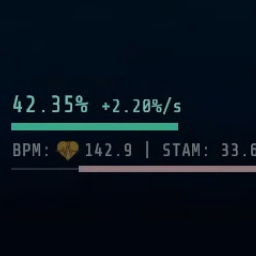
Displays more detailed stamina, infection, health, bioscan progress, and more in the UI/HUD.

Control over bot resource pickups and usage, also ability to send bots to kill sleeping enemies

bots magically miss you and each other, and scan extractions with you
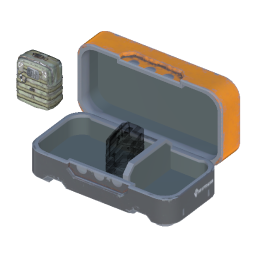
Allow dropping resources back into containers. Currently has some bugs.

Unlocks all Vanity items locally.