Fatal Experiment 2
Глубокий конец GTFO Modded, вы готовы? 25 экспедиций. Обычные пистолеты. 150+ Вражеские варианты. Команда из 4 человек рекомендована.
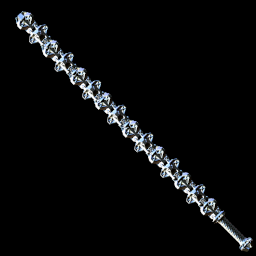
 Мод для GTFO
от Dinorush
Добавлена дополнительная настройка melee для разработчиков.
MeleeSwingCustomization — мод для GTFO (ГТФО) от автора Dinorush. Добавлена дополнительная настройка melee для разработчиков.
Его скачали 19,2 тыс. раз: это 106-е место среди модов GTFO в нашем каталоге, редкость — «редкий» (топ-50% по скачиваниям). Мод обновлялся в течение года, актуальная версия — 1.4.3.
Для работы ему нужны: BepInExPack GTFO, ModifierAPI.
Текст автора на языке оригинала
Does not require MTFO by default to allow other plugins to use it for QoL.
Reads custom files under Custom/MeleeSwingCustomization. You can customize the hitbox location for swings (i.e. the attack sphere) and pushes, set capsule hitboxes for swings, and adjust the speed of swing/push animations. Speed adjustments automatically scale attack timings (i.e. MeleeAnimation times). A template file is generated on game launch if the folder does not exist. Files support LiveEdit and immediately apply changes on save. They have the format:
[ // Can contain multiple blocks
    {
        "ArchetypeID": 4,       // MeleeArchetypeID of the target weapon
        "Name": "Improved Bat", // Purely for organization
        "AttackOffset": "(0 0.55 0)", // Position offset for the attack sphere. null uses the original.
        "PushOffset": null,     // Position offset the push sphere. null uses the original.
        "LightAttackSpeed": 1,  // Speed modifier for light attacks/hits
        "ChargedAttackSpeed": 1,// Speed modifier for charged attacks/hits
        "PushSpeed": 1          // Speed modifier for pushes
        "AttackSphereCenterMod": 1.9; // Modifier on attack sphere radius when the hitbox is at the center of the screen.
    },
]
AttackOffset also supports capsule hit detection. To use it, specify 2 or 3 offsets. The first specifies the position offset for the attack sphere, while the next two specify the start and end for the capsule, respectively. If a third offset is not specified, the capsule end is set as the attack offset. For exmaple, this makes a capsule hitbox from (0, -0.2, 0) to (0, 0.55, 0):
"AttackOffset": "(0 0.55 0) (0 -0.2 0)"AttackOffset also supports a larger object definition for further customization:
"AttackOffset": {
    "Offset": "(0 0.55 0) (0 -0.2 0)",   // Position offset for the attack sphere/capsule.
    "EntityRayLengthAdd": 0,             // Additional length of the entity-only ray, combined with CameraDamageRayLength. Ignored if 0.
    "EntityOffset": null,                // Position offset for the entity-only attack sphere.
    "EntitySize": 0,                     // Radius of the entity-only sphere. 0 uses AttackSphereRadius.
    "EntityUseCenterMod": true,          // Applies the "AttackSphereCenterMod" bonus to EntitySize.
    "CapsuleOffset": "(0 -0.2 0)"        // Parallel field to Offset that specifies only capsule offsets.
                                           // Useful if you don't want to modify the attack sphere offset.
    "CapsuleUseCamFwd": false,           // Capsule uses CameraDamageRayLength + EntityRayLengthAdd to compute capsule length.
                                           // Starts at the first capsule offset, drawing towards the second.
                                           // If none are specified, draws from (0, 0, 0) to the attack offset.
    "CapsuleCamFwdAdd": 0,               // Modifier added with CameraDamageRayLength to compute capsule length.
    "CapsuleSize": 0,                    // Radius/size of the capsule. 0 uses AttackSphereRadius.
    "CapsuleUseCenterMod": false         // Applies the "AttackSphereCenterMod" bonus to CapsuleSize.
    "CapsuleDelay": 0                    // Delay after DamageStartTime before the capsule becomes active.
                                           // Can use an object format to adjust specific attacks, e.g.
                                           // { "Light": 0.05, "ChargedLeft": 0.1, "ChargedRight": 0.2 }
}Melee follows a 3-step process:
Capsule hit detection adds an additional 4th step that functions identically to Attack Sphere (but uses a capsule instead).
Small wall hitbox, normal entity hitbox
Big hitbox at the end of the weapon, thin handle hitbox
Extend Hitbox a bit farther but don't hit walls any farther away
Extend range with GtfXP MeleeRangeMultiplier
В r2modman ставится автоматически
4 в каталоге
Глубокий конец GTFO Modded, вы готовы? 25 экспедиций. Обычные пистолеты. 150+ Вражеские варианты. Команда из 4 человек рекомендована.
24 экспедиции. Тонны разблокируемого снаряжения. Еще больше вражеских вариантов. Чистый хаос. Команда из 4 человек рекомендована.
Убей мутанта.

Улучшает ближние хитбоксы и сроки повреждения.
Файл скачивается с официального сервера Thunderstore, без перезаливов и сторонних установщиков
Подробная инструкция для GTFOВставьте значок в описание на Thunderstore, в README или в Discord — русскоязычные игроки сразу попадут на страницу с переводом и инструкцией.

[](https://modka.app/gtfo/dinorush-meleeswingcustomization/)<a href="https://modka.app/gtfo/dinorush-meleeswingcustomization/"><img src="https://modka.app/badge.png" alt="Описание на русском — Модка" height="44"></a>[url=https://modka.app/gtfo/dinorush-meleeswingcustomization/]Описание на русском — Модка[/url]Скачайте менеджер модов r2modman (или Gale) и выберите в нём игру GTFO. Создайте профиль — так моды не смешаются с чистой версией игры. Найдите «MeleeSwingCustomization» во вкладке Online и нажмите Download — BepInEx и все зависимости подтянутся сами. Нажмите «Start modded» — игра запустится с модами. Для мультиплеера всем игрокам нужен одинаковый набор модов: в r2modman профиль можно экспортировать кодом и отправить друзьям.
Файл скачивается с официального сервера Thunderstore, куда его загрузил Dinorush. Мы не перезаливаем и не изменяем моды.
Автор не указал, клиентский это мод или серверный. Безопаснее, чтобы одинаковый набор модов был у всех игроков в лобби: проще всего поделиться профилем r2modman.
Установите вместе с ним: BepInExPack GTFO, ModifierAPI. В менеджере модов зависимости подтягиваются автоматически.
22 апреля 2026, актуальная версия — 1.4.3. Дата берётся с официальной страницы мода при каждом обновлении каталога.

(перенаправлено с «Rundown Devs») Потому что почему бы тебе не нанести ущерб, держа в руках сферу данных!
Возвращает этику экрана лобби с 1 по 4.
Выбор клиентских модов Project Zaero, включая исправления ошибок, улучшения качества жизни и новые функции для улучшения вашего опыта GTFO.
Настройка боссбаров для врагов! До 3 боссбаров могут быть на экране одновременно.
Рандомизирует зоны уровней с каждой каплей. Сделайте каждый пробег уникальным! Работает со всем (tm)

ЦЕЛЬНЫЙ НАСТОЯЩИЙ РЕИТЕРАЦИЯ НЕЗНАННЫЙ - ПРОБЛЕЖИТЬ ДЕПЕРЬ ПОЛУЧШЕ ://ERROR