Начните вводить название — например, MoreHead, Sodium или PEAK

Coop View — иконка
Обложка Enter the GungeonМод для Enter the Gungeon

Coop View

от KLEIROF

允许在合作模式中在第二显示器给另一个玩家一个独立的视角。如果没有第二显示器就用Parsec-vdd。反馈至GitHub。 Allows another player to have an independent camera on the second monitor in coop mode. Use Parsec-vdd if having no second monitor. Submit issues on GitHub.

  • Эпический
  • 19,6 тыс. скачиваний
  • Версия 1.1.4
  • Обновлён 21 января 2026
  • Удобства

О моде Coop View

Coop View — мод для Enter the Gungeon (Энтер зе Ганжеон) от автора KLEIROF. 允许在合作模式中在第二显示器给另一个玩家一个独立的视角。如果没有第二显示器就用Parsec-vdd。反馈至GitHub。 Allows another player to have an independent camera on the second monitor in coop mode. Use Parsec-vdd if having no second monitor. Submit issues on GitHub.

Его скачали 19,6 тыс. раз: это 38-е место среди модов Enter the Gungeon в нашем каталоге, редкость — «эпический» (топ-20% по скачиваниям). Мод обновлялся в течение года, актуальная версия — 1.1.4.

Для работы ему нужны: Mod the Gungeon API, Coop KBnM.

Скриншоты

3 шт · нажмите, чтобы открыть

Полное описание Coop View

Текст автора на языке оригинала

合作视角 Coop View

允许在合作模式中在第二显示器给另一个角色一个独立的视角。反馈至GitHub。 仅限Windows。

如果没有两个显示器,可以用Parsec-vdd(不是Parsec。只有Parsec不算两个显示器!)创建虚拟显示器,并将画面通过Parsec或Sunshine传输给你的伙伴。

对于远程串流,不支持Steam远程同乐(永远不会支持!),支持Parsec、Sunshine等可以切换传输屏幕的串流软件(自发布起就支持)。

先连接显示器,并设置为扩展模式再开游戏。推荐以16:9显示,尤其是1920x1080、1440x810、960x540。

选项包括:

  • 第二窗口启动分辨率
  • 1P 相机: 主相机 / 第二相机 / 自动

兼容Coop KB&M,系统光标在游戏中禁用,使用快捷键 Alt + Shift + X 或 Win 键来暂时启用系统光标,详见Coop KB&M。

对于低配设备,可以在设置里设置第二窗口启动分辨率来增加流畅度。需要重启游戏以生效。

要是遇到Parsec客机有两个光标的问题,这是Parsec的捕获导致的。尝试按两下 Ctrl + Shift + = 。

远程串流需要进行传输屏幕的选择。

Parsec:Switch Display - 选择显示器

Sunshine:配置 - Audio/Video - 输出名称(如果是Parsec-vdd,输出名称可以在该软件中查看)

默认快捷键:

Ctrl + Shift + P : 切换成下一个窗口位置预设(共3个)。

Ctrl + Shift + \[ : 将第二窗口在全屏和窗口化之间切换。

Ctrl + Shift + \] : 将第二窗口全屏显示在下一个显示器上。

Ctrl + Shift + - : 将主窗口在全屏和窗口化之间切换。

Ctrl + Shift + = : 将主窗口全屏显示在下一个显示器上。

命令说明:

\[方括号中的内容可以省略。\]

shortcutkey [shortcutkeyID]

- 设置自定义快捷键。

- 快捷键ID应在参数中从1到5指定,如“shortcutkey 1”.

- 当前快捷键及其快捷键ID会被显示作为提示。

switchpreset \[presetindex\]

- 切换成窗口位置预设。

- 预设索引可以在参数中指定,从0到2,如“switchpreset 2”。

- presetindex = 0 : 主窗口在显示器1全屏,第二窗口在显示器2全屏。

- presetindex = 1 : 主窗口在显示器2全屏,第二窗口在显示器1全屏。

- presetindex = 2 : 主窗口在显示器1窗口化,第二窗口在显示器1窗口化。

secondwindow fullscreen [monitorindex]

- 将第二窗口切换成全屏模式。

- 目标显示器可以在参数中指定,如“secondwindow fullscreen 1”。

secondwindow windowed [width] [height]

- 将第二窗口切换成窗口模式。

- 窗口大小可以在参数中指定,如“secondwindow windowed 1920 1080”。

mainwindow fullscreen [monitorindex]

- 将主窗口切换成全屏模式。

- 目标显示器可以在参数中指定,如“mainwindow fullscreen 1”。

mainwindow windowed [width] [height]

- 将主窗口切换成窗口模式。

- 窗口大小可以在参数中指定,如“mainwindow windowed 1920 1080”。

Allows another player to have an independent camera on the second monitor in coop mode. Submit issues on GitHub. Windows Only.

If you don't have two display devices, you can create a virtual display device using Parsec-vdd (Not Parsec! Only Parsec doesn't count as two monitors!) and stream the screen to your partner through Parsec or Sunshine.

For remote streaming, Steam Remote Play is not supported (it will never be supported!), and streaming software such as Parsec and Sunshine that can switch streaming screens are supported (supported since released).

Connect your monitor and set it to expand mode before starting the game. Recommend displaying at 16:9, especially 1920x1080, 1440x810, 960x540.

The options include:

  • Second Window Startup Resolution
  • 1P Camera: Main Camera / Second Camera / Auto

Compatible with Coop KB&M. The system cursor is disabled in the game, Use shortcut key Alt + Shift + X or Win to temporarily enable the system cursor. See Coop KB&M for details.

For low-end devices, the second window startup resolution can be set in the settings to increase smoothness. The game needs to be restarted to take effect.

If encountering the issue of double cursors on the Parsec client, this is caused by Parsec's capture feature. Try pressing Ctrl + Shift + = twice.

Need to select the streaming screen for remote streaming.

Parsec: Switch Display - Choose your display

Sunshine: Configuration - Audio/Video - Output Name (if Parsec vdd, the output name can be viewed in the software)

Default Shortcut keys:

Ctrl + Shift + P : Switch to the next window position preset (3 in total).

Ctrl + Shift + \[ : Switch the second window between fullscreen and windowed mode.

Ctrl + Shift + \] : Fullscreen the second window on the next monitor.

Ctrl + Shift + - : Switch the main window between fullscreen and windowed mode.

Ctrl + Shift + = : Fullscreen the main window on the next monitor.

Command list:

\[The content in square brackets can be omitted. \]

shortcutkey [shortcutkeyID]

- Set custom shortcut keys.

- The shortcut key ID should be specified from 1 to 5 in the parameters, like 'shortcutkey 1'.

- Current shortcut keys and its shortcut key ID will be displayed to give you a hint.

switchpreset \[presetindex\]

- Switch to window position presets.

- The preset index can be specified from 0 to 2 in the parameters, like 'switchpreset 2'.

- presetindex = 0 : The main window fullscreen on monitor 1, the second window fullscreen on monitor 2.

- presetindex = 1 : The main window fullscreen on monitor 2, the second window fullscreen on monitor 1.

- presetindex = 2 : The main window windowed on monitor 1, the second window windowed on monitor 1.

secondwindow fullscreen [monitorindex]

- Switch the second window to fullscreen mode.

- The target monitor can be specified in the parameters, like 'secondwindow fullscreen 1'.

secondwindow windowed [width] [height]

- Switch the second window to windowed mode.

- The window size can be specified in the parameters, like 'secondwindow windowed 1920 1080'.

mainwindow fullscreen [monitorindex]

- Switch the main window to fullscreen mode.

- The target monitor can be specified in the parameters, like 'mainwindow fullscreen 1'.

mainwindow windowed

Описание длинное — здесь его начало. Читать целиком на странице автора

Нужно для работы

В r2modman ставится автоматически

Как установить Coop View

Файл скачивается с официального сервера Thunderstore, без перезаливов и сторонних установщиков

Подробная инструкция для Enter the Gungeon
  1. Скачайте менеджер модов r2modman (или Gale) и выберите в нём игру Enter the Gungeon.
  2. Создайте профиль — так моды не смешаются с чистой версией игры.
  3. Найдите «Coop View» во вкладке Online и нажмите Download — BepInEx и все зависимости подтянутся сами.
  4. Нажмите «Start modded» — игра запустится с модами.
  5. Чтобы сыграть без модов, запустите игру как обычно из Steam — r2modman не трогает чистую версию игры.
Вы автор мода? Поставьте ссылку на русское описание

Вставьте значок в описание на Thunderstore, в README или в Discord — русскоязычные игроки сразу попадут на страницу с переводом и инструкцией.

Описание на русском — Модка
Markdown[![Описание на русском — Модка](https://modka.app/badge.png)](https://modka.app/enter-the-gungeon/kleirof-coop-view/)
HTML<a href="https://modka.app/enter-the-gungeon/kleirof-coop-view/"><img src="https://modka.app/badge.png" alt="Описание на русском — Модка" height="44"></a>
Steam (BBCode)[url=https://modka.app/enter-the-gungeon/kleirof-coop-view/]Описание на русском — Модка[/url]

Частые вопросы о Coop View

Как установить Coop View?

Скачайте менеджер модов r2modman (или Gale) и выберите в нём игру Enter the Gungeon. Создайте профиль — так моды не смешаются с чистой версией игры. Найдите «Coop View» во вкладке Online и нажмите Download — BepInEx и все зависимости подтянутся сами. Нажмите «Start modded» — игра запустится с модами. Чтобы сыграть без модов, запустите игру как обычно из Steam — r2modman не трогает чистую версию игры.

Безопасен ли Coop View?

Файл скачивается с официального сервера Thunderstore, куда его загрузил KLEIROF. Мы не перезаливаем и не изменяем моды.

Что нужно для работы Coop View?

Установите вместе с ним: Mod the Gungeon API, Coop KBnM. В менеджере модов зависимости подтягиваются автоматически.

Когда Coop View обновлялся последний раз?

21 января 2026, актуальная версия — 1.1.4. Дата берётся с официальной страницы мода при каждом обновлении каталога.

GungeonCraft — иконка

GungeonCraft

Мод, ориентированный на механику для входа в Gungeon O:

Легендарный82,2 тыс.Звук

ChildrenOfKaliber — иконка

ChildrenOfKaliber

Большое DLC-подобное расширение для Enter The Gungeon, в котором представлены новые предметы, оружие, npcs и Gungeoneers.

Эпический73,4 тыс.Звук

Gungeon Go Vroom — иконка

Gungeon Go Vroom

Ванильное исправление ошибок и оптимизация для входа в Gungeon
Эпический33,4 тыс.Удобства

WMITF — иконка

WMITF

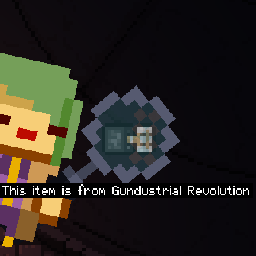
Из чего это мод? Показывает, какой мод является предметом, когда игрок приближается к этому элементу.
Эпический21,9 тыс.Удобства

Jolly Coop — иконка

Jolly Coop

为合作模式添加更多掉落。增加独立设置角色脱战加速、手柄震动、轮廓颜色等等功能。Add more drops to coop mode. Add independent settings for character speed out of combat, controller vibration, outline color, and more.
Эпический17,8 тыс.Удобства

Auto Translate — иконка

Auto Translate

允许用一些线上翻译api翻译游戏内文字为其支持的语言。使用前请阅读申明。反馈至GitHub。 Allows the use of some online translation APIs to translate in-game texts into their supported languages. Please read the declaration before use. Submit issues on GitHub.

Эпический16,1 тыс.Удобства