
DeliverySlotsTweaks
Let replicator and build tools use items in logistic slots. Tweak slots count and stacksize. Right click on hotbar to craft building. 手搓和建造可以直接使用物流背包的物品,配置文件可改物流背包容量及背包堆叠倍率


 Мод для Dyson Sphere Program
от Gimbalhawk
Автоматически добавляет дроны, шаттлы и логистические боты из вашего инвентаря при строительстве новой логистической станции
AutoLogisticsDroneSetup — мод для Dyson Sphere Program (Дайсон Сфер Програм) от автора Gimbalhawk. Автоматически добавляет дроны, шаттлы и логистические боты из вашего инвентаря при строительстве новой логистической станции
Его скачали 31 тыс. раз: это 63-е место среди модов Dyson Sphere Program в нашем каталоге, редкость — «редкий» (топ-50% по скачиваниям). Мод давно не обновлялся — проверьте совместимость с текущей версией игры, актуальная версия — 1.8.0.
Для работы ему нужны: BepInEx.
Текст автора на языке оригинала
AutoLogisticsDroneSetup
Automatically adds drones, shuttles, or logistics bots from your inventory or storage on the local planet when building a new logistics station. It's especially helpful now that we have blueprints so you don't need to click through and manually add shuttles to every station in your planet-wide factory.
Configuration
This mod is configurable. You can edit your settings through the mod manager, but there's also an in-game config menu for changing things on the go. Simply click the config button on the left side of the transportation build menu (hit "6" to open it) and it will open the config menu.
Storage priorities: Changes the order that the mod looks for drones between your inventory, storage boxes, or items stored in stations. Lower numbers take precedence, but you can also set a storage option to a negative number to disable it.
Changelist
В r2modman ставится автоматически
Файл скачивается с официального сервера Thunderstore, без перезаливов и сторонних установщиков
Подробная инструкция для Dyson Sphere ProgramВставьте значок в описание на Thunderstore, в README или в Discord — русскоязычные игроки сразу попадут на страницу с переводом и инструкцией.

[](https://modka.app/dyson-sphere-program/gimbalhawk-autologisticsdronesetup/)<a href="https://modka.app/dyson-sphere-program/gimbalhawk-autologisticsdronesetup/"><img src="https://modka.app/badge.png" alt="Описание на русском — Модка" height="44"></a>[url=https://modka.app/dyson-sphere-program/gimbalhawk-autologisticsdronesetup/]Описание на русском — Модка[/url]Скачайте менеджер модов r2modman (или Gale) и выберите в нём игру Dyson Sphere Program. Создайте профиль — так моды не смешаются с чистой версией игры. Найдите «AutoLogisticsDroneSetup» во вкладке Online и нажмите Download — BepInEx и все зависимости подтянутся сами. Нажмите «Start modded» — игра запустится с модами. Чтобы сыграть без модов, запустите игру как обычно из Steam — r2modman не трогает чистую версию игры.
Файл скачивается с официального сервера Thunderstore, куда его загрузил Gimbalhawk. Мы не перезаливаем и не изменяем моды.
Установите вместе с ним: BepInEx. В менеджере модов зависимости подтягиваются автоматически.
13 января 2024, актуальная версия — 1.8.0. Это больше года назад: перед установкой проверьте, работает ли мод на текущей версии игры.
Let replicator and build tools use items in logistic slots. Tweak slots count and stacksize. Right click on hotbar to craft building. 手搓和建造可以直接使用物流背包的物品,配置文件可改物流背包容量及背包堆叠倍率

Add various cheat functions while disabling abnormal determinants / 添加一些作弊功能,同时屏蔽异常检测
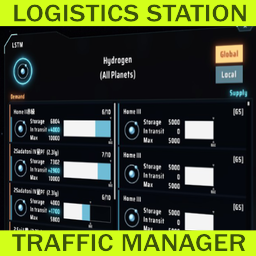
Менеджер трафика логистической станции
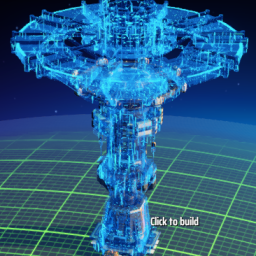
Reduce lag when placing building. Allow directly replace PLS with ILS, and show allowed range. Import blueprint from clipboard directly when Ctrl+V. (Optional)Build ghost/hologram when lack of items. 优化建筑工具:替换升级物流塔,提示塔间距,优化蓝图UI,(可选)建设虚影,(可选)减少物流塔建造卡顿

Shows the contents of the station Without opening the window. This don't affect achievements or milestones. ウィンドウを開かずにステーションの内容を表示します。実績やマイルストーンには影響しません。

Allows you to view exact resource and interstellar logistics infomation of all planets and star systems. The load has been reduced.This doesn't affect achievements or milestones. 全ての惑星と星系の正確な資源情報、惑星の星間輸送情報を見ることができます。実績やマイルストーンには影響しません。