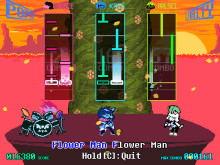
Better Rhythm Games (CHAPTERS 4 & 5)
Expanded & Enhanced Deltarune Rhythm Games
 Мод для DELTARUNE
от Shallix
Easy to use custom song support for Deltarune's rhythm minigame
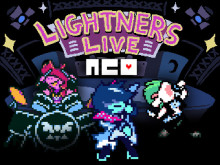
Lightners Live NEO — мод для DELTARUNE (Дельтарун) от автора Shallix. Easy to use custom song support for Deltarune's rhythm minigame
Его скачали 5,7 тыс. раз: это 40-е место среди модов DELTARUNE в нашем каталоге, редкость — «эпический» (топ-20% по скачиваниям). Мод обновлялся в последний месяц, актуальная версия — 4.0.2.
Дополнительных модов для работы не требует.
5 шт · нажмите, чтобы открыть
Текст автора на языке оригинала
Tired of replacing "Knock you down"?
Lightners Live NEO is a mod for Deltarune chapter 5's rhythm minigame that adds support for multiple custom songs and gives access to the built-in song editor, aiming to simplify the creation and sharing of custom charts.
Supports charts made with Enhanced Rhythm Songs and Enhanced Rhythm Songs Updated!
This mod supports both G3M and Deltamod as well as manual G3Mtool patching, specific instructions included in the README. This mod currently ONLY uses Deltarune Chapter 5 version .253 Chapter 4 downport is in the works.
If you find any bugs with the mod or base rhythm game, have any suggestions, or have a question not answered here or the readme, don't be afraid to contact me! If reporting a crash please include a copy of the crash message. Thank you!
Go into the empty doorframe to enter the editor, there you can press the menu button to create your own new chart or "TAB" to import a downloaded .zip file.
Go to the editor by entering the empty doorframe, select the chart you want to edit, and go down to "Chart settings", all the settings are found there. When changing the song make sure each file points to an existing file in "mus" or your chart's folder, or use the import option (TAB) when modifying your chart's song files or sign's image file.
Make sure the required music files are in the chart's folder or Deltarune's "mus" folder, or that your chart settings have no typos. Make sure to include the file extension in the name of your song file.
The author of the chart probably used sprite IDs in their events rather than sprite names. Check the chart's events, if an event is setting sprite_index to a number it's part of the problem, you can delete it.
If you or the original author added custom events, it's probably that. Double check every event at the spot it crashed. Otherwise send me the crash log and I'll take a look.
A chart it tried to load was corrupt, navigate to Deltarune's save folder and find the imported song (same name as the zip file) in the "Custom songs/Charts" folder. Remove any "_infoX.txt" files inside its folder. If the game still crashes remove the ".neo" files as well.
Charts using any outdated format will automatically be converted to the new format and saved to the custom song folder.
Look for "scores0", "scores1", or "scores2" in your Deltarune save folder depending on what save slot you played them on.
I'd like to eventually.
If the chart is made for Enhanced Rhythm Songs or Enhanced Rhythm Songs Updated you are able to import it as you would a neo chart. Read the instructions above or in the README for specifics. If there are any other chart loaders you would like support for let me know.
Not yet, sorry.
Pressing CTRL + LMB on a vocal note in the editor will set that note to use the sprite.
Set it to the same thing as the previous ts/bpm change.
Yes! Instead of the file name you can write "guitar", "tenna", "queen", and "rune" to use the pre-existing symbols.
Файл скачивается с официального сервера GameBanana, без перезаливов и сторонних установщиков
Подробная инструкция для DELTARUNEВставьте значок в описание на GameBanana, в README или в Discord — русскоязычные игроки сразу попадут на страницу с переводом и инструкцией.

[](https://modka.app/deltarune/lightners-live-neo/)<a href="https://modka.app/deltarune/lightners-live-neo/"><img src="https://modka.app/badge.png" alt="Описание на русском — Модка" height="44"></a>[url=https://modka.app/deltarune/lightners-live-neo/]Описание на русском — Модка[/url]Скачайте «Lightners Live NEO» кнопкой «Скачать» — файл придёт с официального сервера GameBanana. Откройте папку игры: в Steam — правой кнопкой по DELTARUNE → «Управление» → «Просмотреть локальные файлы». У каждой главы свой data.win — в папке главы (например, chapter1_windows); для какой главы мод, автор пишет на его странице. Сначала сделайте копию файла data.win (например, назовите её data_original.win) — по ней игра вернётся к оригиналу. Если в архиве лежит готовый data.win — замените им файл в папке игры. Если в архиве файл .xdelta — примените его к data.win программой Delta Patcher (или xdelta UI): выберите оригинальный data.win, патч и нажмите «Apply patch». Запустите игру как обычно. Чтобы вернуть оригинал, верните сохранённую копию data.win или проверьте целостность файлов в Steam.
Файл скачивается с официального сервера GameBanana, куда его загрузил Shallix. Мы не перезаливаем и не изменяем моды.
22 октября 2026, актуальная версия — 4.0.2. Дата берётся с официальной страницы мода при каждом обновлении каталога.
Expanded & Enhanced Deltarune Rhythm Games
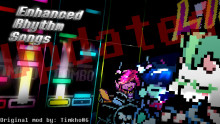
(Original Mod: [https://gamebanana.com/mods/600783](https://gamebanana.com/mods/600783))
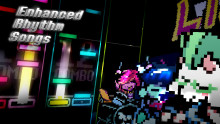
Custom Songs and beyond!
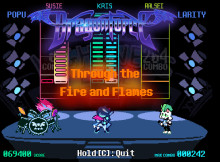
KRIS...????

Local Multiplayer Mod for CH1-5 of DELTARUNE
For all the people who called them "Roaring Fraud".