Начните вводить название — например, MoreHead, Sodium или PEAK

CQUI - Community Quick User Interface — иконка
Обложка Civilization VIМод для Civilization VI

CQUI - Community Quick User Interface

от the_m4a

Работает с Fall 2019, Spring and Summer 2020 Patches от Firaxis, а также в настоящее время выпускает обновления New Frontier Pass и Great Leader. Мод активно поддерживается и отслеживается..

  • Редкий
  • 210,8 тыс. подписок
  • Обновлён 7 апреля 2023
  • Не обновлялся больше года
  • Геймплей
  • Интерфейс
  • Горячие клавиши

О моде CQUI - Community Quick User Interface

CQUI - Community Quick User Interface — мод для Civilization VI (Цивилизацию 6) от автора the_m4a. Работает с Fall 2019, Spring and Summer 2020 Patches от Firaxis, а также в настоящее время выпускает обновления New Frontier Pass и Great Leader. Мод активно поддерживается и отслеживается..

На него подписались 210,8 тыс. раз в Мастерской Steam: это 128-е место среди модов Civilization VI в нашем каталоге, редкость — «редкий» (топ-50% по подпискам). Мод давно не обновлялся — проверьте совместимость с текущей версией игры.

Нужны ли ему другие моды, видно на его странице в Мастерской Steam в блоке «Необходимые продукты» — при подписке Steam сам предложит их добавить.

Полное описание CQUI - Community Quick User Interface

Текст автора на языке оригинала

Works with Fall 2019, Spring and Summer 2020 Patches from Firaxis, as well as currently released New Frontier Pass and Great Leader updates.

Mod is actively maintained and tracked on the CivFanatics GitHub Page

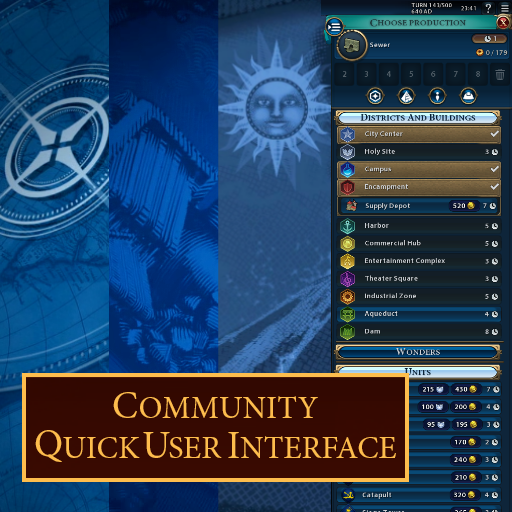
CQUI is an open source Civilization 6 mod that is maintained by it's community that helps you manage your empire faster and easier. It's an enhancement of the original UI that gives you the information you need with less clicks. It also have a lot of useful functionality that makes the game even better.

Epic Games Users Try here to get updated copy of the Mod: https://steamworkshopdownloader.io/download/2115302648 (as for some reason, the SteamWorkshop.download site does not always have an updated copy)

Key Features

New April/May/June 2021 Features:

  • Colors of Lenses added by the integrated More Lenses mod can now be configured in CQUI Settings
  • Configurable lenses: Archaeologist, Barbarian, Builder, City Overlap, City Citizen Management, Naturalist, Resources, Routes, Scout, and Wonders
  • Great Works shown on the City Info Panel (thanks Infixo)
  • Routes Lens, highlighting the tiles with Roads and Railroads (enabled by default with Military Engineer)
  • CQUI Settings can be accessed from the Civ6 Options Menu
  • Updated integrated mods to their current release versions: Better Trade Screen, More Lenses

New January/February/March 2021 Features:

  • Barbarians in the Barbarian Clans mode now have a small indicator of their clan attached to each unit flag
  • Barbarian camps show relevant information in their banners:
  • Icons display in the banner if there is an active bribe (with turns left), if the clan has been incited, or if there is a unit to ransom.
  • A small star appears next to the clan logo if there is a unit available for hire.
  • Should now work with Linux
  • Individual Hero information on Heroes Panel is wider, reducing text squashing
  • City-State Quests now show as inline text (adjustable size font) in the City States list

Features:

  • Civ V Style Cityview
  • Produce or buy units with gold and faith from a single production panel
  • Production panel elements compressed and reordered
  • Improved amenities city details screen (clean icons)
  • Growth/Production progress is enumerated in the city panel
  • "Smart" City Banners
  • Icons showing districts built and if more are available to be built
  • Housing, turns until population growth, turns until culture growth displayed in banners
  • City State banners show Suzerain icon (Configurable: Civ Symbol or Leaderhead)
  • City State banners display an icon when at war with you
  • Tooltip with information about the original owner of that City (and if the original capitol)
  • Additional Tooltips to quickly find information:
  • Tooltip on City Banner showing districts built, districts available, housing, turns until growth
  • Tooltip on Unit upgrade includes maintenance costs (current and upgraded unit)
  • Tooltip in City State list shows all envoys sent from all Civs
  • Tooltip on Plot shows additional information, such as Tourism generated
  • Improvements for Units
  • Builders, Engineers, and Religious units show the remaining number of charges on the Unit flag
  • Non-religious unit flags are dimmed when Religion lens applied (with option to hide completely)
  • Unit actions are no longer hidden behind an expand button
  • Unit XP bars are twice as tall
  • Unit flags show a "+" icon when able to be promoted
  • Hero units have a brighter glow
  • Great Person and Heroes panels revamped
  • Reduced or eliminate side scrolling
  • Adapts to the screen height
  • Heroes entries are twice as wide for better readability
  • Policy Reminder Popup
  • If new policies are available, a popup reminds you to check them out
  • Notifications appear for Goody Hut Rewards, zooming to location when clicked
  • "My Government" tab removed from Government panel
  • Leaderheads expanded tooltips
  • Map Pinning system enhanced
  • New pins
  • Long pinlists are now scrollable
  • Shift-Right click on pinlist to quickly delete pins
  • Enter key now bound to finalizing a pin in pin creation menu
  • Tech/Civic Tree and Civilopedia now Auto-focuses the Search bar
  • Civilopedia remembers the last visited page
  • Civic/Tech popups can be disabled
  • Civic/Tech voice-overs can be set to only play manually
  • Recommendation UI can be enabled/disabled
  • Citizen management icons are resizable to make seeing yield info easier
  • Improved resource icons are dimmed to emphasize unutilized resources
  • Available customized key bindings
  • Luxury resources are displayed in the top bar alongside strategic resources
  • Right clicking the action panel (bottom right button) instantly ends turn
  • Even when things like production/research/unit moves have not been decided
  • Dedicated mod settings menu (Tobacco icon above mini-map)

Integrations:

  • Improved Deal Screen - by mironos
  • Better Trade Screen - by astog
  • More Lenses - by astog
  • Better Espionage Screen - by astog
  • Divine Yuri's Custom City Panel - by Divine Yuri
  • Simplified Gossip - by FinalFreak16

Contributors are Always Welcome

You want to contribute to the mod? We're always welcoming new contributors and the pull requests are open if you wish to tackle an issue. Note that with this updated Workshop entry, we have moved the location of the CQUI Mod source code. A number of issues found in the previous Github location may not yet be listed in the current Github fork where work is being done.

Huge Thank You to Everyone That Has Contributed

This updated version of CQUI in the Steam Workshop is brought to you by a few folks on GitHub (especially alexeyOnGitHub, Infixo, alimulhuda, and the_m4a) that picked up on the work done previously by Azurency, Sparrow, Aristos and others.

Huge thanks to the excellent CQUI contributors and tra

Описание длинное — здесь его начало. Читать целиком на странице автора

Как установить CQUI - Community Quick User Interface

Мод ставится подпиской в Мастерской Steam — без архивов, перезаливов и сторонних установщиков

Подробная инструкция для Civilization VI
  1. Откройте страницу мода «CQUI - Community Quick User Interface» в Мастерской Steam (кнопка «Скачать» на нашем сайте ведёт именно туда) и нажмите «Подписаться» — Steam сам скачает мод и будет его обновлять.
  2. Если Steam покажет список обязательных модов, подпишитесь и на них — без них мод не заработает.
  3. Запустите Civilization VI, откройте «Дополнительный контент» → «Моды» и включите мод в списке.
  4. Если мод не появился в игре, откройте вкладку «Загрузки» в Steam и дождитесь, пока он скачается полностью, затем перезапустите игру.
  5. Для игры по сети подпишитесь на одни и те же моды всей компанией: набор модов у хоста и у игроков, как правило, должен совпадать.
Вы автор мода? Поставьте ссылку на русское описание

Вставьте значок в описание на Мастерская Steam, в README или в Discord — русскоязычные игроки сразу попадут на страницу с переводом и инструкцией.

Описание на русском — Модка
Markdown[![Описание на русском — Модка](https://modka.app/badge.png)](https://modka.app/civilization-6/cqui-community-quick-user-interface/)
HTML<a href="https://modka.app/civilization-6/cqui-community-quick-user-interface/"><img src="https://modka.app/badge.png" alt="Описание на русском — Модка" height="44"></a>
Steam (BBCode)[url=https://modka.app/civilization-6/cqui-community-quick-user-interface/]Описание на русском — Модка[/url]

Частые вопросы о CQUI - Community Quick User Interface

Как установить CQUI - Community Quick User Interface?

Откройте страницу мода «CQUI - Community Quick User Interface» в Мастерской Steam (кнопка «Скачать» на нашем сайте ведёт именно туда) и нажмите «Подписаться» — Steam сам скачает мод и будет его обновлять. Если Steam покажет список обязательных модов, подпишитесь и на них — без них мод не заработает. Запустите Civilization VI, откройте «Дополнительный контент» → «Моды» и включите мод в списке. Если мод не появился в игре, откройте вкладку «Загрузки» в Steam и дождитесь, пока он скачается полностью, затем перезапустите игру. Для игры по сети подпишитесь на одни и те же моды всей компанией: набор модов у хоста и у игроков, как правило, должен совпадать.

Безопасен ли CQUI - Community Quick User Interface?

Мы ничего не перезаливаем: кнопка скачивания открывает официальную страницу мода в Мастерской Steam. Там нужно нажать «Подписаться» — файлы загрузит и будет обновлять сам Steam.

Нужно ли друзьям ставить CQUI - Community Quick User Interface?

В сетевой игре Civilization VI набор модов у хоста и у остальных игроков, как правило, должен совпадать: подпишитесь на одни и те же моды всей компанией. Исключения — моды, которые меняют только то, что видите и слышите вы сами; точные требования автор пишет в описании мода.

Когда CQUI - Community Quick User Interface обновлялся последний раз?

7 апреля 2023. Это больше года назад: перед установкой проверьте, работает ли мод на текущей версии игры.

Detailed Map Tacks — иконка

Detailed Map Tacks

Введение Вам надоело подсчитывать бонусы за соседство в вашем районе? Этот мод может помочь вам спланировать размещение ваших районов, рассчитав потенциальную доходность

Легендарный2,8 млнГеймплей

Better Report Screen (UI) — иконка

Better Report Screen (UI)

Новый v7.0 по состоянию на 23.05 - Главный технический редизайн и несколько новых функций, улучшений и исправлений. Подробная информация на вкладке Change Notes. Больше информации в докладе..
Легендарный2,1 млнИнтерфейс

Detailed Wonder Reminder Enhanced — иконка

Detailed Wonder Reminder Enhanced

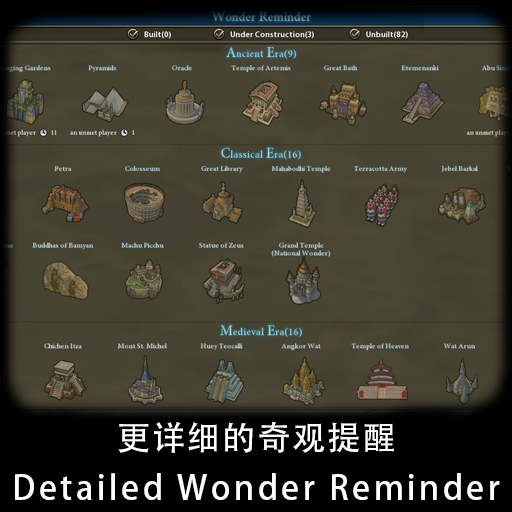
Добавлена новая панель, которая показывает подробную информацию о строительстве для всех Чудес, таких как оставшиеся повороты других цивилизаций, города, где можно построить Чудо, и многое другое. • Отправить..

Эпический512,7 тыс.Геймплей

GoldenAge - Brave New World — иконка

GoldenAge - Brave New World

GoldenAge - Brave New World Top и самый полный геймплейный мод в Civilization VI! Добавляет несколько новых режимов игры, капитальный ремонт и исправляет большинство иррациональностей в игре
Редкий310,4 тыс.ИИ

Movable Districts — иконка

Movable Districts

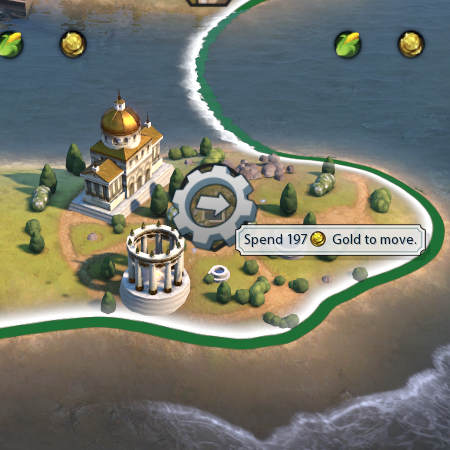
Позволить тратить золото на переезд района со всеми его зданиями. Золото, необходимое для перемещения, в 2 раза превышает первоначальную стоимость производства. Например, если район обошелся в 50 производств, то..

Редкий308,2 тыс.Геймплей

Golden Age-Infinity Pinnacle — иконка

Golden Age-Infinity Pinnacle

GoldenAge - Infinity Pinnacle Top и самый полный геймплейный мод в Civilization VI! Добавляет несколько новых режимов игры, капитальный ремонт и исправляет большинство иррациональностей в игре

Редкий253,2 тыс.ИИ

