Начните вводить название — например, MoreHead, Sodium или PEAK

Better Road Toolbar — иконка
Обложка Cities: SkylinesМод для Cities: Skylines

Better Road Toolbar

от Delta 5-1

Поддерживайте здравомыслие при просмотре панели инструментов Road. Описание • Добавляет больше вкладок в панель инструментов Road. • Заменяет 3 вкладки Small/Medium/Large Road до 7 новых вкладок: • 1U..

  • Обычный
  • 511,6 тыс. подписок
  • Обновлён 11 июня 2023
  • Не обновлялся больше года

О моде Better Road Toolbar

Better Road Toolbar — мод для Cities: Skylines (Сити Скайлайнс) от автора Delta 5-1. Поддерживайте здравомыслие при просмотре панели инструментов Road. Описание • Добавляет больше вкладок в панель инструментов Road. • Заменяет 3 вкладки Small/Medium/Large Road до 7 новых вкладок: • 1U..

На него подписались 511,6 тыс. раз в Мастерской Steam: это 287-е место среди модов Cities: Skylines в нашем каталоге, редкость — «обычный» (нижняя половина по подпискам). Мод давно не обновлялся — проверьте совместимость с текущей версией игры.

Нужны ли ему другие моды, видно на его странице в Мастерской Steam в блоке «Необходимые продукты» — при подписке Steam сам предложит их добавить.

Полное описание Better Road Toolbar

Текст автора на языке оригинала

Maintain sanity when browsing the Road toolbar.

Description

  • Adds more tabs in the Road toolbar.
  • Replaces the 3 default Small/Medium/Large road tabs with up to 7 new tabs:
  • 1U (8m) wide
  • 2U (16m) wide, ≤2 lanes
  • 2U (16m) wide, ≥3 lanes
  • 3U (24m) wide
  • 4U (32m) wide, ≤4 lanes
  • 4U (32m) wide, ≥5 lanes
  • ≥5U (≥40m) wide
  • Adds new tabs for (configurable - to some extent):
  • Pedestrianised and traffic-calmed roads
  • Rural roads
  • Industrial roads
  • Bus roads
  • Trolleybus roads
  • Tram roads
  • Bike roads
  • Monorail roads
  • Assigns all roads to the relevant tab(s), based on their properties, ignoring the hard-coded "UI category" value.
  • Adds multi-modal roads to each relevant tab. For example, a road with tram tracks and bike lanes will appear both under "Bike roads" and "Tram roads". Optionally, the mod creates a separate tab for these roads.
  • Hides any tabs that would be empty. For example, if you are not subscribed to any 1U roads, the 1U tab won't be displayed.
  • Overrides default sorting behaviour for road assets: (optional)
  • Custom roads are no longer listed after all vanilla roads. You can still filter them to only show vanilla or custom roads.
  • Sorts all roads based on width, lane count and other properties, instead of the hard-coded "UI priority" value, which is often arbitrary, especially when dealing with custom roads made by multiple creators.
  • These new sorting rules also apply to roads listed in Public transport toolbar tabs.
  • Revamps vanilla road filters (or, optionally, hides them).
  • More robust detection of "decorated" roads (i.e. those with grass or trees) from the Workshop.
  • Additional filters for roads with and without parking spaces.

Settings

You can customise the mod's behaviour in game:

  • Create separate tabs for bus, tram, bike, trolleybus and monorail roads
  • ON (default): Any road which contains a bus lane, tram tracks, bike lane, trolleybus wires or monorail tracks will be placed in the relevant tab(s). The road will not appear in any other tabs.
  • OFF: these tabs are not created, and the roads are grouped alongside other roads, by width etc.
  • Create an additional tab for roads with 2 or more modes of transport

Note: "Create separate tabs for bus, tram, bike, trolleybus and monorail roads" must also be ON for this setting to take effect.

  • ON: Any road which contains at least 2 of the following: bus lanes, tram tracks, bike lanes, trolleybus wires and/or monorail tracks will be placed in a separate "Mix" tab. The road will not appear in any other tabs.
  • OFF (default): the "Mix" tab is not created, and the roads are grouped into all relevant tabs instead ("Bus", "Tram", etc.).
  • Create a separate tab for industrial roads
  • ON (default): A separate Industrial tab is created for roads introduced in the Industries or Airports DLCs and any derived roads on the Workshop. The roads will not appear under any other tab.
  • OFF: the tab is not created, and the roads are grouped alongside other roads, by width etc.
  • Treat traffic-calmed streets (25 kph/15 mph or less) as pedestrianised
  • ON (default): these roads are grouped under the "Pedestrian" tab, and will not appear under any other tab. Most pre-Plazas and Promenades DLC pedestrian roads on the Workshop fit into this category.
  • OFF: These roads will be treated as any other road, and will not appear in the Pedestrian tab. The Pedestrian tab may still be created if any "proper" (post-Plazas and Promenades DLC) pedestrian roads are present.
  • Use default game sort order for roads
  • ON: reverts to the default (unmodded) sort order for roads (based on the hard-coded "UI priority" values).
  • OFF (default): Uses this mod's custom road sorting algorithm.
  • Keep Plazas and Promenades DLC roads in their own tab
  • ON: Any roads added in the DLC are untouched by the mod and remain in their own tab.
  • OFF (default): The custom tab is removed, and the roads sorted into the relevant tabs (Pedestrian and Bus).
  • Keep Bridges and Piers DLC roads in their own tab
  • ON (default): Any roads added in the DLC are untouched by the mod and remain in their own tab.
  • OFF: The custom tab is removed, and the roads sorted into the relevant tabs (by type and width).
  • Keep custom road tabs generated by other mods or DLCs
  • ON (default): Any roads found in tabs created by other mods, except NExt2, or any other (future) DLCs are untouched by the mod and remain in their own tab.
  • OFF: The custom tabs are removed (unless they contain buildings and other objects) and any roads found in them grouped into the relevant tabs.
  • Show road filters (e.g. 1-way/2-way) in each tab
  • ON (default): Road filters are shown.
  • OFF: Road filters are hidden.

Compatibility

  • Roads
  • Most if not all other road assets from the Workshop ✔️
  • Network Extensions 2 ✔️(Replaces NExt 2 toolbar tabs)
  • Toolbar-related mods
  • Find It! 2✔️(Does not affect road grouping nor sorting in the Find It! toolbar)
  • Non-toolbar related mods – most likely ✔️

Source code

View in GitHub

Как установить Better Road Toolbar

Мод ставится подпиской в Мастерской Steam — без архивов, перезаливов и сторонних установщиков

Подробная инструкция для Cities: Skylines
  1. Откройте страницу мода «Better Road Toolbar» в Мастерской Steam (кнопка «Скачать» на нашем сайте ведёт именно туда) и нажмите «Подписаться» — Steam сам скачает мод и будет его обновлять.
  2. Если Steam покажет список обязательных модов, подпишитесь и на них — без них мод не заработает.
  3. Запустите Cities: Skylines, откройте «Менеджер контента» в главном меню и включите мод на вкладке «Моды» (здания и развязки — на вкладке «Ассеты»).
  4. Если мод не появился в игре, откройте вкладку «Загрузки» в Steam и дождитесь, пока он скачается полностью, затем перезапустите игру.
  5. Чтобы убрать мод, нажмите «Отписаться» на его странице в Мастерской — Steam удалит его файлы сам.
Вы автор мода? Поставьте ссылку на русское описание

Вставьте значок в описание на Мастерская Steam, в README или в Discord — русскоязычные игроки сразу попадут на страницу с переводом и инструкцией.

Описание на русском — Модка
Markdown[![Описание на русском — Модка](https://modka.app/badge.png)](https://modka.app/cities-skylines/better-road-toolbar/)
HTML<a href="https://modka.app/cities-skylines/better-road-toolbar/"><img src="https://modka.app/badge.png" alt="Описание на русском — Модка" height="44"></a>
Steam (BBCode)[url=https://modka.app/cities-skylines/better-road-toolbar/]Описание на русском — Модка[/url]

Частые вопросы о Better Road Toolbar

Как установить Better Road Toolbar?

Откройте страницу мода «Better Road Toolbar» в Мастерской Steam (кнопка «Скачать» на нашем сайте ведёт именно туда) и нажмите «Подписаться» — Steam сам скачает мод и будет его обновлять. Если Steam покажет список обязательных модов, подпишитесь и на них — без них мод не заработает. Запустите Cities: Skylines, откройте «Менеджер контента» в главном меню и включите мод на вкладке «Моды» (здания и развязки — на вкладке «Ассеты»). Если мод не появился в игре, откройте вкладку «Загрузки» в Steam и дождитесь, пока он скачается полностью, затем перезапустите игру. Чтобы убрать мод, нажмите «Отписаться» на его странице в Мастерской — Steam удалит его файлы сам.

Безопасен ли Better Road Toolbar?

Мы ничего не перезаливаем: кнопка скачивания открывает официальную страницу мода в Мастерской Steam. Там нужно нажать «Подписаться» — файлы загрузит и будет обновлять сам Steam.

Когда Better Road Toolbar обновлялся последний раз?

11 июня 2023. Это больше года назад: перед установкой проверьте, работает ли мод на текущей версии игры.

Move It — иконка

Move It

Переместить 2.10.9 Обновлено в 2.10.9: - Обновлено для игры версии 1.21.1 - Перемещение сегмента фиксированной сети - Удален устаревший Extended Managers Этот мод позволяет выбрать..

Легендарный4,7 млн

TM:PE 11.9.4.1 STABLE (Traffic Manager: President Edition) — иконка

TM:PE 11.9.4.1 STABLE (Traffic Manager: President Edition)

Улучшить использование полосы и парковки. И настроить развязки, дороги и рельсы! Это стабильный выпуск с проверенными функциями. User Guide Report Bugs Discord Chat
Легендарный4,7 млн

Precision Engineering — иконка

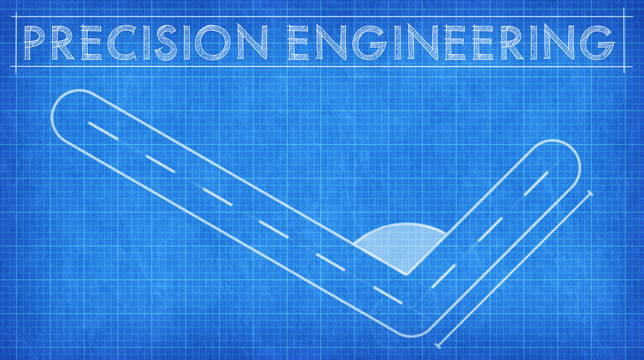
Precision Engineering

Точная инженерия дополняет города: Skylines, добавляя щелчки угла, рекомендации и дополнительную информацию, чтобы помочь вам при строительстве дорог, железнодорожных линий, труб и электроснабжения
Легендарный4,3 млн

Extra Landscaping Tools — иконка

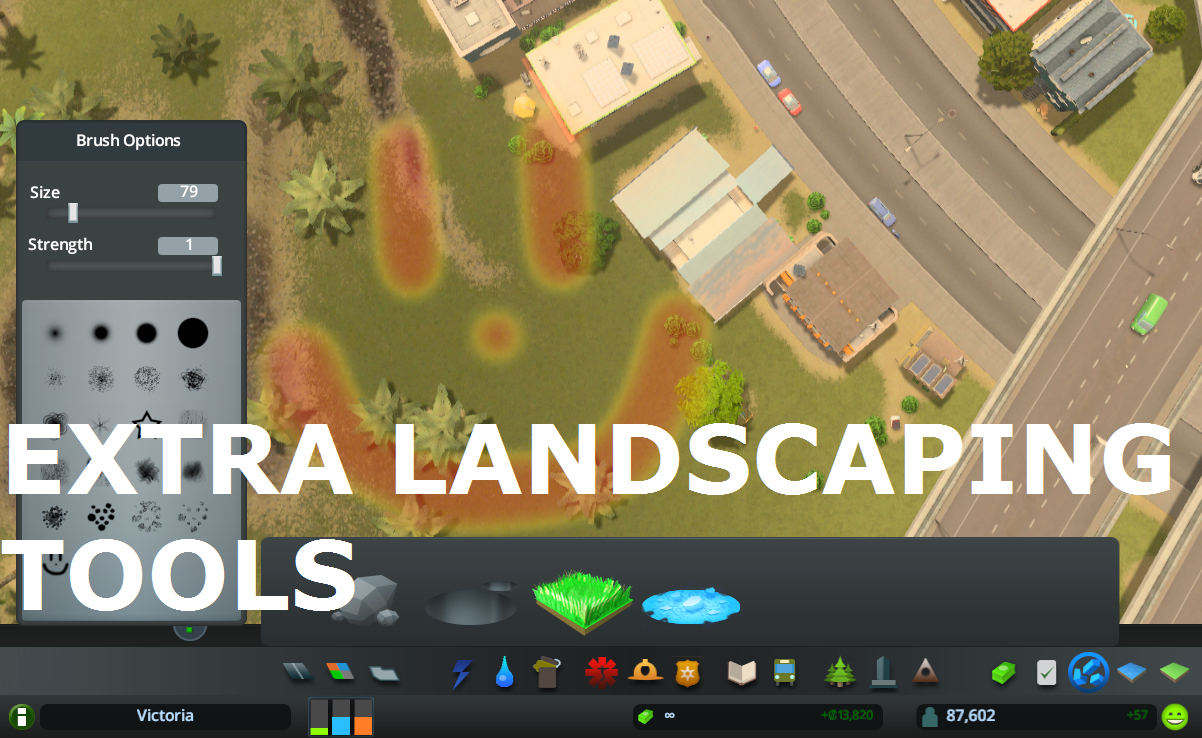
Extra Landscaping Tools

Позволяет размещать природные ресурсы в игре + обеспечивает настраиваемую древесную щетку и карандаш, терраформу и водяной инструмент. Предоставляет некоторые инструменты редактора карт в игре (например, инструмент ресурсов)
Легендарный3,8 млн

All 25 Areas purchasable — иконка

All 25 Areas purchasable

Все 25 площадей можно купить (в Ванилье можно купить только 9). Последний Milestone (номер 13) позволяет купить площадь от 10 до 25
Легендарный2,8 млн

Intersection Marking Tool 1.15 — иконка

Intersection Marking Tool 1.15

Это только для детализации и эстетики и не скажет вашему трафику, куда идти. Если вы хотите контролировать трафик, пожалуйста, см. Traffic Manager: President Edition. Гармония 2.0..

Легендарный2,5 млн