
Extended Variant Mode
Like Variant Mode but taken way too far


 Мод для Celeste
от fancyfurret
Celeste at 120 FPS in HD
Motion Smoothing — мод для Celeste (Селесту) от автора fancyfurret. Celeste at 120 FPS in HD
Его скачали 43,6 тыс. раз: это 111-е место среди модов Celeste в нашем каталоге, редкость — «редкий» (топ-50% по скачиваниям). Мод обновлялся в последний месяц, актуальная версия — 1.8.9.
Дополнительных модов для работы не требует.
1 шт · нажмите, чтобы открыть
Текст автора на языке оригинала
A mod for Celeste that greatly improves the smoothness of the camera and Madeline, and also can raise the FPS above 60 without breaking physics. You do not need a high refresh rate monitor to get the vast majority of the benefit of Motion Smoothing! The higher fps options work by keeping the physics update at a fixed 60 FPS but rendering using extrapolated entity/camera/etc positions during at 120+ FPS. Motion Smoothing should work with most modded maps, but please read the Smooth Camera section for more on compatibility.
I have verified the accuracy of physics with this mod enabled by running the Any% TAS, which still finishes like normal, but at a buttery smooth 120+ FPS!
Motion Smoothing makes changes to Celeste's rendering pipeline to add its features. This setting affects how large those changes are, which has several effects.
This lets the camera move continuously: that is, half of a pixel could be shown on the side of the screen while the camera is moving. This is especially noticeable when the camera is slowly catching up to the player. This works regardless of FPS, so if you only have a 60hz monitor, this option will still make the game much smoother! Like everything in this mod, this does not affect physics at all.
In Fancy mode, Madeline can be drawn at her exact, subpixel-precise position while moving, which dramatically improves the clarity of her sprite. There are many safeguards in place to prevent subpixel information from being gleanable. Turning this setting off may mildly improve performance.
In Fancy mode, the background can be drawn unlocked from the pixel grid, which makes parallax backgrounds substantially smoother. Turning this setting off may mildly *reduce *performance, especially in levels with unusually complicated backgrounds.
This is identical to the smooth background setting, but for foreground objects (for example, the snow in chapter 7 drifts smoothly when this is on, rather than being snapped to the pixel grid). Turning this setting off may mildly *reduce *performance, especially in levels with unusually complicated foregrounds.
Motion Smoothing always keeps Celeste's physics running at 60 FPS. When the framerate is increased above 60, the extra frames in between physics frames are rendered by predicting where all of the objects in the level (including Madeline) should be, based on their current positions and velocities.
There are two slightly different ways to predict where objects will be on non-physics frames.
Raising the framerate above 60 can be accomplished in two ways:
best.
properly.
Madeline's hair is normally rendered in a way that can make its edges flicker when they should stay still, like holding left or right when falling. This fixes that flicker and makes her hair render smoothly.
Motion Smoothing allows you to use high-res stylegrounds in your maps, and you can add triggers to change certain settings. See the GitHub page for details on both.
Файл скачивается с официального сервера GameBanana, без перезаливов и сторонних установщиков
Подробная инструкция для CelesteВставьте значок в описание на GameBanana, в README или в Discord — русскоязычные игроки сразу попадут на страницу с переводом и инструкцией.

[](https://modka.app/celeste/motion-smoothing/)<a href="https://modka.app/celeste/motion-smoothing/"><img src="https://modka.app/badge.png" alt="Описание на русском — Модка" height="44"></a>[url=https://modka.app/celeste/motion-smoothing/]Описание на русском — Модка[/url]Скачайте Olympus с официального сайта Everest (everestapi.github.io) и запустите его. Нажмите «Install Everest» — Olympus найдёт Celeste и поставит загрузчик. Скачайте «Motion Smoothing» кнопкой «Скачать» и положите .zip-архив, не распаковывая, в папку Mods внутри папки игры. Запустите игру через Olympus или как обычно — моды появятся в меню «Моды», а новые карты — в списке глав. Многим картам нужны хелперы (Maddie's Helping Hand и другие): Everest предложит скачать недостающие сам.
Файл скачивается с официального сервера GameBanana, куда его загрузил fancyfurret. Мы не перезаливаем и не изменяем моды.
10 ноября 2026, актуальная версия — 1.8.9. Дата берётся с официальной страницы мода при каждом обновлении каталога.
Like Variant Mode but taken way too far
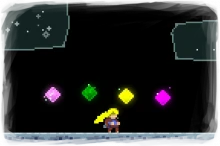
Have you ever wanted to give the player more than 2 dashes? Well, now you can! Currently up to 5 dashes are supported. Furthermore, you can customize the hair colors in the mod settings.

Online Multiplayer Mod for Celeste

Remember that crystal heart in Golden Ridge? Remember how cool it was? Well, now you too can gimmick up your maps with my latest mechanic, the Background Switch! (also comes in trigger box form, but w

Track your progress while grinding Golden Berries

A collection of hats for your personalisation needs!