
Maddie's Helping Hand
A grab bag of requests

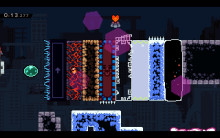
 Мод для Celeste
от lylyra
Basically a bunch of craft supplies
LylyraHelper — мод для Celeste (Селесту) от автора lylyra. Basically a bunch of craft supplies
Его скачали 142,9 тыс. раз: это 60-е место среди модов Celeste в нашем каталоге, редкость — «эпический» (топ-20% по скачиваниям). Мод обновлялся в последний месяц, актуальная версия — 1.3.33.
Дополнительных модов для работы не требует.
3 шт · нажмите, чтобы открыть
Текст автора на языке оригинала
This helper contains modded items for use in modded Celeste Maps.
Feel more than welcome to send me a feature request! You can find me on Discord as @lyraohmi either through DM or on the Mount Celeste Climbing Association Discord.
LylyraHelper API and Slicer Explanation
-----Major Features-----
Slicer: Slicers are a component that can be added to any already existing Entity in the game. Slicers allow entities they are attached to cut most vanilla Solid Blocks in half, and a few other things **. *Many Blocks will be activated,* *if relevant. For example, Move Blocks will start moving, Kevins will begin (or continue) charging relative to how they were sliced. Spikes and Springs attached to blocks will also be cut.
** Supported Vanilla blocks include: Floaty Space Blocks, Kevins, Move Blocks, Core Blocks (Hot and Cold), Dash Blocks, Cassette Blocks, Starjump Blocks, Dream Blocks, Falling Blocks, Zip Movers. Additionally, Boosters can be popped and Crystal Static Spinners can be shattered.*
***Supported mod items include solids from LylyraHelper such as AutoReturnFallingBlocks and well as DreamFallingBlocks, DreamMoveBlocks, DreamFloatySpaceBlocks, LoopBlocks, and Melvins from CommunalHelper.*
You'll need to specify which blocks you want your slicers to cut, because it's hard to make a level if everything can be cut. Use a Slicer Controller to specify what you want to cut. For the moment, you'll need the Full Name of the item you want to slice. Most vanilla sliceables are simply "Celeste.ItemName", besides Kevins (Celeste.CrushBlock) and Core Blocks (Celeste.BounceBlock).
Alternatively, if you also have FrostHelper, you can simply use the "select from intersection" button to select all entity types the slicer controller overlaps at that moment, or specify editor names
Paper: Paper is a field you can place on the map that will give you effects when you are in the field (similar to a trigger), but it's also destructible via various means (currently only cutting via Slicing is supported, but there are plans for other methods).
---Entities---
Slicer Controller: Slicer Controllers can be placed on a map to specify the items that Slicers can slice. Entering a room with a Slicer Controller with different settings will overwrite the item selection. You can specify a Slicer to only Slice a subset of the Controller's choices via the options for the Entity or Trigger that has / adds the Slicer. Slicer Controller's choices are session wide, so you don't have to place one in every room, but if one is not found, no items will be able to be sliced.
Laser Cutter: Laser cutters are an orientable laser cannon whose lasers can Slice through sliceable entities and blocks. In essence, they are an out of the box slicer. Laser cutters have configurable firing modes in the form of Pulse, In Front, and Breakbeam (Player must be both in front and visible / not blocked by solid objects). Laser cutters can be flag toggled.
Dash Paper: A type of paper that gives you back your dash when you dash inside of it. Dash paper can be "trapped" to spawn a slicing entity called Scissors, which spawn at the edge of the paper will move across the map in cardinal directions dashed. Diagonal dashes spawn two Scissors. Scissors kill the player on touch and can be reflected by Bumpers. Scissors are equipped with Slicers, and can slice through blocks of your choosing.
Dash paper is Sliceable and can be added to your Slicer settings with "Celeste.Mod.LylyraHelper.Entities.DashPaper".
Big Cloud: It's a cloud, but bigger. I've kept this entity because there isn't a resizable cloud in any Helper. This one isn't resizable either, but it does help.
Knife Spikes: Spikes, but they have a Slicer attached by default.
Whimsy Keys: a slow falling throwable with a platform on top that is destroyed when it comes in contact with a Whimsy Door, originally from Secret Santa Collab.
Whimsy Door: A solid wall that is destroyed when it comes in contact with a Whimsy Key, originally from Secret Santa Collab.
Elliptical Shockwave Emitter: Murder and Death, By Hydro. Originally from the map ??? by Hydro in Secret Santa Collab 2024, this is the shockwave generator that acts as a fast paced kill wall and one of the core mechanics of the level.
Dash Activated Dust Bunnies: Dust bunnies that only move to their next location when you dash. Move in a configurable finite amount of time.
---Effects---
Hexagonal Godrays: Originally used in the Strawberry Jam map, Bee Berserk. Does what it says on the box. I've added a slight upgrade and now you can hue shift via HSV coordinates, which should lead to brighter, less gray colors.
Star Godrays: Like Cliffside Godrays or Hexagonal Godrays, but shaped like 5 pointed stars.
Atmospheric Wind: Strands of wind that blow across the screen, originally seen in Secret Santa Collab 2024.
---Triggers---
Add Slicer Trigger: Adds slicers to all relevant Entities. Can be configured to be roomwide, only to certain entities, and what direction to slice from, among other things. Remove Slicer Trigger: Removes slicers from all relevant Entities. Has same configuration abilities as the Add Slicer Trigger.
No Fastfall Trigger: Stops player from fastfalling while inside the trigger. Has a persistent mode.
Mute Sound Source Trigger: This gets rid of pesky sound sources of your choosing (like kevin grumbling and attacking loops) that audio muters can't necessarily get. Simply add the sound loop(s) you want to mute to the trigger and enjoy the silence. Specifically works on sounds that work through the Celeste.SoundSource component.
DisableEntityPreservationTrigger: If you use an entity spawning mechanic such as FrostHelper Gro
Описание длинное — здесь его начало. Читать целиком на странице автора
Файл скачивается с официального сервера GameBanana, без перезаливов и сторонних установщиков
Подробная инструкция для CelesteВставьте значок в описание на GameBanana, в README или в Discord — русскоязычные игроки сразу попадут на страницу с переводом и инструкцией.

[](https://modka.app/celeste/lylyrahelper/)<a href="https://modka.app/celeste/lylyrahelper/"><img src="https://modka.app/badge.png" alt="Описание на русском — Модка" height="44"></a>[url=https://modka.app/celeste/lylyrahelper/]Описание на русском — Модка[/url]Скачайте Olympus с официального сайта Everest (everestapi.github.io) и запустите его. Нажмите «Install Everest» — Olympus найдёт Celeste и поставит загрузчик. Скачайте «LylyraHelper» кнопкой «Скачать» и положите .zip-архив, не распаковывая, в папку Mods внутри папки игры. Запустите игру через Olympus или как обычно — моды появятся в меню «Моды», а новые карты — в списке глав. Многим картам нужны хелперы (Maddie's Helping Hand и другие): Everest предложит скачать недостающие сам.
Файл скачивается с официального сервера GameBanana, куда его загрузил lylyra. Мы не перезаливаем и не изменяем моды.
16 октября 2026, актуальная версия — 1.3.33. Дата берётся с официальной страницы мода при каждом обновлении каталога.
A grab bag of requests
You can see the source code & feature list at [https://github.com/JaThePlayer/FrostHelper](https://github.com/JaThePlayer/FrostHelper/tree/master)
Objects as wacky as this helper's alternative name!

A mod providing useful features for collabs

A collection of new mechanics, conceived of by the community, for everyone to use.

A Celeste mod for controlling gravity in realtime.