
Mapper Options
Toggle my various options!


 Мод для Celeste
от maddie480
This mod provides a simple command that displays arbitrary text on-screen, in the same style as the strawberry counter and the speedrun timer.
Display Message Command — мод для Celeste (Селесту) от автора maddie480. This mod provides a simple command that displays arbitrary text on-screen, in the same style as the strawberry counter and the speedrun timer.
Его скачали 51,4 тыс. раз: это 99-е место среди модов Celeste в нашем каталоге, редкость — «редкий» (топ-50% по скачиваниям). Мод обновлялся в течение года, актуальная версия — 1.0.4.
Дополнительных модов для работы не требует.
2 шт · нажмите, чтобы открыть
Текст автора на языке оригинала
This mod provides a simple command that displays arbitrary text on-screen, in the same style as the strawberry counter and the speedrun timer.
Usage: display_message [id] [scale] [y] [left] [message]
display_message_rawdeltatime [id] [scale] [y] [left] [message]has the same parameters as display_message, but will ignore the current game speed when animating the message.hide_message [id]removes a previously shown message. Use the same id as the one you passed to display_message.
You can display multiple messages at a time by giving them different IDs. If you call display_message twice with the same ID, the previous message that had this ID will be replaced.
This mod can be used in TASes to display messages on screen at specific points (console display_message ...).
You can also display messages in your map using the Display Text Trigger. The message stays on screen for a customizable amount of time, and you can change the text color.
Файл скачивается с официального сервера GameBanana, без перезаливов и сторонних установщиков
Подробная инструкция для CelesteВставьте значок в описание на GameBanana, в README или в Discord — русскоязычные игроки сразу попадут на страницу с переводом и инструкцией.

[](https://modka.app/celeste/display-message-command/)<a href="https://modka.app/celeste/display-message-command/"><img src="https://modka.app/badge.png" alt="Описание на русском — Модка" height="44"></a>[url=https://modka.app/celeste/display-message-command/]Описание на русском — Модка[/url]Скачайте Olympus с официального сайта Everest (everestapi.github.io) и запустите его. Нажмите «Install Everest» — Olympus найдёт Celeste и поставит загрузчик. Скачайте «Display Message Command» кнопкой «Скачать» и положите .zip-архив, не распаковывая, в папку Mods внутри папки игры. Запустите игру через Olympus или как обычно — моды появятся в меню «Моды», а новые карты — в списке глав. Многим картам нужны хелперы (Maddie's Helping Hand и другие): Everest предложит скачать недостающие сам.
Файл скачивается с официального сервера GameBanana, куда его загрузил maddie480. Мы не перезаливаем и не изменяем моды.
22 ноября 2025, актуальная версия — 1.0.4. Дата берётся с официальной страницы мода при каждом обновлении каталога.
Toggle my various options!

Making Celeste's stamina less mysterious

A mod for Celeste that displays input history ingame.
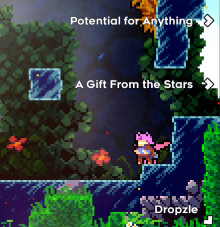
Adds a "waypoint" system to Collab Lobbies, easily navigate to every map!

Choose the portrait of your save files!

HUD for [Celeste Lockout Bingo](https://bingosync.com/)