

BalatroRebalanced
An attempt at rebalancing Balatro


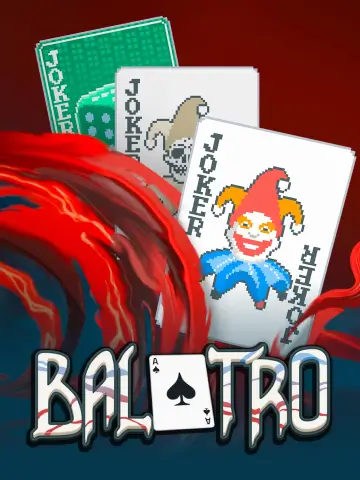 Мод для Balatro
от Hurlemort
Balatro mod (ft sans the skeleton and my friends)
TAO — мод для Balatro (Балатро) от автора Hurlemort. Balatro mod (ft sans the skeleton and my friends)
Его скачали 104 раз: это 195-е место среди модов Balatro в нашем каталоге, редкость — «обычный» (нижняя половина по скачиваниям). Мод обновлялся в последний месяц, актуальная версия — 1.0.5.
Для работы ему нужны: Amulet, Steamodded.
1 шт · нажмите, чтобы открыть
Текст автора на языке оригинала
A mod I originally made for me and my friends but, as it got bigger and got more features (and... sans...?), I decided to polish and release it ! :D
The entirety of Undertale's Sans boss fight! New Jokers! Explosions! New Bosses! Jumpscares! New Consumeables!
Note: Balatro Mod Manager (BMM) and the Balatro Mod Index (BMI) aren't maintained anymore, use one of the methods below instead.
The Balatro mods folder is:
%AppData%\Balatro\Mods~/Library/Application Support/Balatro/Mods~/.local/share/Steam/steamapps/compatdata/2379780/pfx/drive_c/users/steamuser/AppData/Roaming/Balatro/Mods~/.var/app/com.valvesoftware.Steam/.local/share/Steam/steamapps/compatdata/2379780/pfx/drive_c/users/steamuser/AppData/Roaming/Balatro/ModsCreate the Mods folder if it doesn't exist yet. Both manual methods need these installed first:
TAO-.zip from the latest release and extract it into your mods folder, it already contains a TAO folder.TAO folder inside your mods folder and extract the zip into it (the zip has no folder of its own).В r2modman ставится автоматически
Файл скачивается с официального сервера Thunderstore, без перезаливов и сторонних установщиков
Подробная инструкция для BalatroВставьте значок в описание на Thunderstore, в README или в Discord — русскоязычные игроки сразу попадут на страницу с переводом и инструкцией.

[](https://modka.app/balatro/hurlemort-tao/)<a href="https://modka.app/balatro/hurlemort-tao/"><img src="https://modka.app/badge.png" alt="Описание на русском — Модка" height="44"></a>[url=https://modka.app/balatro/hurlemort-tao/]Описание на русском — Модка[/url]Скачайте менеджер модов r2modman (или Gale) и выберите в нём игру Balatro. Создайте профиль — так моды не смешаются с чистой версией игры. Найдите «TAO» во вкладке Online и нажмите Download — Lovely и все зависимости подтянутся сами. Нажмите «Start modded» — игра запустится с модами. Чтобы сыграть без модов, запустите игру как обычно из Steam — r2modman не трогает чистую версию игры.
Файл скачивается с официального сервера Thunderstore, куда его загрузил Hurlemort. Мы не перезаливаем и не изменяем моды.
Установите вместе с ним: Amulet, Steamodded. В менеджере модов зависимости подтягиваются автоматически.
1 ноября 2026, актуальная версия — 1.0.5. Дата берётся с официальной страницы мода при каждом обновлении каталога.
An attempt at rebalancing Balatro

A big content mod adding over 140 Jokers, an exotic suit, new consumable types, challenges with actual rewards, a new side mode and a lot more.

A Chaotic Balatro mod focused on Inverted Consumables and expanding on Vanilla mechanics in various other ways. Generally Vanilla adjacent but not exactly Vanilla+

Search selected shop targets using normal Balatro rerolls, a configurable money reserve, and a lock-safe STOP button.

add funny and wacky addons to spruce up your balatro experience!

Increase or decrease the number of slots you have available for: Jokers, Vouchers, Booster packs and Deck size.