
Balajeweled
A resource pack that replaces the playing cards' suits into gems from the Bejeweled series.

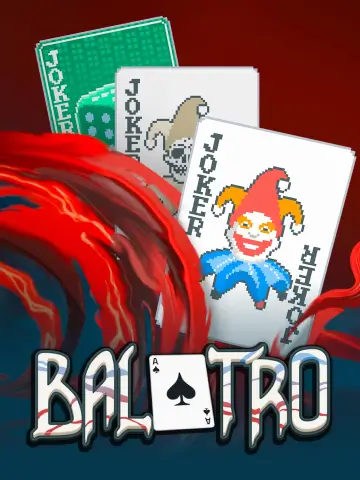 Мод для Balatro
от Eremel_Mods
Malverk is an all-in-one texture manager. With an inbuilt API for AltTextures and TexturePacks, Malverk integrates a simple UI to customise which textures are applied to your game whenever you wish.
Malverk — мод для Balatro (Балатро) от автора Eremel_Mods. Malverk is an all-in-one texture manager. With an inbuilt API for AltTextures and TexturePacks, Malverk integrates a simple UI to customise which textures are applied to your game whenever you wish.
Его скачали 1,8 тыс. раз: это 67-е место среди модов Balatro в нашем каталоге, редкость — «редкий» (топ-50% по скачиваниям). Мод обновлялся в последние полгода, актуальная версия — 1.1.5.
Для работы ему нужны: Steamodded.
Текст автора на языке оригинала
Malverk is a mod designed to make managing your texture packs quick and easy. Using our intuitive texture selector page, you can select which of your texture packs to apply in an instant, and reorganise their priority by dragging the cards left and right. This makes it easy to combine partial texture packs to your preference. Malverk supports full and partial retextures to each object type in the game. Malverk supports the following objects: Joker, Tarot, Spectral, Planet, Voucher, Booster, Enhanced, Seal, Tag, Stake, Blind, Sticker, plus modded ConsumableTypes.
You can access Malverk through the in game option menu. Press the Textures button and you will be greeted with the Malverk UI.
Malverk is a Texture Pack manager - it does not come packaged with any textures of it's own. If other retextures choose to support Malverk, their textures will appear in the Malverk UI. From here, simply select the texture packs you would like to apply, and they will appear in the priority changer at the top of the screen. Texture Packs are applied from left to right, so the furthest right will overwrite any previous changes. This allows you to combine texture packs as you wish, even changing individual cards.
Malverk comes packaged with an API for AltTexture and TexturePack objects. An AltTexture object links a new spritesheet to a set of game objects, which can be customised. A TexturePack object is a bundle of AltTextures.
Once you have added Malverk as a dependency for your mod, you can define a new AltTexture object. Using the following skeleton will create a standard AltTexture. There are optional arguments explained below the skeleton.
AltTexture({
  key = 'example_texture', -- the key of the texture
  set = 'Joker', -- define the object type that you are retexturing
  path = 'example_texture.png', -- the filename of your spritesheet, saved in assets/1x AND assets/2x
  loc_txt = { -- [NYI] Localization text for tooltips displayed in the texture selection screen - can be added to a localization file under [descriptions][alt_texture]
    name = 'Example Texture',
  }
})
This example replaces the texture for every Joker object.
keys, used to provide a table of keys of objects that should be changed. Used when creating a texture that changes only some of the object, or when using a sprite sheet where the objects are in a different order to vanillaoriginal_sheet, set to true when using a sprite sheet that matches positioning of vanilla sprite sheetsdisplay_pos, set to the key of the item you want to use as the sprite displayed in the Malverk UIlocalization, set to true when using a localization file, alternatively a table of alternate localizations for your new textures: {
key = {
name = 'new name',
text = {'new desc text 1', 'new desc text 2'},
badge = 'badge_string'
}
}Note: to use badges, you will need to add a function to the Malverk.badges table, example:
    Malverk.badges.badge_string = function(self, card, badges)
        badges[#badges + 1] = create_badge(badge_label, get_type_colour(self or card.config, card), nil, 1.2)
endframes, used for animated objects, set to the number of frames in your sprite sheetsoul, used for Spectral objects, set as the path of the sprite sheet with the soul spritesoul_keys, used to provide a table of keys of objects that should have a floating sprite. Floating sprites should be the next sprite along in your sprite sheet. (Must be used in conjunction with keys)stickers, used for Stake objects, set to true if you have a sprite sheet for stickers (sprite sheet should have the same name as your stake sheet with _stickers appended)px/py, used for non-standard dimensions in your atlassticker_px/sticker_py, used for non-standard dimensions in your stake sticker atlasOnce you have defined your AltTexture objects, you need to bundle them together into a TexturePack object to appear in the Malverk UI. Using the following skeleton will create your TexturePack.
TexturePack({
  key = 'example_texture', -- the key of the texture
  textures = {'mod_prefix_alttexturekey', 'mod_prefix_alttexturekey2'}, -- a table of keys of your AltTexture objects
  toggle_textures = {'mod_prefix_alttexturekey3', 'mod_prefix_alttexturekey4'}, -- OPTIONAL - a table of keys of AltTexture objects that start disabled
  dynamic_display = true, -- OPTIONAL - used to dynamically update your pack icon based on enabled AltTextures (requires multiple textures with a display_pos), iterates through list of textures, followed by toggle_textures
  loc_txt = { -- Localization text for tooltips displayed in the texture selection screen - can be added to a localization file under [descriptions][texture_packs]
    name = 'Texture Pack Name',
    text = {'description line 1', 'description line 2'}
  }
})
The TexturePack will use the first object in your first AltTexture listed inside textures as the display image.
You can also change the text of objects you are not retexturing by setting the following value:
localization, set to true when using a localization file, alternatively a table of alternate localizations for your new textures:В r2modman ставится автоматически
2 в каталоге
A resource pack that replaces the playing cards' suits into gems from the Bejeweled series.

glumbus
Файл скачивается с официального сервера Thunderstore, без перезаливов и сторонних установщиков
Подробная инструкция для BalatroВставьте значок в описание на Thunderstore, в README или в Discord — русскоязычные игроки сразу попадут на страницу с переводом и инструкцией.

[](https://modka.app/balatro/eremel-mods-malverk/)<a href="https://modka.app/balatro/eremel-mods-malverk/"><img src="https://modka.app/badge.png" alt="Описание на русском — Модка" height="44"></a>[url=https://modka.app/balatro/eremel-mods-malverk/]Описание на русском — Модка[/url]Скачайте менеджер модов r2modman (или Gale) и выберите в нём игру Balatro. Создайте профиль — так моды не смешаются с чистой версией игры. Найдите «Malverk» во вкладке Online и нажмите Download — Lovely и все зависимости подтянутся сами. Нажмите «Start modded» — игра запустится с модами. Чтобы сыграть без модов, запустите игру как обычно из Steam — r2modman не трогает чистую версию игры.
Файл скачивается с официального сервера Thunderstore, куда его загрузил Eremel_Mods. Мы не перезаливаем и не изменяем моды.
Установите вместе с ним: Steamodded. В менеджере модов зависимости подтягиваются автоматически.
7 октября 2026, актуальная версия — 1.1.5. Дата берётся с официальной страницы мода при каждом обновлении каталога.
Dynamically change Blueprint & Brainstorm textures.

Changes face cards to be some virtual singers instead I guess
Slugcats, Lizards and other things to play with.

Adds the doors money pickup animation to Balatro!
A resource pack that replaces the playing cards' suits into gems from the Bejeweled series.

A mod that adds cards with my OC Ghost on them!