CBA_A3
Оригинальное название: Community Based Addons for Arma 3 Что означает название Community Base Addons? Это система, которая: • предлагает ряд функций для разработчиков аддонов и дизайнеров миссий. •..

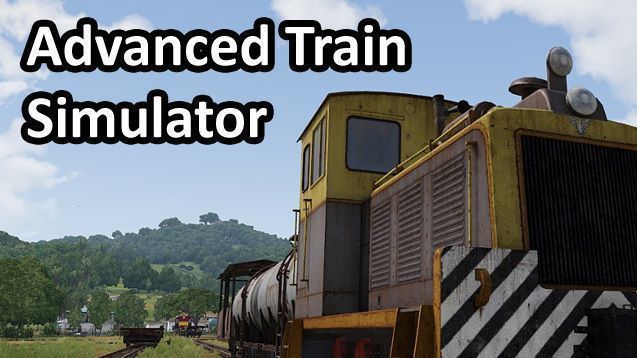
 Мод для Arma 3
от duda
Обсуждение Advanced Train Simulator (ATS) Fourm: есть вопросы? Присоединяйтесь к ATS Discord: Пожертвования будут высоко оценены! Нажмите здесь, чтобы пожертвовать! Оригинальное название: Drive and ride on..
Advanced Train Simulator (ATS) — мод для Arma 3 (Арму 3) от автора duda. Обсуждение Advanced Train Simulator (ATS) Fourm: есть вопросы? Присоединяйтесь к ATS Discord: Пожертвования будут высоко оценены! Нажмите здесь, чтобы пожертвовать! Оригинальное название: Drive and ride on..
На него подписались 195,9 тыс. раз в Мастерской Steam: это 247-е место среди модов Arma 3 в нашем каталоге, редкость — «обычный» (нижняя половина по подпискам). Мод давно не обновлялся — проверьте совместимость с текущей версией игры.
Нужны ли ему другие моды, видно на его странице в Мастерской Steam в блоке «Необходимые продукты» — при подписке Steam сам предложит их добавить.
Текст автора на языке оригинала
Advanced Train Simulator (ATS)
Discussion Fourm: https://forums.bistudio.com/forums/topic/203170-advanced-train-simulator-ats
https://discord.gg/RHkGYCt
Donations would be greatly appreciated! Click here to donate!
ats/core created by duda, eagledude, Aussie ats/tracks/cable created by hcpookie ats/trains/A2 created by BI imported by Aussie and eagledude ats/trains/AE created by Arunas B., imported by IN005 ats/trains/cable created by Turgut G, imported by hcpookie ats/trains/SD60 created by PolySquid, imported by IN005 ats/trains/steam created by Profi Developers, imported by badbenson ats/trains/vl created by Citizenship, imported by hcpookie and duda ats/trains/metro created by PR0L4M3 ats/tracks/a2 created by BI and included with permission from CUP and help from eagledude and Aussie ATS trailer created by Dan
While outside of a train, there are a few actions you can perform. Look directly at the train to get these possible actions:
Note: If you don't hold left or right while passing an intersection, the train will choose the path that requires the least amount of turning.
Train objects can be placed on any tracks, including custom tracks. The train must be placed on top of the track. It's not important that the train object lines up perfectly. As long as it's on top of the track, it will work. All existing trains on the Tanoa map will work as-is. Currently, all of the train objects from APEX and CUPS are supported.
Custom track objects can be placed via the editor on any map. They can also connect on to the existing tracks placed on Tanoa. Only the track objects included with APEX are supported.
Note for mission makers: If you're having issues getting your custom tracks to work, you can turn on track detection debugging. (set ATRAIN_Track_Debug_Enabled = true in init.sqf). It will show arrows as it's attempting to detect the tracks. It will also show markers on the map for the detected track routes.
Battleye kicks me when I try to do xyz. What do I do?
You need to configure Battleye rules on your server. Below are the files you need to configure:
setvariable.txt
Add the following exclusions to the end of all lines starting with 4, 5, 6, or 7 if they contain "" (meaning applies to all values):
!"ATRAIN_"
setvariableval.txt
If you have any lines starting with 4, 5, 6, or 7 and they contain "" (meaning applies to all values) it's not going to work. Either remove the line or explicitly define the values you want to kick. Since the val
Описание длинное — здесь его начало. Читать целиком на странице автора
Мод ставится подпиской в Мастерской Steam — без архивов, перезаливов и сторонних установщиков
Подробная инструкция для Arma 3Вставьте значок в описание на Мастерская Steam, в README или в Discord — русскоязычные игроки сразу попадут на страницу с переводом и инструкцией.

[](https://modka.app/arma-3/advanced-train-simulator-ats/)<a href="https://modka.app/arma-3/advanced-train-simulator-ats/"><img src="https://modka.app/badge.png" alt="Описание на русском — Модка" height="44"></a>[url=https://modka.app/arma-3/advanced-train-simulator-ats/]Описание на русском — Модка[/url]Откройте страницу мода «Advanced Train Simulator (ATS)» в Мастерской Steam (кнопка «Скачать» на нашем сайте ведёт именно туда) и нажмите «Подписаться» — Steam сам скачает мод и будет его обновлять. Если Steam покажет список обязательных модов, подпишитесь и на них — без них мод не заработает. Запустите Arma 3: в лаунчере игры откройте вкладку «Моды» (Mods), отметьте мод галочкой и нажмите «Играть». Сценарии из Мастерской появляются в списке сценариев в самой игре. Если мод не появился в игре, откройте вкладку «Загрузки» в Steam и дождитесь, пока он скачается полностью, затем перезапустите игру. Для игры по сети подпишитесь на одни и те же моды всей компанией: набор модов у хоста и у игроков, как правило, должен совпадать.
Мы ничего не перезаливаем: кнопка скачивания открывает официальную страницу мода в Мастерской Steam. Там нужно нажать «Подписаться» — файлы загрузит и будет обновлять сам Steam.
В сетевой игре Arma 3 набор модов у хоста и у остальных игроков, как правило, должен совпадать: подпишитесь на одни и те же моды всей компанией. Исключения — моды, которые меняют только то, что видите и слышите вы сами; точные требования автор пишет в описании мода.
22 июля 2017. Это больше года назад: перед установкой проверьте, работает ли мод на текущей версии игры.
Оригинальное название: Community Based Addons for Arma 3 Что означает название Community Base Addons? Это система, которая: • предлагает ряд функций для разработчиков аддонов и дизайнеров миссий. •..
Содержание Это пакет TERRAINS - CORE, преемник "A3MP" и "All in ArmA - Terrain Pack (AiA TP)". Он содержит все основные данные для карт из Arma1, Arma 2, расширений

# RELEASE 0.5.6: RHS: United States Armed Forces changelog available here - # DISCLAIMER & LICENSE # RE-UPLOADS Re-uploads of any RHS content (in part or in full) on Steam…
#Освобождение 0.5.6: RHS: Armed Forces of the Russian Federation changelog available here - # DISCLAIMER & LICENSE # RE-UPLOADS Повторная загрузка любого содержимого RHS (частично или полностью) на
Содержание Это пакет WEAPONS. Он содержит все оружие, штурмовые винтовки, пулеметы, дробовики, гранатометы, пистолеты, снайперские винтовки и все, что еще идет «бум» в..

Содержание Это пакет TERRAINS, преемник "A3MP" и "All in ArmA - Terrain Pack (AiA TP)". Он содержит 16 карт из Arma: Arma: Armed Assault и расширения Arma 2