Obeliskial Options
Options to modify gameplay.


 Мод для Across the Obelisk
от Binbin
Allows for Multiple Rerolls in High Madness and Limited Rerolls in Low Madness .
Multiple Rerolls — мод для Across the Obelisk (Экросс зе Обелиск) от автора Binbin. Allows for Multiple Rerolls in High Madness and Limited Rerolls in Low Madness .
Его скачали 577 раз: это 93-е место среди модов Across the Obelisk в нашем каталоге, редкость — «обычный» (нижняя половина по скачиваниям). Мод давно не обновлялся — проверьте совместимость с текущей версией игры, актуальная версия — 1.1.0.
Для работы ему нужны: Obeliskial Essentials.
Текст автора на языке оригинала
This is a simple mod that allows for multiple rerolls when in high madness or allows you to limit the number of rerolls when in low madness.
Made at the request of Stonewall
Notes:
Please let me know if you have any issues
MultipleRerolls.dll file into the Across the Obelisk\BepInEx\plugins folderAcross the Obelisk folder should now contain a BepInEx folder and a doorstop_libs folder.MultipleRerolls.dll into the Across the Obelisk\BepInEx\plugins folderThis has been updated for version 1.4.
Hope you enjoy it and if have any issues, ping me in Discord or make a post in the modding #support-and-requests channel of the official Across the Obelisk Discord.
Please do not donate to me. If you wish to support me, I would prefer it if you just gave me feedback.
В r2modman ставится автоматически
Файл скачивается с официального сервера Thunderstore, без перезаливов и сторонних установщиков
Подробная инструкция для Across the ObeliskВставьте значок в описание на Thunderstore, в README или в Discord — русскоязычные игроки сразу попадут на страницу с переводом и инструкцией.

[](https://modka.app/across-the-obelisk/binbin-multiple-rerolls/)<a href="https://modka.app/across-the-obelisk/binbin-multiple-rerolls/"><img src="https://modka.app/badge.png" alt="Описание на русском — Модка" height="44"></a>[url=https://modka.app/across-the-obelisk/binbin-multiple-rerolls/]Описание на русском — Модка[/url]Скачайте менеджер модов r2modman (или Gale) и выберите в нём игру Across the Obelisk. Создайте профиль — так моды не смешаются с чистой версией игры. Найдите «Multiple Rerolls» во вкладке Online и нажмите Download — BepInEx и все зависимости подтянутся сами. Нажмите «Start modded» — игра запустится с модами. Чтобы сыграть без модов, запустите игру как обычно из Steam — r2modman не трогает чистую версию игры.
Файл скачивается с официального сервера Thunderstore, куда его загрузил Binbin. Мы не перезаливаем и не изменяем моды.
Установите вместе с ним: Obeliskial Essentials. В менеджере модов зависимости подтягиваются автоматически.
22 января 2025, актуальная версия — 1.1.0. Это больше года назад: перед установкой проверьте, работает ли мод на текущей версии игры.
Options to modify gameplay.
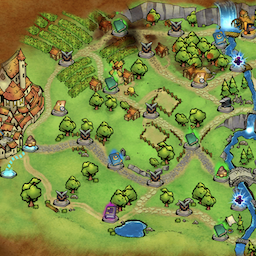
A mod that forces all paths nodes to spawn. Can choose to make all nodes optimal for highscoring or as rare as possible.
Disables all in-game Paradox integration.
A couple of Quality of Life Updates allowing you to quickly Save and Reload the game.

Allows you to obtain his card after defeating a monster for battles or construction. and make the enchantment effect of the hero's card infinite. This is optional.(soon)

Custom translations, updated for Sands of Ulminin.