

Obeliskial Options
Варианты изменения геймплея.


 Мод для Across the Obelisk
от Binbin
Пользовательские переводы, обновленные для AtO v1.7.3.2 (пост Некрополь Проклятых).
MoreTranslations — мод для Across the Obelisk (Экросс зе Обелиск) от автора Binbin. Пользовательские переводы, обновленные для AtO v1.7.3.2 (пост Некрополь Проклятых).
Его скачали 193 раз: это 148-е место среди модов Across the Obelisk в нашем каталоге, редкость — «обычный» (нижняя половина по скачиваниям). Мод обновлялся в течение года, актуальная версия — 1.2.0.
Для работы ему нужны: BepInExPack AcrossTheObelisk.
Текст автора на языке оригинала
A fork of DontTouchFranky's MoreTranslations mod, updated for Sands of Ulminin DLC and JP/RU languages.
With this mod you can easily create custom translations for the game without having to edit the game files.
Install BepInEx.
Download the latest release and put it in your BepInEx plugins folder.
Download a language pack and put it in your BepInEx plugins folder.
To change the language, go to the game settings (you'll see a new language dropdown) and select the desired language.
If the mod can't find the translation for the selected language, it will use the default language selected in the main language dropdown.
A complete English example of a language pack can be found in the MoreTranslations_English folder.
Puede encontrar un ejemplo completo en español de un paquete de idioma en la carpeta MoreTranslations_español.
Ett komplett svenskt exempel på ett språkpaket finns i mappen MoreTranslations_svenska.
完整的简体中文语言包示例可以在 MoreTranslations_简体中文 文件夹中找到。
언어 팩의 전체 한국어 예는 MoreTranslations_한국인 폴더에서 찾을 수 있습니다.
MoreTranslations_English for English.english.txt for English default texts, english_cards.txt for English card texts.moretranslations.txt file inside the folder and write the name of the language you want to translate, e.g. English for English.Note: The files must be in the same format as the original files. Leave the tags of the game texts as they are, do not change them.
If you want to contribute to the project, you can do so by translating the game into your language or correcting existing translations.
Every translation is made by the community and is not official. You may find some errors in the translations. If you find any errors, please report them.
В r2modman ставится автоматически
Файл скачивается с официального сервера Thunderstore, без перезаливов и сторонних установщиков
Подробная инструкция для Across the ObeliskВставьте значок в описание на Thunderstore, в README или в Discord — русскоязычные игроки сразу попадут на страницу с переводом и инструкцией.

[](https://modka.app/across-the-obelisk/binbin-moretranslations/)<a href="https://modka.app/across-the-obelisk/binbin-moretranslations/"><img src="https://modka.app/badge.png" alt="Описание на русском — Модка" height="44"></a>[url=https://modka.app/across-the-obelisk/binbin-moretranslations/]Описание на русском — Модка[/url]Скачайте менеджер модов r2modman (или Gale) и выберите в нём игру Across the Obelisk. Создайте профиль — так моды не смешаются с чистой версией игры. Найдите «MoreTranslations» во вкладке Online и нажмите Download — BepInEx и все зависимости подтянутся сами. Нажмите «Start modded» — игра запустится с модами. Чтобы сыграть без модов, запустите игру как обычно из Steam — r2modman не трогает чистую версию игры.
Файл скачивается с официального сервера Thunderstore, куда его загрузил Binbin. Мы не перезаливаем и не изменяем моды.
Установите вместе с ним: BepInExPack AcrossTheObelisk. В менеджере модов зависимости подтягиваются автоматически.
8 февраля 2026, актуальная версия — 1.2.0. Дата берётся с официальной страницы мода при каждом обновлении каталога.
Варианты изменения геймплея.

С помощью этого мода вы можете легко создавать пользовательские переводы для игры без необходимости редактирования игровых файлов.
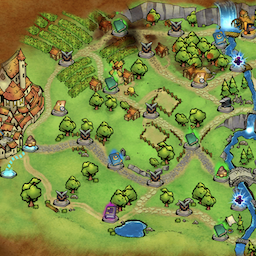
Мод, который заставляет все узлы путей появляться. Может выбрать, чтобы сделать все узлы оптимальными для высокой оценки или как можно реже.

Отключает всю интеграцию в игре Paradox.

Пользовательские переводы, обновленные для Sands of Ulminin.

Итальянский перевод: Traduzione italiana