
Obeliskial Options
Options to modify gameplay.


 Мод для Across the Obelisk
от Binbin
Simple templates for heroes.
Hero Template — мод для Across the Obelisk (Экросс зе Обелиск) от автора Binbin. Simple templates for heroes.
Его скачали 581 раз: это 92-е место среди модов Across the Obelisk в нашем каталоге, редкость — «обычный» (нижняя половина по скачиваниям). Мод давно не обновлялся — проверьте совместимость с текущей версией игры, актуальная версия — 1.1.0.
Для работы ему нужны: Obeliskial Content.
Текст автора на языке оригинала
This is a simple template for Heroes.
See my guide in the Across the Obelisk Discord or below more information.
Full Guide
Hi everyone, with the release of a couple new heroes, I thought it would be a good idea to teach everyone how to do it themselves. If I am missing out on anything in the guide or anything is unclear, let me know.
Before I begin, the big difficulty with creating heroes is creating their levels 1, 3, and 5 traits (which I will just call Traits from now on, I will refer to the level 2 and level 4 upgrades as Enchantments). These Traits need to be coded in C# and are essentially arbitrary code execution. So they can do practically anything you want. Because of this, I would recommend designing the Traits and then pinging me to actually do the coding for you :)
Now for the actual guide (adapted and updated from: https://code.secretsisters.gay/AtO_How_To):
For those of you who want more control over how you create your hero (or don’t want me to do as much work), here is a more in-depth guide. This mainly consists of json files that will be directly loaded by Obeliskial Content/Essentials into the game.
To simplify this process, I created a template of all the files necessary to create a hero.
For your convenience, all of the fields which are mandatory/highly recommended for you to fill out have a field have been replaced by a description inside <>s.
For instance, if your character is named Ursur, then ` should be replaced by ursur while would be replaced with Ursur`. Hopefully it is intuitive. If you need help, just ping me.
Additionally, I highly recommend
Manually Download the Hero Template from Thunderstore. This is a zip that contains the following BepInEx\config\Obeliskial_importing folders:
#### The folders: 1. audio
There is also an empty BepInEx\plugins folder. This is where you will place the .dll that includes the traits/some bonus code. I will send this .dll file to you. If you have C# experience, you can create your own traits using the following **Template**
The most important file in the template is the one found in the subclass folder. This pretty much contains all of the information needed for your Hero. Everything else is just refining and filling out the remainder.
These are the following properties you will need to add/change for your Hero:
- Cards: An array showing the 15 cards that the subclass starts with. There can be a maximum of 7 unique cards. By convention, at least one of these should be a unique/starter card. - ChallengePack[0-6]: These are the packs offered in Obelisk Challenge. Pack0 is your starter pack, and packs 1-6 are the six remaining packs. See the Packs section for more info.
Do not include the .png file extension in the name! I.e if your sprite is named mySpriteBorderLocked.png, enter mySpriteBorderLocked.
Do not include the .png file extension!
Описание длинное — здесь его начало. Читать целиком на странице автора
В r2modman ставится автоматически
Файл скачивается с официального сервера Thunderstore, без перезаливов и сторонних установщиков
Подробная инструкция для Across the ObeliskВставьте значок в описание на Thunderstore, в README или в Discord — русскоязычные игроки сразу попадут на страницу с переводом и инструкцией.

[](https://modka.app/across-the-obelisk/binbin-hero-template/)<a href="https://modka.app/across-the-obelisk/binbin-hero-template/"><img src="https://modka.app/badge.png" alt="Описание на русском — Модка" height="44"></a>[url=https://modka.app/across-the-obelisk/binbin-hero-template/]Описание на русском — Модка[/url]Скачайте менеджер модов r2modman (или Gale) и выберите в нём игру Across the Obelisk. Создайте профиль — так моды не смешаются с чистой версией игры. Найдите «Hero Template» во вкладке Online и нажмите Download — BepInEx и все зависимости подтянутся сами. Нажмите «Start modded» — игра запустится с модами. Чтобы сыграть без модов, запустите игру как обычно из Steam — r2modman не трогает чистую версию игры.
Файл скачивается с официального сервера Thunderstore, куда его загрузил Binbin. Мы не перезаливаем и не изменяем моды.
Установите вместе с ним: Obeliskial Content. В менеджере модов зависимости подтягиваются автоматически.
9 октября 2025, актуальная версия — 1.1.0. Это больше года назад: перед установкой проверьте, работает ли мод на текущей версии игры.
Options to modify gameplay.
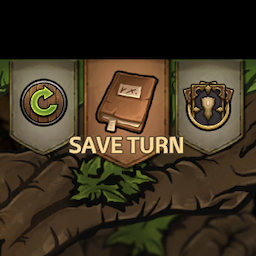
A couple of Quality of Life Updates allowing you to quickly Save and Reload the game.
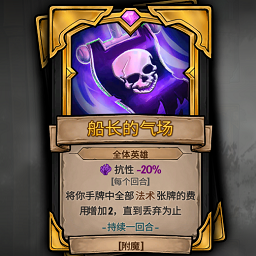
Allows you to obtain his card after defeating a monster for battles or construction. and make the enchantment effect of the hero's card infinite. This is optional.(soon)
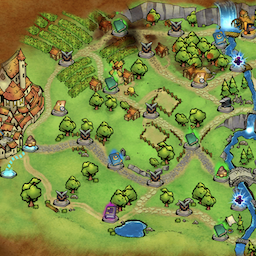
A mod that forces all paths nodes to spawn. Can choose to make all nodes optimal for highscoring or as rare as possible.
Disables all in-game Paradox integration.
Enables ultrafast game speed setting.