
BLUBBWORLD
GERMAN SERVER


 Мод для Valheim
от ZenDragon
Сжигайте все леса, используйте искру для зажигания костров, заправляйте свечи, прячьте небесное дерево, ограничивайте частицы метели. Предотвратить злоупотребление надгробным камнем. Защитите новичков от жестких нерестов. Ключи от двери: разбивка/ремонт. Гены щита: защита от пожаров, выброс топлива. Многоцелевой турель
ZenWorldSettings — мод для Valheim (Вальхейм) от автора ZenDragon. Сжигайте все леса, используйте искру для зажигания костров, заправляйте свечи, прячьте небесное дерево, ограничивайте частицы метели. Предотвратить злоупотребление надгробным камнем. Защитите новичков от жестких нерестов. Ключи от двери: разбивка/ремонт. Гены щита: защита от пожаров, выброс топлива. Многоцелевой турель
Его скачали 106,9 тыс. раз: это 208-е место среди модов Valheim в нашем каталоге, редкость — «обычный» (нижняя половина по скачиваниям). Мод обновлялся в последний месяц, актуальная версия — 1.13.7.
Для работы ему нужны: Zen ModLib.
У мода стоят обе пометки — клиентская и серверная: он может работать и у одного игрока, и у хоста. Чтобы изменения были у всех, надёжнее поставить его всей компании.
Автор отметил совместимость с обновлениями игры: Deep North.
Текст автора на языке оригинала
Designed to be used in conjunction with other ZenMods. Especially ZenSign, ZenUseItem, and ZenHoverItem.
Environment:
Spawners:
ZenBossStone for excellent multiplayer per player progression.Fireplaces:
ZenUseItem to make the process easier.Ships:
Smoke:
Tombstones:
Quests & Loot:
Craft / Teleport Rules:
Shield Generators:
Turrets:
ZenUseItem to assign targets directly from your inventory instead of needing to place them on the 1-8 hot bar first.ZenHoverItem to see the icons of the assigned trophies when looking at a Turret.Limited Use Door Keys:
Admin Tip: For testing it is sometimes helpful to intentionally break door keys so that you can repair them. Admin can do this by being in god mode, pick up a key from their inventory, and while it is on the cursor, press and hold Right Shift, then tap Right Control.
The full collection of all Zen MODS:
Enjoy!
## Settings file was created by plugin ZenWorldSettings v1.13.3
## Plugin GUID: ZenDragon.ZenWorldSettings

[Craft / Teleport]

## [Admin] Downgrade items instead of destroying them when you fail at the Forge of Potential.
## [Vanilla: false]
# Setting type: Boolean
# Default value: false
Craft Refine - Downgrade Enabled = false

## [Admin] When downgrade fails, remove this many levels from the item.
## NOTE: It will never drop below level 1.
## [Set to 0 to remove no levels]
## [Set to -1 to remove ALL levels and revert to level 1]
## [Vanilla: 1]
# Setting type: Int32
# Default value: 1
# Acceptable value range: From -1 to 10
Craft Refine - Downgrade Levels = 1

## [Admin] List of items to remove from crafting.
## Recipies are removed and new instances of the item can't be crafted.
## However, any existing items will still remain.  Additionlly any loot drops of the item will still be possible.
## [reboot required for changes to take effect]
# Setting type: StringList
# Default value:
Craft Items - Deny =

## [Admin] List of pieces which can not be crafted.
## However, nocost flag will still allow them to be built. Existing instances of pieces will still remain.
## [reboot required for changes to take effect]
# Setting type: StringList
# Default value:
Craft Pieces - Deny =

## [Admin] List of items which CAN NOT be teleported.
## [reboot required for changes to take effect]
# Setting type: StringList
# Default value:
Teleport Items - Deny =

## [Admin] List of items which CAN be teleported.
## Make items teleportable which would otherwise not be teleportable.
## Can be useful for example if you wanted to teleport refined metals but not ore:
## Copper, Tin, Bronze, Iron, Silver, BlackMetal, Flametal, FlametalNew
## [reboot required for changes to take effect]
# Setting type: StringList
# Default value: Ironpit
Teleport Items - Allow = Ironpit

## [Admin] Exclusive list of item prefab names that are allowed to be teleported.
## If any items are defined it inverts the vanilla behavior of restricting items.
## Instead, only allow teleporting the items listed, all others are restricted.
## If you want to deny all items use the keyword: NONE  (Vanilla: Leave blank)
## Overrides the item allow/deny teleport rules.
## [restart required for changes to take effect]
# Setting type: StringList
# Default value:
Teleport Items - Exclusive =

[Door Keys]

## [Admin] Door keys break after this many uses.  [Set to 0 for infinite u
Описание длинное — здесь его начало. Читать целиком на странице автора
1 шт · нажмите, чтобы открыть
В r2modman ставится автоматически
1 в каталоге
GERMAN SERVER
Файл скачивается с официального сервера Thunderstore, без перезаливов и сторонних установщиков
Подробная инструкция для ValheimВставьте значок в описание на Thunderstore, в README или в Discord — русскоязычные игроки сразу попадут на страницу с переводом и инструкцией.

[](https://modka.app/valheim/zendragon-zenworldsettings/)<a href="https://modka.app/valheim/zendragon-zenworldsettings/"><img src="https://modka.app/badge.png" alt="Описание на русском — Модка" height="44"></a>[url=https://modka.app/valheim/zendragon-zenworldsettings/]Описание на русском — Модка[/url]Скачайте менеджер модов r2modman (или Gale) и выберите в нём игру Valheim. Создайте профиль — так моды не смешаются с чистой версией игры. Найдите «ZenWorldSettings» во вкладке Online и нажмите Download — BepInEx и все зависимости подтянутся сами. Нажмите «Start modded» — игра запустится с модами. Для мультиплеера всем игрокам нужен одинаковый набор модов: в r2modman профиль можно экспортировать кодом и отправить друзьям.
Файл скачивается с официального сервера Thunderstore, куда его загрузил ZenDragon. Мы не перезаливаем и не изменяем моды.
У мода стоят обе пометки — клиентская и серверная: он может работать и у одного игрока, и у хоста. Чтобы изменения были у всех, надёжнее поставить его всей компании.
Установите вместе с ним: Zen ModLib. В менеджере модов зависимости подтягиваются автоматически.
16 октября 2026, актуальная версия — 1.13.7. Дата берётся с официальной страницы мода при каждом обновлении каталога.
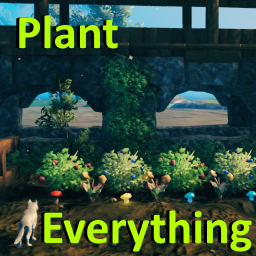
Позволяет вашему культиватору сажать ягодные кусты, чертополох, одуванчики, грибы, ранее недоступные типы деревьев и другую декоративную флору. Включает множество других различных признаков (см. описание). Высоко настраиваемый с поддержкой локализации.

Valheim Mod добавит в игру каталог Adventuring Backpacks. Эти пакеты будут расти и становиться более полезными по мере развития игры.

Odin Architect - это мод, который позволит вам строить больше с большим количеством конструкций и в большем масштабе. Здесь вы найдете не только более крупные аналоги основных зданий, но и совершенно новые
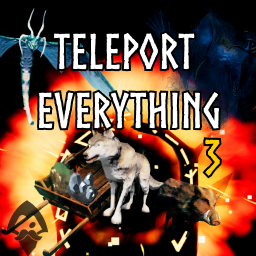
Teleport Everything 3 с пользовательским интерфейсом является официальным модульным пакетом OdinPlus для телепортных существ, телепортных тележек, телепортных лодок и Quick Teleport. Совместимость с Valheim 1.0 (Deep North).
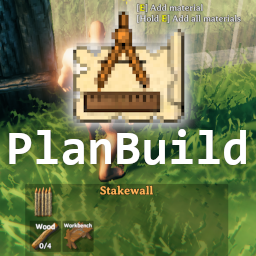
PlanBuild позволяет с легкостью планировать, копировать и делиться своими творениями в Вальхайме. Включает инструменты местности и предметы погружения.

ModWish от OdinPlus Community - встроенные динамические контейнеры для хранения семян, фруктов и овощей!