
Midgard
World #1 Modpack возвращается! Call to arms compatible - Season ∞1 - Присоединяйтесь к официальному серверу Midgard Valheim, Discord и сообществу на официальном https://midgard.website

 Мод для Valheim
от ZenDragon
Используйте световой периметр, чтобы предотвратить нерест монстров внутри вашей базы. Условия запуска рейда. Контролируйте рейды на биом, чтобы некоторые биомы могли быть более прощающими, чем другие. Установите минимальное количество игроков, которые должны быть онлайн для запуска рейдов.
ZenRaids — мод для Valheim (Вальхейм) от автора ZenDragon. Используйте световой периметр, чтобы предотвратить нерест монстров внутри вашей базы. Условия запуска рейда. Контролируйте рейды на биом, чтобы некоторые биомы могли быть более прощающими, чем другие. Установите минимальное количество игроков, которые должны быть онлайн для запуска рейдов.
Его скачали 55,9 тыс. раз: это 368-е место среди модов Valheim в нашем каталоге, редкость — «обычный» (нижняя половина по скачиваниям). Мод обновлялся в последние полгода, актуальная версия — 1.2.4.
Для работы ему нужны: Zen ModLib.
У мода стоят обе пометки — клиентская и серверная: он может работать и у одного игрока, и у хоста. Чтобы изменения были у всех, надёжнее поставить его всей компании.
Автор отметил совместимость с обновлениями игры: Deep North.
3 шт · нажмите, чтобы открыть
Текст автора на языке оригинала
Therefore, you have two options:
ZenSign can help you quickly and easily locate fuel for them.ZenHoverItem will show you how many game days of fuel is left on a fireplace.For many lighting torches is a boring chore.
However, putting fuel into fires is boring in vanilla because there is no reward for it other than light. While light is important, it is something you can make due with the bare minimum. Or just sleep through the darkness. Any decent gamer will optimize the resource cost of the torch materials + fuel + cost + and time to fuel vs. doing other more "fun" things. There is no real penalty for a dim castle other than dimness. Resource hoarding takes priority most of the time in a game about survival and resource management.
However, if the penalty for not lighting torches is being interrupted by monsters attacking you while you are trying to walk around your base then you are confronted with a challenge, and now you must decide: Keep the castle dimly lit and save resources but run the risk of monster spawns or spend resources and time to keep the base secure from invaders? Every time you light one, you know you are achieving a positive reward of no monster surprise attacking you. Therefore, making your base more secure. Positive reinforcement makes you consider how to best organize torch layout for quick refueling. Where you stash your fuel matters. (Use ZenSign to easily locate fuel) Plus, then you need to consider what type of torches to place? Iron torches last way longer than wooden torches and only burn resin, but they cost iron. Coal braziers use bronze and can last a long time and uses easy to get coal. But they create smoke and don't work in the rain. Bonfires work in the rain and light up a huge area, but they cost a Surtling Core and burn wood quickly, Etc... How much fuel do you have? What type of fuel do you have? How large is the area you are trying to protect? etc. Different torches have different light radius and therefore protection radius. You don't end up with tons of resin doing nothing. Wood can light a fire but it burns fast!
Coal light sources suddenly have value due to their increased efficiency of wood usage. 1 wood = 1 coal. However, 1 coal can burn for 10 game days! 1 wood can only burn for 2.5 days. However, coal takes longer to make than wood, more steps involved. But it's available everywhere. Resin is not.
In the new scenario coal has a value other than smelting ore. It also acts as a fuel sink to protect your base against monsters. This improves the game's resource economy balance. More gamification and more things to consider in a resource management game.
Consider the table below. Light range, capacity, game days of protection, and fuel availability all matter. Additionally, depending on how and where you design your base, rain and smoke may be considerations. (NOTE: You can use ZenHoverItem to see the fuel days remaining on a fire source when you hover over it)
Fire Source — Fuel — Range — Capacity — Days — Rain — Smoke — Warm
Campfire — Wood — 10 — 10 — 25 — Yes — Yes — Yes
Iron FirePit — Wood — 10 — 10 — 25 — No — Yes — Yes
Bonfire — Wood — 20 — 10 — 25 — No — Yes — Yes
Hearth — Wood — 13 — 20 — 50 — Yes — Yes — Yes
Brazier — Coal — 15 — 5 — 50 — Yes — Yes — Yes
Blue Brazier — Eye — 15 — 5 — 50 — Yes — Yes — Yes
Hanging Brazier — Coal — 15 — 5 — 50 — Yes — Yes — Yes
Wood Torch — Resin — 10 — 3 — 15 — No — No — No
Sconce — Resin — 12 — 3 — 30 — No — No — No
Iron Torch — Resin — 15 — 6 — 60 — No — No — No
Green Torch — Guck — 15 — 6 — 60 — No — No — No
Blue Torch — Eye — 15 — 6 — 60 — No — No — No
Candle — Resin — 0 — 1 — 7 — Yes — No — No
The Sconce max fuel is reduced. It burns fuel at half the rate of a wood torch, it provides more protection area than a wood torch, it costs only Copper, it produces no smoke, and it's immune to rain. The Standing Wood Torch max fuel is reduced to give more utility to other torches.
Wood
Описание длинное — здесь его начало. Читать целиком на странице автора
В r2modman ставится автоматически
1 в каталоге
World #1 Modpack возвращается! Call to arms compatible - Season ∞1 - Присоединяйтесь к официальному серверу Midgard Valheim, Discord и сообществу на официальном https://midgard.website
Файл скачивается с официального сервера Thunderstore, без перезаливов и сторонних установщиков
Подробная инструкция для ValheimВставьте значок в описание на Thunderstore, в README или в Discord — русскоязычные игроки сразу попадут на страницу с переводом и инструкцией.

[](https://modka.app/valheim/zendragon-zenraids/)<a href="https://modka.app/valheim/zendragon-zenraids/"><img src="https://modka.app/badge.png" alt="Описание на русском — Модка" height="44"></a>[url=https://modka.app/valheim/zendragon-zenraids/]Описание на русском — Модка[/url]Скачайте менеджер модов r2modman (или Gale) и выберите в нём игру Valheim. Создайте профиль — так моды не смешаются с чистой версией игры. Найдите «ZenRaids» во вкладке Online и нажмите Download — BepInEx и все зависимости подтянутся сами. Нажмите «Start modded» — игра запустится с модами. Для мультиплеера всем игрокам нужен одинаковый набор модов: в r2modman профиль можно экспортировать кодом и отправить друзьям.
Файл скачивается с официального сервера Thunderstore, куда его загрузил ZenDragon. Мы не перезаливаем и не изменяем моды.
У мода стоят обе пометки — клиентская и серверная: он может работать и у одного игрока, и у хоста. Чтобы изменения были у всех, надёжнее поставить его всей компании.
Установите вместе с ним: Zen ModLib. В менеджере модов зависимости подтягиваются автоматически.
12 октября 2026, актуальная версия — 1.2.4. Дата берётся с официальной страницы мода при каждом обновлении каталога.
Позволяет вашему культиватору сажать ягодные кусты, чертополох, одуванчики, грибы, ранее недоступные типы деревьев и другую декоративную флору. Включает множество других различных признаков (см. описание). Высоко настраиваемый с поддержкой локализации.

Valheim Mod добавит в игру каталог Adventuring Backpacks. Эти пакеты будут расти и становиться более полезными по мере развития игры.

Odin Architect - это мод, который позволит вам строить больше с большим количеством конструкций и в большем масштабе. Здесь вы найдете не только более крупные аналоги основных зданий, но и совершенно новые
Teleport Everything 3 с пользовательским интерфейсом является официальным модульным пакетом OdinPlus для телепортных существ, телепортных тележек, телепортных лодок и Quick Teleport. Совместимость с Valheim 1.0 (Deep North).
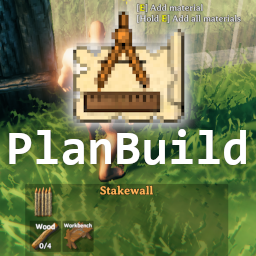
PlanBuild позволяет с легкостью планировать, копировать и делиться своими творениями в Вальхайме. Включает инструменты местности и предметы погружения.

ModWish от OdinPlus Community - встроенные динамические контейнеры для хранения семян, фруктов и овощей!