
BLUBBWORLD
GERMAN SERVER


 Мод для Valheim
от ZenDragon
Скрыть шлем визуально, оборудовать снаряжение после плавания, оборудовать во время бега, контролировать использование выносливости езды, смерть и потерю навыков, долговечность, питание, здоровье, инвентарь, сон, выносливость, знания, автопикап, сложность для игрока
ZenPlayer — мод для Valheim (Вальхейм) от автора ZenDragon. Скрыть шлем визуально, оборудовать снаряжение после плавания, оборудовать во время бега, контролировать использование выносливости езды, смерть и потерю навыков, долговечность, питание, здоровье, инвентарь, сон, выносливость, знания, автопикап, сложность для игрока
Его скачали 104,5 тыс. раз: это 216-е место среди модов Valheim в нашем каталоге, редкость — «обычный» (нижняя половина по скачиваниям). Мод обновлялся в последние полгода, актуальная версия — 1.3.0.
Для работы ему нужны: Zen ModLib.
У мода стоят обе пометки — клиентская и серверная: он может работать и у одного игрока, и у хоста. Чтобы изменения были у всех, надёжнее поставить его всей компании.
Автор отметил совместимость с обновлениями игры: Deep North.
2 шт · нажмите, чтобы открыть
Текст автора на языке оригинала
Player-related configuration, customization, and behaviors are all in one place.
Full gamepad support.
Sleep:
Knowledge:
Movement
Equipment:
Riding:
ZenCombat for fighting mounts that can attack and jump!Stamina:
Skills:
Food:
Health:
Death:
Console Commands:
zen_player relay command from Zen.ModLib for admins to easily peek at player's characters.NOTE: Technically it is not required on the server. However, if it is installed on the server then it will force all clients to have it installed as well. This is to enable two modes of usage:
This mod operates entirely client side. That means you can connect to any vanilla server with this mod installed. Other players do not need to have the mod installed.
NOTE: If you host a game session with this mod installed then it will be considered to be installed on the server since your session is the server. Therefor, all clients will be required to have it. If you don't want to require all players to have this mod then you will need to host your game in a dedicated server. You can easily download and run the Valheim Dedicated Server from Steam or host one in the cloud.
The full collection of all Zen MODS:
Enjoy!
## Settings file was created by plugin ZenPlayer v1.2.4
## Plugin GUID: ZenDragon.ZenPlayer

[Animation]

## [Admin] Prevent player's head animation from looking down when camera is looking down.
## It's just goofy to see a bunch of hunchback vikings always staring at the floor.
## (Vanilla: false)
# Setting type: Boolean
# Default value: true
Do Not Look Down = true

[Autopickup]

## Pressing the Toggle Autopickup button will cycle through 3 states:
## - Everything: Vanilla
## - Inventory: Only pickup items already in your inventory
## - Nothing: Off
# Setting type: Boolean
# Default value: true
Have In Inventory - Enable = true

## Autopickup mode set on game start when "Have In Inventory - Enable" is on.
# Setting type: PickupMode
# Default value: Everything
# Acceptable values: Everything, HaveInInventory, Nothing
Autopickup - Default Mode = Everything

[Death]

## [Admin] The cause of death will be added to the tombstone and the map pin. (Vanilla: false)
## NOTE: Enabling this will replace the day number with cause of death on the pin marker.
# Setting type: Boolean
# Default value: true
Track Cause of Death = true

## [Admin] The Wishbone can be used to locate Tombstones.
## The Wishbone locks onto the closest thing. If an ore is closer then it will lock onto that instead.
## This will track any player's Tombstone
Описание длинное — здесь его начало. Читать целиком на странице автора
В r2modman ставится автоматически
1 в каталоге
GERMAN SERVER
Файл скачивается с официального сервера Thunderstore, без перезаливов и сторонних установщиков
Подробная инструкция для ValheimВставьте значок в описание на Thunderstore, в README или в Discord — русскоязычные игроки сразу попадут на страницу с переводом и инструкцией.

[](https://modka.app/valheim/zendragon-zenplayer/)<a href="https://modka.app/valheim/zendragon-zenplayer/"><img src="https://modka.app/badge.png" alt="Описание на русском — Модка" height="44"></a>[url=https://modka.app/valheim/zendragon-zenplayer/]Описание на русском — Модка[/url]Скачайте менеджер модов r2modman (или Gale) и выберите в нём игру Valheim. Создайте профиль — так моды не смешаются с чистой версией игры. Найдите «ZenPlayer» во вкладке Online и нажмите Download — BepInEx и все зависимости подтянутся сами. Нажмите «Start modded» — игра запустится с модами. Для мультиплеера всем игрокам нужен одинаковый набор модов: в r2modman профиль можно экспортировать кодом и отправить друзьям.
Файл скачивается с официального сервера Thunderstore, куда его загрузил ZenDragon. Мы не перезаливаем и не изменяем моды.
У мода стоят обе пометки — клиентская и серверная: он может работать и у одного игрока, и у хоста. Чтобы изменения были у всех, надёжнее поставить его всей компании.
Установите вместе с ним: Zen ModLib. В менеджере модов зависимости подтягиваются автоматически.
13 сентября 2026, актуальная версия — 1.3.0. Дата берётся с официальной страницы мода при каждом обновлении каталога.
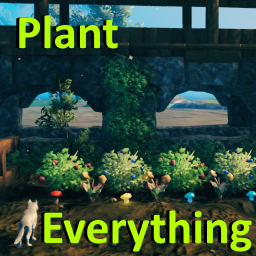
Позволяет вашему культиватору сажать ягодные кусты, чертополох, одуванчики, грибы, ранее недоступные типы деревьев и другую декоративную флору. Включает множество других различных признаков (см. описание). Высоко настраиваемый с поддержкой локализации.

Valheim Mod добавит в игру каталог Adventuring Backpacks. Эти пакеты будут расти и становиться более полезными по мере развития игры.

Odin Architect - это мод, который позволит вам строить больше с большим количеством конструкций и в большем масштабе. Здесь вы найдете не только более крупные аналоги основных зданий, но и совершенно новые
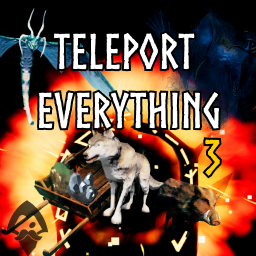
Teleport Everything 3 с пользовательским интерфейсом является официальным модульным пакетом OdinPlus для телепортных существ, телепортных тележек, телепортных лодок и Quick Teleport. Совместимость с Valheim 1.0 (Deep North).
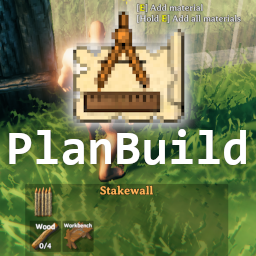
PlanBuild позволяет с легкостью планировать, копировать и делиться своими творениями в Вальхайме. Включает инструменты местности и предметы погружения.

ModWish от OdinPlus Community - встроенные динамические контейнеры для хранения семян, фруктов и овощей!