
RtDMMO
Вдохновленная WoW MMO в мире Вальхайма. Темное, мрачное путешествие со скрытыми знаниями, смертельными испытаниями и забытой властью. В нем есть система классов Demigods, пользовательские подземелья, боссы и монстры с контентом Ocean.

 Мод для Valheim
от shudnal
Server-synced ward контроль доступа и защита базы PvE: настройки perward, управление разрешенным игроком и доступ к паролю, подключенные сети ward, защищенные взаимодействия, экспирация, пассивная защита и предложения.
ProtectiveWards — мод для Valheim (Вальхейм) от автора shudnal. Server-synced ward контроль доступа и защита базы PvE: настройки perward, управление разрешенным игроком и доступ к паролю, подключенные сети ward, защищенные взаимодействия, экспирация, пассивная защита и предложения.
Его скачали 128,2 тыс. раз: это 177-е место среди модов Valheim в нашем каталоге, редкость — «редкий» (топ-50% по скачиваниям). Мод обновлялся в последние полгода, актуальная версия — 2.1.0.
Для работы ему нужны: YamlDotNet, Jotunn, BepInExPack Valheim.
У мода стоят обе пометки — клиентская и серверная: он может работать и у одного игрока, и у хоста. Чтобы изменения были у всех, надёжнее поставить его всей компании.
Автор отметил совместимость с обновлениями игры: Deep North.
1 шт · нажмите, чтобы открыть
Текст автора на языке оригинала
Configurable ward protection, access control, passive base support, server-side privacy tools, multipliers and active offerings for Valheim.
Protective Wards is designed primarily for public PvE servers. It helps prevent non-permitted players from casually using, taking, moving or changing objects inside another player's warded base. It is not intended to be a PvP raid system.
The mod uses Jotunn EveryoneMustHaveMod network compatibility. In multiplayer it must be installed on the server and every client. Gameplay settings are server-synchronized; client-only visual settings are marked [Not Synced with Server].
Version 2.1.x is not network-compatible with 2.0.x. Update the server and all clients together; incompatible major/minor versions are rejected during connection.
Permit everyone, or configured admin bypass.PerWard mode.Sensitive actions and console commands are validated by the server. The server checks the requester identity, target ward ZDO, access and requested state before applying changes.
Ward settings / Ward settings mode has two values:
PerWard is the default. Authorized players can open the settings window and stored per-ward range, visual and access values are applied.ServerControlled hides the ward settings action, blocks the UI and its server RPCs, and uses global config values instead of the ward's stored values. Stored ward values are preserved and become active again after returning to PerWard.When a ward is created, its range, visual and access values are copied from the current global config into its ZDO. In PerWard mode those stored values are independent afterward; global config changes affect future wards, not existing ones.
AltPlace + Use (Left Shift + E by default).Config — Meaning
Ward settings / Ward settings mode — PerWard enables the ward settings UI and uses each ward's stored values. ServerControlled hides and blocks the UI and uses global config values instead.
Ward settings / Only creator can edit ward settings — Only the creator may edit the ward instead of any player with access. Ignored in ServerControlled mode.
Ward settings / Admins can edit ward settings — Players accepted by Ward admin access, or by the ward's effective Permit everyone value, may edit any ward. Ignored in ServerControlled mode.
The settings UI stores every editable value explicitly; there are no Use default controls. The Access settings page includes Permit everyone and Permitted players can toggle ward. The latter is off by default and, when enabled for a ward, lets players who already have ward access activate or deactivate it with the normal Use interaction without changing who may edit the ward settings. These per-ward access values are ignored in ServerControlled mode.
Range / Ward range limits defines the minimum (x) and maximum (y) effective radius in meters, defaulting to 1 and 200. It is server-controlled and synchronized by Jotunn, like the other server configuration entries. Limits apply to UI input, server-side writes, existing saved values, default radii, connected access and background protection. Updating the limits refreshes loaded wards and coverage caches immediately. Invalid endpoints use their defaults; reversed endpoints are sorted.
The Permitted players page can add an online player by an exact or uniquely matching nickname. It displays the ward's explicit permitted list in pages of ten and lets authorized editors remove stored entries even if those players are offline. The server revalidates the requester identity, target ward ZDO and edit permission before changing the list.
Ward hover text summarizes effective access without allowing long name lists to dominate the hover. Explicit names are shown while their combined text is at most 30 characters; longer lists are replaced with a player count. Active guild and password access are appended to the same line. Effective Permit everyone is shown simply as Permitted: everyone.
Описание длинное — здесь его начало. Читать целиком на странице автора
В r2modman ставится автоматически
1 в каталоге
Вдохновленная WoW MMO в мире Вальхайма. Темное, мрачное путешествие со скрытыми знаниями, смертельными испытаниями и забытой властью. В нем есть система классов Demigods, пользовательские подземелья, боссы и монстры с контентом Ocean.
Файл скачивается с официального сервера Thunderstore, без перезаливов и сторонних установщиков
Подробная инструкция для ValheimВставьте значок в описание на Thunderstore, в README или в Discord — русскоязычные игроки сразу попадут на страницу с переводом и инструкцией.

[](https://modka.app/valheim/shudnal-protectivewards/)<a href="https://modka.app/valheim/shudnal-protectivewards/"><img src="https://modka.app/badge.png" alt="Описание на русском — Модка" height="44"></a>[url=https://modka.app/valheim/shudnal-protectivewards/]Описание на русском — Модка[/url]Скачайте менеджер модов r2modman (или Gale) и выберите в нём игру Valheim. Создайте профиль — так моды не смешаются с чистой версией игры. Найдите «ProtectiveWards» во вкладке Online и нажмите Download — BepInEx и все зависимости подтянутся сами. Нажмите «Start modded» — игра запустится с модами. Для мультиплеера всем игрокам нужен одинаковый набор модов: в r2modman профиль можно экспортировать кодом и отправить друзьям.
Файл скачивается с официального сервера Thunderstore, куда его загрузил shudnal. Мы не перезаливаем и не изменяем моды.
У мода стоят обе пометки — клиентская и серверная: он может работать и у одного игрока, и у хоста. Чтобы изменения были у всех, надёжнее поставить его всей компании.
Установите вместе с ним: YamlDotNet, Jotunn, BepInExPack Valheim. В менеджере модов зависимости подтягиваются автоматически.
11 октября 2026, актуальная версия — 2.1.0. Дата берётся с официальной страницы мода при каждом обновлении каталога.

Valheim Mod добавит в игру каталог Adventuring Backpacks. Эти пакеты будут расти и становиться более полезными по мере развития игры.

Odin Architect - это мод, который позволит вам строить больше с большим количеством конструкций и в большем масштабе. Здесь вы найдете не только более крупные аналоги основных зданий, но и совершенно новые
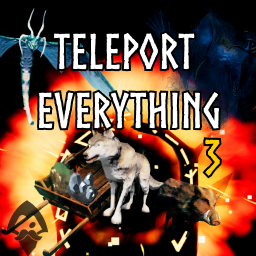
Teleport Everything 3 с пользовательским интерфейсом является официальным модульным пакетом OdinPlus для телепортных существ, телепортных тележек, телепортных лодок и Quick Teleport. Совместимость с Valheim 1.0 (Deep North).

ModWish от OdinPlus Community - встроенные динамические контейнеры для хранения семян, фруктов и овощей!
Новые продовольственные и кулинарные станции!

Выберите пункт назначения портала из списка существующих порталов. Больше никаких тегов и никаких порталов! XPortal — это полное переписывание популярного мода AnyPortal.