
XPortal
Выберите пункт назначения портала из списка существующих порталов. Больше никаких тегов и никаких порталов! XPortal — это полное переписывание популярного мода AnyPortal.


 Мод для Valheim
от ontrigger
Оптимизация рендеринга, логики и времени загрузки для клиентской и серверной версий Valheim.
ValheimPerformanceOptimizations — мод для Valheim (Вальхейм) от автора ontrigger. Оптимизация рендеринга, логики и времени загрузки для клиентской и серверной версий Valheim.
Его скачали 94,7 тыс. раз: это 236-е место среди модов Valheim в нашем каталоге, редкость — «обычный» (нижняя половина по скачиваниям). Мод обновлялся в последний месяц, актуальная версия — 2.2.0.
Дополнительных модов для работы не требует.
У мода стоят обе пометки — клиентская и серверная: он может работать и у одного игрока, и у хоста. Чтобы изменения были у всех, надёжнее поставить его всей компании.
Автор отметил совместимость с обновлениями игры: Deep North.
1 шт · нажмите, чтобы открыть
Текст автора на языке оригинала
Rendering and logic optimizations for both client and server versions of Valheim.
VPO does not disable, throttle or change vanilla gameplay. You can install it on the client, the server, or both.
Version 2.0 adds a new way of rendering that takes work off the CPU:
If the CPU is what limits your FPS, this can raise it. If the GPU is the limit, or you are in one of the cases below, it may not.
It draws:
Everything else including modded content is drawn vanilla
Press F8 in game to switch the indirect renderer on and off. This lets you compare it against vanilla right where you are standing.
The indirect renderer is not always faster than vanilla. Some scenes can run slower:
Press F8 to switch to vanilla rendering at any time if your FPS drops.
Other things to know:
and objects using shaders the renderer does not support.
looks wrong, turn the indirect renderer off and report it on GitHub.
Every frame, before Unity draws anything, it goes through each visible renderer and collects its data: its position, its mesh and materials, its lighting and so on. Unity repeats this for the camera and for every shadow view. With thousands of pieces, this collection step costs more CPU time than the drawing itself.
The indirect renderer skips this step. It uploads each object's data to the GPU once, when the object appears, and only updates it when the object moves. Skipping this collection is where most of the CPU savings come from.
A point light, like a torch or a fire, casts shadows in every direction. To do that, the game draws the scene around it six times, once for each side of a cube. Each light with shadows multiplies the number of draw calls by six.
Unity checks on the CPU which objects each side of the cube can see, and only sends draw calls for those. The indirect renderer can not do that, because only the GPU knows which objects are visible. The CPU has to send a draw call for every kind of object, for every side of the cube, for every light, even when most of them end up drawing nothing.
That adds up fast. A base with many shadow-casting lights needs a huge number of draw calls, and sending them is slow. This is why such bases can run slower than vanilla.
Unity sorts objects front to back before drawing them. When the closest objects are drawn first, the GPU can skip the pixels of everything hidden behind them.
The indirect renderer draws all copies of the same object, like every birch tree, in a single draw call. This keeps the number of draw calls low, but the trees are no longer drawn from nearest to farthest. The GPU ends up drawing many pixels that later get covered by trees in front of them.
In a dense forest, trees hide each other a lot, so this wasted work adds up and can eat the CPU savings.
The full list of changes is in CHANGELOG.md.
BepInEx folder from the zip into your Valheim folder.valheim_Data folder from the zip into your Valheim folder.Version 2.0 moved its files into BepInEx/plugins/VPO. Delete the old ValheimPerformanceOptimizations.dll, ValheimPerformanceOptimizations.pdb and VPOBurst_* files from BepInEx/plugins before installing.
The config is stored in BepInEx/config/dev.ontrigger.vpo.cfg. It is created the first time you start the game.
Most optimizations do not change gameplay, but some of them may cause compatibility issues with other mods.
Draws objects with the indirect renderer. Turn it off to go back to vanilla rendering.
Switches the indirect renderer on and off in game.
Skips objects that are smaller on screen than this percentage of the screen size. Higher values draw fewer tiny, far away objects. Set to 0 to draw everything.
Experimental: if enabled, terrain collision is generated in parallel, which reduces lag spikes when moving through the world. If you see terrain disappear, p
Описание длинное — здесь его начало. Читать целиком на странице автора
Файл скачивается с официального сервера Thunderstore, без перезаливов и сторонних установщиков
Подробная инструкция для ValheimВставьте значок в описание на Thunderstore, в README или в Discord — русскоязычные игроки сразу попадут на страницу с переводом и инструкцией.

[](https://modka.app/valheim/ontrigger-valheimperformanceoptimizations/)<a href="https://modka.app/valheim/ontrigger-valheimperformanceoptimizations/"><img src="https://modka.app/badge.png" alt="Описание на русском — Модка" height="44"></a>[url=https://modka.app/valheim/ontrigger-valheimperformanceoptimizations/]Описание на русском — Модка[/url]Скачайте менеджер модов r2modman (или Gale) и выберите в нём игру Valheim. Создайте профиль — так моды не смешаются с чистой версией игры. Найдите «ValheimPerformanceOptimizations» во вкладке Online и нажмите Download — BepInEx и все зависимости подтянутся сами. Нажмите «Start modded» — игра запустится с модами. Для мультиплеера всем игрокам нужен одинаковый набор модов: в r2modman профиль можно экспортировать кодом и отправить друзьям.
Файл скачивается с официального сервера Thunderstore, куда его загрузил ontrigger. Мы не перезаливаем и не изменяем моды.
У мода стоят обе пометки — клиентская и серверная: он может работать и у одного игрока, и у хоста. Чтобы изменения были у всех, надёжнее поставить его всей компании.
10 ноября 2026, актуальная версия — 2.2.0. Дата берётся с официальной страницы мода при каждом обновлении каталога.
Выберите пункт назначения портала из списка существующих порталов. Больше никаких тегов и никаких порталов! XPortal — это полное переписывание популярного мода AnyPortal.

Временная вилка Valheim Plus. Предоставляет множество настраиваемых игровых настроек.

Четыре настраиваемых сезона. Разный визуальный колорит на каждый сезон, сезонное влияние на игровой процесс. Замороженная вода и льдины зимой. Разная погода, рейды, освещение и товары трейдера. Новая специальная весенняя трава. Минимальное воздействие на fps.
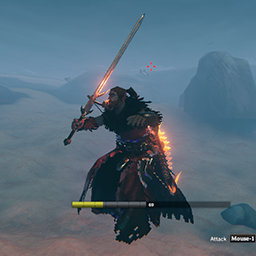
Простой мод, который позволяет вам использовать свое оборудование во время плавания / дайвинга или в воде (настраиваемый).

Сделайте прогрессирование, связанное с навыками, эффективным и значимым

Мод навыка, который дает вам возможность отслеживать вашу добычу (кабаны, олени, волки, лос, зайцы, шеи, куры, птицы и медведи) и увеличить урожайность в соответствии с вашим уровнем охотничьего мастерства и уровня добычи.