Начните вводить название — например, MoreHead, Sodium или PEAK

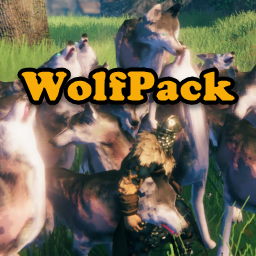
WolfPack — иконка
Обложка ValheimМод для Valheim

WolfPack

от Neobotics

Станьте мастером упаковки: контролируйте всех своих ручных существ одновременно! Оригинальное название: Target Your Tames! Наведите курсор на цель и отправьте их на атаку.

  • Обычный
  • 50,8 тыс. скачиваний
  • Версия 1.2.0
  • Обновлён 11 сентября 2026
  • Твики
  • NPC
  • Враги

О моде WolfPack

WolfPack — мод для Valheim (Вальхейм) от автора Neobotics. Станьте мастером упаковки: контролируйте всех своих ручных существ одновременно! Оригинальное название: Target Your Tames! Наведите курсор на цель и отправьте их на атаку.

Его скачали 50,8 тыс. раз: это 399-е место среди модов Valheim в нашем каталоге, редкость — «обычный» (нижняя половина по скачиваниям). Мод обновлялся в последние полгода, актуальная версия — 1.2.0.

Для работы ему нужны: BepInExPack Valheim.

Автор отметил совместимость с обновлениями игры: Deep North.

Полное описание WolfPack

Текст автора на языке оригинала

WolfPack

Become a Pack Master: Control all your tame creatures at the same time!

Hover over a target and command your tames to attack.

No more bunching, nudging and pushing of following tames.

You've tamed them, fed them, bred them and love them. They love you too, but they're always looking for attention and getting in the way. And you have to pet each of them to get them to do what you want.

What you need is a little obedience training. With WolfPack, one keystroke will get all your tame wolves, and other tame creatures to follow or stay at the same time.

New

  • Updated for Valheim 1.0

Key Features

  • Command your tames to attack a selected target
  • Supports all tame creatures
  • Configure a list of creatures to call by name, (e.g., Wolf, Boar, Lox)
  • Configure groups of creatures to call with wildcards (e.g., Human*, \*Spider*, *)

Configuration

General

  • DetectionRange: The maximum distance from a player that creatures will be affected by a Follow or Stay command. Default value is 50. Can be set from 1 to 150.@
  • TrainableCreatures: a comma delimited list of creature names that will respond to Follow and Stay. Only tamed creatures will be affected. Default value is "wolf". NOTE: Values can be a creature, display, or prefab name.@
  • Example 1: [ wolf,boar,lox ] Calls either wolves, boars, or loxes (loxen?), depending on which was the current selection (see CharacterSelectionKey below).
  • Example 2: [ Human*,\*dwarf,\*spider* ] You can add an asterisk (*) as the first and/or last character in a partial creature name to include all creatures whose name begins with, ends with or contains the partial text.
  • Human*: calls all creatures whose name begins with "Human", e.g., Human Commoners and Human Guards, etc.
  • \*dwarf: calls all creatures whose name ends with "dwarf", e.g. Dwarf, Greydwarf, etc.
  • \*spider*: calls all creatures who have "spider" somewhere in their name, e.g., Spider, Tree Spider, Jumping Spider, etc.
  • Example 3: [ * ] Calls all tamed creatures.
  • MaxTames: Maximum number of tame creatures that can be summoned at one time. Min 1; Max 50.@
  • RestrictPetting: If enabled, prevents petting other player's tames from re-setting to Stay.@
  • PackBehaviorShortcut: The keystroke to toggle between Follow and Stay for the currently selected creature. If you set UseTwoKeys to True (see below), this key will only issue the Follow command. Default is LeftAlt+T
  • TamesAttackShortcut: The keystroke to command tames to attack a target being hovered over.
  • TamesAttackRange: The maximum distance at which enemies can be targeted by hovering and tames will attack. Set to 0 to disable targeting.@
  • UseTwoKeys: If set to True will use a separate keystroke for the Stay command as configured in AlternateStayShortcut (see below). Default is False
  • AlternateStayShortcut: The keystroke to call creatures to Stay. Only used if UseTwoKeys (above) is set to True. Default is LeftAlt+Y
  • CreatureSelectorShortcut: The keystroke to rotate through the list of TrainableCreatures (above). Pressing this key repeatedly will cycle through the configured list. If UseMouseWheel (see below) is set to True, holding this key down while spinning the mouse wheel will cycle through the configured list. The current selected creature will appear in the message area in the center of the screen (or top left under the hot bar as configured by Notifications below). Default is LeftAlt+U
  • MinimumCreatureLevel: The \'lowest' level of creature (in \'stars') affected by Follow and Stay. Default is 0. Can be set from 0 to 2. Affects all creatures.
  • UseMouseWheel: If set to True, the mouse wheel is used to cycle through the TrainableCreatures list to set the current creature. Hold down the CreatureSelectorShortcut key while spinning the mouse wheel. If you don't have a mouse with a wheel or use another input device that makes this difficult, set to False. Default is True
  • Notifications: The location of the creature selector message. Default is "Center" in the middle of the screen. You can also set this value to TopLeft under the hot bar, however the center text has a much quicker response.
  • StrictObedience: Sets the amount of 'wandering' when creatures are 'stayed'. If set to 0, creatures will obediently remain in one place. Default is 10. Can be set from 0 to 20. Affects all creatures.
  • FollowRadius: The radius in which following creatures will randomly distribute around the player to prevent 'bunching'. Default is 10. Can be set from 3 to 30.

Audio

  • UseSound: If set to True, will use the sound configured in PackCallSound (below) whenever creatures are called to follow.
  • PackCallSound: The audio clip played when creatures are called to Follow. Default is Whistle.wav. WolfPack is distributed with three audio clips; Whistle.wav, Horn1.wav, and Horn2.wav.
  • Whistle is a sharp finger whistle, Horn1 is a traditional hunting horn, and Horn2 is a deeper battle horn. These clips are located in the same folder as WolfPack.dll (...\BepInEx\plugins\Neobotics-WolfPack)
  • NOTE: You can put your own audio clips in this folder, and set PackCallSound to your file name. Be advised, however, this is 'at your own risk'. WolfPack has only been tested with the three included files, which are 16-bit uncompressed PCM .wav files sampled at 44100. WolfPack will attempt to load .wav, .mp3 and .wma files.
  • If you add your own clips, all players in multiplayer must have the same clip installed locally if they want to hear the calls of their fellow players. WolfPack will play the clip configured by each player, as long as it has that clip present locally in the mod folder.

Utility

  • MouseWheelLatency: Controls the mouse wheel spin behavior so 'big' spins don't

Описание длинное — здесь его начало. Читать целиком на странице автора

Нужно для работы

В r2modman ставится автоматически

Как установить WolfPack

Файл скачивается с официального сервера Thunderstore, без перезаливов и сторонних установщиков

Подробная инструкция для Valheim
  1. Скачайте менеджер модов r2modman (или Gale) и выберите в нём игру Valheim.
  2. Создайте профиль — так моды не смешаются с чистой версией игры.
  3. Найдите «WolfPack» во вкладке Online и нажмите Download — BepInEx и все зависимости подтянутся сами.
  4. Нажмите «Start modded» — игра запустится с модами.
  5. Для мультиплеера всем игрокам нужен одинаковый набор модов: в r2modman профиль можно экспортировать кодом и отправить друзьям.
Вы автор мода? Поставьте ссылку на русское описание

Вставьте значок в описание на Thunderstore, в README или в Discord — русскоязычные игроки сразу попадут на страницу с переводом и инструкцией.

Описание на русском — Модка
Markdown[![Описание на русском — Модка](https://modka.app/badge.png)](https://modka.app/valheim/neobotics-wolfpack/)
HTML<a href="https://modka.app/valheim/neobotics-wolfpack/"><img src="https://modka.app/badge.png" alt="Описание на русском — Модка" height="44"></a>
Steam (BBCode)[url=https://modka.app/valheim/neobotics-wolfpack/]Описание на русском — Модка[/url]

Частые вопросы о WolfPack

Как установить WolfPack?

Скачайте менеджер модов r2modman (или Gale) и выберите в нём игру Valheim. Создайте профиль — так моды не смешаются с чистой версией игры. Найдите «WolfPack» во вкладке Online и нажмите Download — BepInEx и все зависимости подтянутся сами. Нажмите «Start modded» — игра запустится с модами. Для мультиплеера всем игрокам нужен одинаковый набор модов: в r2modman профиль можно экспортировать кодом и отправить друзьям.

Безопасен ли WolfPack?

Файл скачивается с официального сервера Thunderstore, куда его загрузил Neobotics. Мы не перезаливаем и не изменяем моды.

Нужно ли друзьям ставить WolfPack?

Автор не указал, клиентский это мод или серверный. Безопаснее, чтобы одинаковый набор модов был у всех игроков в лобби: проще всего поделиться профилем r2modman.

Что нужно для работы WolfPack?

Установите вместе с ним: BepInExPack Valheim. В менеджере модов зависимости подтягиваются автоматически.

Когда WolfPack обновлялся последний раз?

11 сентября 2026, актуальная версия — 1.2.0. Дата берётся с официальной страницы мода при каждом обновлении каталога.

Похожие моды

Все моды на Valheim
ValheimPlus Grantapher Temporary — иконка

ValheimPlus Grantapher Temporary

Временная вилка Valheim Plus. Предоставляет множество настраиваемых игровых настроек.

Эпический399,7 тыс.Утилиты

InstantMonsterLootDrop — иконка

InstantMonsterLootDrop

Ремонт потока лута для Valheim 1.0: мгновенные капли, 2,5-метровый автопикап, задерживающиеся тела и уложенное окно уведомления о луте.

Редкий248,2 тыс.Твики

RenegadeVikings — иконка

RenegadeVikings

Добавляет случайно сгенерированные npcs викингов, враждебных, боссов, странствующих трейдеров и нейтральных (приспособленных) ко всем биомам, кроме последнего незаконченного биома.

Редкий125,8 тыс.Враги

Corsairs — иконка

Corsairs

Сражайтесь, чтобы завоевать сокровища, освободить рабов и встретиться с боссом Ролло и вернуть меч и щит, украденные у создателя мода.

Обычный53,5 тыс.Враги

XPortal — иконка

XPortal

Выберите пункт назначения портала из списка существующих порталов. Больше никаких тегов и никаких порталов! XPortal — это полное переписывание популярного мода AnyPortal.

Эпический401,8 тыс.Утилиты

SeaAnimals — иконка

SeaAnimals

Дайте жизнь океанам Вальхайма с опасными существами, морскими зверями и настоящим исследованием океана. Море больше не пустует.

Эпический372,6 тыс.Враги