

OdinArchitect
Odin Architect - это мод, который позволит вам строить больше с большим количеством конструкций и в большем масштабе. Здесь вы найдете не только более крупные аналоги основных зданий, но и совершенно новые


 Мод для Valheim
от Mydayyy
Разделяет Карту между всеми игроками, синхронизирует карту при подключении
ServerSideMap — мод для Valheim (Вальхейм) от автора Mydayyy. Разделяет Карту между всеми игроками, синхронизирует карту при подключении
Его скачали 213,9 тыс. раз: это 110-е место среди модов Valheim в нашем каталоге, редкость — «редкий» (топ-50% по скачиваниям). Мод обновлялся в последние полгода, актуальная версия — 1.3.14.
Для работы ему нужны: BepInExPack Valheim.
У мода стоят обе пометки — клиентская и серверная: он может работать и у одного игрока, и у хоста. Чтобы изменения были у всех, надёжнее поставить его всей компании.
Автор отметил совместимость с обновлениями игры: Bog Witch, Hildir's Request, Mistlands, Ashlands, Deep North.
Текст автора на языке оригинала
This plugin completely moves the explored map and created pins to the server. As clients explore, they will send their explored areas to the server who will then distribute it to all connected clients. When a client joins, the server will synchronize the currently explored areas to the client. Pins are shared as well and but default to false and need to be enabled. When pin sharing is used, all newly created pins are send to the server who saves them along with the explored area.
Due to an unknown reason, the .explored file got wipe and set to zero bytes. If you were using the pin system, you will need to restore a backup of the file. Otherwise, no action is required as it will be regenerated and the explored progress from players will be synchronized when they log back in again.
Valheim changed their folder structure of world/save files and moved the world files to the new place. Due to this you need to:
Currently, the mod is incompatible with crossplay/PlayFab. PR's are welcome if someone wants to look into this.
The pin and exploration data is saved along with the map in a new file.
You can toggle marker and map share separately, refer to Marker Share 2&3 for instruction
Currently there are three available chat commands:
Please use Github for bug reports and feedback.
Development takes place on github: https://github.com/Mydayyy/Valheim-ServerSideMap
You need to copy the following dlls into the Libs folder:
My kofi can be found here
В r2modman ставится автоматически
Файл скачивается с официального сервера Thunderstore, без перезаливов и сторонних установщиков
Подробная инструкция для ValheimВставьте значок в описание на Thunderstore, в README или в Discord — русскоязычные игроки сразу попадут на страницу с переводом и инструкцией.

[](https://modka.app/valheim/mydayyy-serversidemap/)<a href="https://modka.app/valheim/mydayyy-serversidemap/"><img src="https://modka.app/badge.png" alt="Описание на русском — Модка" height="44"></a>[url=https://modka.app/valheim/mydayyy-serversidemap/]Описание на русском — Модка[/url]Скачайте менеджер модов r2modman (или Gale) и выберите в нём игру Valheim. Создайте профиль — так моды не смешаются с чистой версией игры. Найдите «ServerSideMap» во вкладке Online и нажмите Download — BepInEx и все зависимости подтянутся сами. Нажмите «Start modded» — игра запустится с модами. Для мультиплеера всем игрокам нужен одинаковый набор модов: в r2modman профиль можно экспортировать кодом и отправить друзьям.
Файл скачивается с официального сервера Thunderstore, куда его загрузил Mydayyy. Мы не перезаливаем и не изменяем моды.
У мода стоят обе пометки — клиентская и серверная: он может работать и у одного игрока, и у хоста. Чтобы изменения были у всех, надёжнее поставить его всей компании.
Установите вместе с ним: BepInExPack Valheim. В менеджере модов зависимости подтягиваются автоматически.
15 сентября 2026, актуальная версия — 1.3.14. Дата берётся с официальной страницы мода при каждом обновлении каталога.
Odin Architect - это мод, который позволит вам строить больше с большим количеством конструкций и в большем масштабе. Здесь вы найдете не только более крупные аналоги основных зданий, но и совершенно новые

Выберите пункт назначения портала из списка существующих порталов. Больше никаких тегов и никаких порталов! XPortal — это полное переписывание популярного мода AnyPortal.

Временная вилка Valheim Plus. Предоставляет множество настраиваемых игровых настроек.
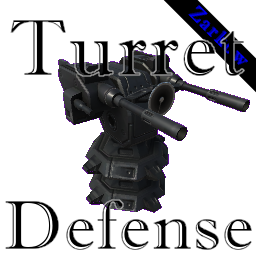
Добавляет возможность строить оборонительные башни в нескольких версиях, чтобы превратить рейд-события в забавные моменты защиты башни
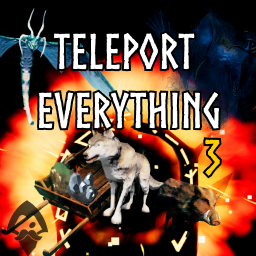
Teleport Everything 3 с пользовательским интерфейсом является официальным модульным пакетом OdinPlus для телепортных существ, телепортных тележек, телепортных лодок и Quick Teleport. Совместимость с Valheim 1.0 (Deep North).

ModWish от OdinPlus Community - встроенные динамические контейнеры для хранения семян, фруктов и овощей!