

ValheimPlus Grantapher Temporary
Временная вилка Valheim Plus. Предоставляет множество настраиваемых игровых настроек.

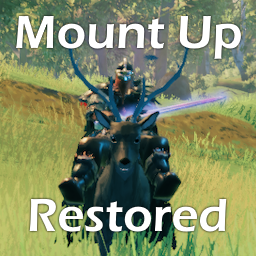
 Мод для Valheim
от Meldurson
Отремонтированный Mount Up с дополнительными функциями, такими как управляемый полет
MountUpRestored — мод для Valheim (Вальхейм) от автора Meldurson. Отремонтированный Mount Up с дополнительными функциями, такими как управляемый полет
Его скачали 102,1 тыс. раз: это 218-е место среди модов Valheim в нашем каталоге, редкость — «обычный» (нижняя половина по скачиваниям). Мод обновлялся в последний месяц, актуальная версия — 3.6.0.
Для работы ему нужны: Jotunn.
Автор отметил совместимость с обновлениями игры: Hildir's Request, Ashlands, Bog Witch, Deep North.
1 шт · нажмите, чтобы открыть
Текст автора на языке оригинала
## This is an almost complete rewrite of Mount Up from Koosemose.
Version 3.6.0
customAttackOrder:primaryGround,secondaryGround,primaryFlying,secondaryFlying``customAttackOrder: 2,5,4,4`` which is swipe and cold breath when on the ground, and when flying both attacks are the ice shard breathDefault Recipes
Tier — ID — Required Items — Crafting Station
| Meadows | SaddleT1 |6 Leather Scraps, 4 Deer Hide, 2 Hard Antler, 10 Dandelion | Workbench lvl 1 | Black Forest| SaddleT2 |10 Troll Hide, 10 Bear Hide, 10 Bronze, 3 Ancient Seeds | Forge lvl 3 | Swamp | SaddleT3 |15 Deer Hide, 10 Ancient Bark, 6 Iron, 10 Guck | Forge lvl 2 | Mountain | SaddleT4 |6 Wolf Pelt, 4 Deer Hide, 2 Obsidian, 5 Silver, 10 Freeze Gland | Workbench lvl 4 | Plains | SaddleT5 |6 Lox Pelt, 4 Deer Hide, 4 Black Metal, 1 Lox Trophy, 5 Tar | Forge lvl 3 | Mistlands | SaddleT6 |15 Scale Hide, 6 Obsidian, 6 Yggdrasil Wood, 10 Sap, 3 Eitr | Workbench lvl 5 | Ashlands | SaddleT7 |10 Lox Pelt, 2 Morgen Heart, 6 Flametal, 5 Tar | Forge lvl 4 | Deep North| SaddleT8 |20 Wolf Pelt, 10 Scale Hide, 1 Iolite, 50 Freeze Gland | Artisan Table lvl 2
##
If you want to share the configs or see what others have done for configs you can go here
Instructions
Hatchling:
* When you encounter this creature for the first time the full config will be completed written and attempt to stick the saddle to the correct part of the creature
    * The mountpath is the bone of the creature that the saddle will be stuck to.
    * When loading the creature for the first time, it will output the mountpath to the Bepinex window along with other alternatives it has found.
        * You can copy/paste these alternatives into the mountpath of the yml if you want to change the bone the saddle is stuck to.
* To modify the location of the saddle and where the player sits (as by default it most likely will not be in the correct position) you will have to enable adjustments in the config
* In the config *meldurson.MountUpRestored.cfg* set __Enable Adjust Custom Mounts = true__
* Now once you are in the world with adjustments enabled you will need to attach a saddle.
    * The default saddle tier of a config is tier 5 (Plains Tier)
    * You will need to use the correct tier saddle on the creature, and it will then equip the saddle on the creature
* The Tiers are __1-8:__ *Each tier corresponds to a biome* (1:Meadows,2:Black Forest,3:Swamp...etc)
* The saddle tier specifies what visual saddle you want and has an item to go along with it. If you want to overwrite the item that is used you can set the *customSaddle* to a specific tier such as:
    *   ```
        Dragon:
            saddleTier: 4
customSaddle: 6GoblinBrute: saddleTier: 5 customSaddle: SaddleLox
    * This will give Fueling Berserkers a tier 5 (Plains) visual but you will use a standard Lox saddle as the item
* If you want a more traditional simple saddle you can set the saddle tier to 0 (this will be default add the saddle item to be Tier 5 Saddle)
* There is a po
Описание длинное — здесь его начало. Читать целиком на странице автора
В r2modman ставится автоматически
Файл скачивается с официального сервера Thunderstore, без перезаливов и сторонних установщиков
Подробная инструкция для ValheimВставьте значок в описание на Thunderstore, в README или в Discord — русскоязычные игроки сразу попадут на страницу с переводом и инструкцией.

[](https://modka.app/valheim/meldurson-mountuprestored/)<a href="https://modka.app/valheim/meldurson-mountuprestored/"><img src="https://modka.app/badge.png" alt="Описание на русском — Модка" height="44"></a>[url=https://modka.app/valheim/meldurson-mountuprestored/]Описание на русском — Модка[/url]Скачайте менеджер модов r2modman (или Gale) и выберите в нём игру Valheim. Создайте профиль — так моды не смешаются с чистой версией игры. Найдите «MountUpRestored» во вкладке Online и нажмите Download — BepInEx и все зависимости подтянутся сами. Нажмите «Start modded» — игра запустится с модами. Для мультиплеера всем игрокам нужен одинаковый набор модов: в r2modman профиль можно экспортировать кодом и отправить друзьям.
Файл скачивается с официального сервера Thunderstore, куда его загрузил Meldurson. Мы не перезаливаем и не изменяем моды.
Автор не указал, клиентский это мод или серверный. Безопаснее, чтобы одинаковый набор модов был у всех игроков в лобби: проще всего поделиться профилем r2modman.
Установите вместе с ним: Jotunn. В менеджере модов зависимости подтягиваются автоматически.
9 ноября 2026, актуальная версия — 3.6.0. Дата берётся с официальной страницы мода при каждом обновлении каталога.
Временная вилка Valheim Plus. Предоставляет множество настраиваемых игровых настроек.
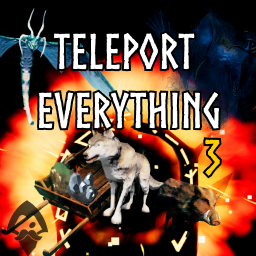
Teleport Everything 3 с пользовательским интерфейсом является официальным модульным пакетом OdinPlus для телепортных существ, телепортных тележек, телепортных лодок и Quick Teleport. Совместимость с Valheim 1.0 (Deep North).

Выберите пункт назначения портала из списка существующих порталов. Больше никаких тегов и никаких порталов! XPortal — это полное переписывание популярного мода AnyPortal.

Дайте жизнь океанам Вальхайма с опасными существами, морскими зверями и настоящим исследованием океана. Море больше не пустует.

Valheim Mod добавит в игру каталог Adventuring Backpacks. Эти пакеты будут расти и становиться более полезными по мере развития игры.

Дает больше цели тропинкам. Увеличивает скорость игрока на дорожках и конструкциях. Уменьшает выносливость, потребляемую при беге по дорожкам. Выставляет необязательные модификаторы для обычной местности в каждом биоме. Все значения настраиваются.