Начните вводить название — например, MoreHead, Sodium или PEAK

Transmog — иконка
Обложка ValheimМод для Valheim

Transmog

от Alpus

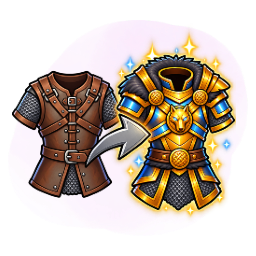
Включите трансмографию вашей брони и оружия, чтобы ваши оснащенные предметы могли выглядеть так, как вы хотите, сохраняя при этом свои свойства.

  • Обычный
  • 80,4 тыс. скачиваний
  • Версия 3.3.0
  • Обновлён 22 октября 2026
  • Утилиты

О моде Transmog

Transmog — мод для Valheim (Вальхейм) от автора Alpus. Включите трансмографию вашей брони и оружия, чтобы ваши оснащенные предметы могли выглядеть так, как вы хотите, сохраняя при этом свои свойства.

Его скачали 80,4 тыс. раз: это 273-е место среди модов Valheim в нашем каталоге, редкость — «обычный» (нижняя половина по скачиваниям). Мод обновлялся в последний месяц, актуальная версия — 3.3.0.

Для работы ему нужны: Jotunn, BepInExPack Valheim.

Автор отметил совместимость с обновлениями игры: Deep North.

Полное описание Transmog

Текст автора на языке оригинала

Description

  • Enable transmogrification of your armor and weapons, so that your equipped items can look like whatever other items you want whilst retaining its properties.
  • The transmog visuals will be saved in your character, so logging off and on is not a problem.
  • The visuals can be switched on and off or replaced and reverted at any time.

Instructions

  1. Open your inventory.
  2. Open the transmog panel by using the configured hotkey (by default 'T').
  3. Click on an item in your inventory to copy its appearance to all other items of the same type.

You can also:

  • Click on an item on the transmog panel to revert the apperace of all items of that type.
  • Click on the checkbox next to an item to hide it completely, such as your helmet.

Client-only use and server control

Client-only use

  • No server installation required. Transmog can run entirely on your client.
  • The Enable Transmog setting only affects your appearances and menu; other players' transmogs remain visible to you.
  • Others can see your vanilla item appearances without Transmog.

When installed on the server

  • All connecting players must have Transmog, even when its features are disabled.
  • Admins can disable it for everyone. Set General → Enable Transmog to false in the server's BepInEx/config/Transmog.cfg to disable Transmog appearances and its menu for all clients. The server's value overrides local settings.

Hotkeys

All hotkeys can be changed in the config file. It is recommended, however, that you use a configuration manager mod (such as the 'Official BepInEx Configuration Manager' mod by Azumatt) to bind the hotkeys directly in-game.

Command — Default Hotkey — Comments

Open the transmog panel — T — Your inventory must be open first.

Toggle the transmogs — Left Alt + Equals Sign (=) — Turn the transmogs visuals on and off.

Join me on discord to report bugs and give me feedback:

Link: https://discord.gg/gSQHmE3yap

Release notes:

v3.3.0

  • Transmog can be used client-side only; when installed on the server, admins can disable it for everyone.

See Client-only use and server control above for details.

  • Fixed the transmog panel showing the default item icon instead of the selected style's icon.
  • Fixed appearance selections carrying over when switching characters in the same session.
  • Fixed the always-visible shield and weapon options changing which items are re-equipped when drawing holstered equipment.
  • Transmog armor appearances now also apply to your death ragdoll.

History: click here to expand...

v3.2.0

  • Transmogrification of weapons can now be enabled or disabled in the configs. Enabled by default.

v3.1.0

  • Updated for full compatibility with Valheim 1.0!

v3.0.1

  • Fixed an issue with one-handed knives not being recognized.

v3.0.0

  • Added several translations! Currently supported languages: English, Chinese, French, German, Greek, Hindi, Italian, Japanese, Korean, Lithuanian, Polish, Portuguese Brazilian, Russian, Spanish, Thai, Turkish, Ukranian.
  • Added several missing item types and made a distinction between two-handed weapons and dual-wield weapons.
  • Added an option to always display your latest equipped shield on your back (can be disabled in the configs).

v2.0.4

  • Fixed a versioning issue.

v2.0.3

  • After the latest Jotunn update, my mod decided it was time for a little adventure — back to some friendly debugging to guide it home.
  • The transmog panel will now by default pop up in the middle of the screen. This can be changed by tweaking the settings in the configs. If using a config editor, with the transmog window open, it will be updated in real time, so that you can test your changes.

v2.0.2

  • Fixed an issue with the server logs spamming.

v2.0.1

  • Re-uploaded the mod due to a versioning conflict.

v2.0.0

  • Added an user interface to more easily set up the transmogs.
  • Added the possibility to transmogrify weapons.

v1.2.0

  • Added the possibility to also transmogrify your shield. This needs to be enabled in the configs first, and the shield must be equipped when saving the transmog.

v1.1.0

  • Added an option to for the transmog to be visible only for slots that are equipped with items, so e.g. with it on - if you have no chest armor equipped, nothing will be displayed as per default game behavior; otherwise your transmogrified items will always be visible, even if you have nothing equipped.

v1.0.3

  • Fixed a bug with error messages popping up on the character selection menu.

v1.0.2

  • Fixed a bug that was preventing the cape from being hidden at all times if the player wished so.

v1.0.1

  • Fixed a bug which was applying the transmog to all humanoids, including enemies.

v1.0.0

  • Initial release.

Нужно для работы

В r2modman ставится автоматически

Моды, которым нужен Transmog

1 в каталоге

RtDMMO — иконка

RtDMMO

Вдохновленная WoW MMO в мире Вальхайма. Темное, мрачное путешествие со скрытыми знаниями, смертельными испытаниями и забытой властью. В нем есть система классов Demigods, пользовательские подземелья, боссы и монстры с контентом Ocean.

Редкий171,9 тыс.Твики

Как установить Transmog

Файл скачивается с официального сервера Thunderstore, без перезаливов и сторонних установщиков

Подробная инструкция для Valheim
  1. Скачайте менеджер модов r2modman (или Gale) и выберите в нём игру Valheim.
  2. Создайте профиль — так моды не смешаются с чистой версией игры.
  3. Найдите «Transmog» во вкладке Online и нажмите Download — BepInEx и все зависимости подтянутся сами.
  4. Нажмите «Start modded» — игра запустится с модами.
  5. Для мультиплеера всем игрокам нужен одинаковый набор модов: в r2modman профиль можно экспортировать кодом и отправить друзьям.
Вы автор мода? Поставьте ссылку на русское описание

Вставьте значок в описание на Thunderstore, в README или в Discord — русскоязычные игроки сразу попадут на страницу с переводом и инструкцией.

Описание на русском — Модка
Markdown[![Описание на русском — Модка](https://modka.app/badge.png)](https://modka.app/valheim/alpus-transmog/)
HTML<a href="https://modka.app/valheim/alpus-transmog/"><img src="https://modka.app/badge.png" alt="Описание на русском — Модка" height="44"></a>
Steam (BBCode)[url=https://modka.app/valheim/alpus-transmog/]Описание на русском — Модка[/url]

Частые вопросы о Transmog

Как установить Transmog?

Скачайте менеджер модов r2modman (или Gale) и выберите в нём игру Valheim. Создайте профиль — так моды не смешаются с чистой версией игры. Найдите «Transmog» во вкладке Online и нажмите Download — BepInEx и все зависимости подтянутся сами. Нажмите «Start modded» — игра запустится с модами. Для мультиплеера всем игрокам нужен одинаковый набор модов: в r2modman профиль можно экспортировать кодом и отправить друзьям.

Безопасен ли Transmog?

Файл скачивается с официального сервера Thunderstore, куда его загрузил Alpus. Мы не перезаливаем и не изменяем моды.

Нужно ли друзьям ставить Transmog?

Автор не указал, клиентский это мод или серверный. Безопаснее, чтобы одинаковый набор модов был у всех игроков в лобби: проще всего поделиться профилем r2modman.

Что нужно для работы Transmog?

Установите вместе с ним: Jotunn, BepInExPack Valheim. В менеджере модов зависимости подтягиваются автоматически.

Когда Transmog обновлялся последний раз?

22 октября 2026, актуальная версия — 3.3.0. Дата берётся с официальной страницы мода при каждом обновлении каталога.

Похожие моды

Все моды на Valheim
OdinArchitect — иконка

OdinArchitect

Odin Architect - это мод, который позволит вам строить больше с большим количеством конструкций и в большем масштабе. Здесь вы найдете не только более крупные аналоги основных зданий, но и совершенно новые

Легендарный1,1 млнИнструменты

XPortal — иконка

XPortal

Выберите пункт назначения портала из списка существующих порталов. Больше никаких тегов и никаких порталов! XPortal — это полное переписывание популярного мода AnyPortal.

Эпический401,8 тыс.Утилиты

ValheimPlus Grantapher Temporary — иконка

ValheimPlus Grantapher Temporary

Временная вилка Valheim Plus. Предоставляет множество настраиваемых игровых настроек.

Эпический399,7 тыс.Утилиты

Seasons — иконка

Seasons

Четыре настраиваемых сезона. Разный визуальный колорит на каждый сезон, сезонное влияние на игровой процесс. Замороженная вода и льдины зимой. Разная погода, рейды, освещение и товары трейдера. Новая специальная весенняя трава. Минимальное воздействие на fps.

Эпический354,8 тыс.Утилиты

NoRainDamage — иконка

NoRainDamage

Valheim 1.0 - поддержка!

Редкий297,1 тыс.Утилиты

InstantMonsterLootDrop — иконка

InstantMonsterLootDrop

Ремонт потока лута для Valheim 1.0: мгновенные капли, 2,5-метровый автопикап, задерживающиеся тела и уложенное окно уведомления о луте.

Редкий248,2 тыс.Твики