


V Rising Vereena HUN
V Rising szerveren használt Modpack

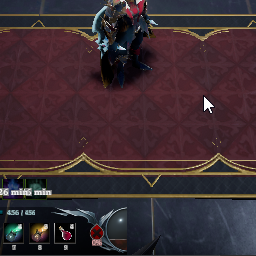
 Мод для V Rising
от ACP
Toggle the game interface with F11 key, now with an keybinding through in-game settings to set your own custom key!
HideInterface — мод для V Rising (Ви Райзинг) от автора ACP. Toggle the game interface with F11 key, now with an keybinding through in-game settings to set your own custom key!
Его скачали 5 тыс. раз: это 61-е место среди модов V Rising в нашем каталоге, редкость — «редкий» (топ-50% по скачиваниям). Мод давно не обновлялся — проверьте совместимость с текущей версией игры, актуальная версия — 1.2.0.
Для работы ему нужны: BepInExPack V Rising, Wetstone.
3 шт · нажмите, чтобы открыть
Текст автора на языке оригинала
Toggle the game interface with F11 key, now with an keybinding through in-game settings to set your own custom key!
🗒️ Configurable
⚙️ Hot reloading with Wetstone API
me.arwent.HideInterface.dll` folder into (VRising folder)/BepInEx/plugins or (VRising folder)/BepInEx/WetstonePluginsHideInterface supports the following configuration settings, available in me.arwent.HideInterface.cfg
Plugin Options:
Enabled [default true]: Whether to enable this pluginIncludeVersionWatermark [default true]: Hide the version watermark at the bottom right of the screen when toggling interfaceClient Options:
@Arwent#61901.2.0 Using Wetstone API for in-game keybind configuration and hot reloading
1.1.0 Added a configuration file for custom key and if you wish to hide the version watermark at the bottom right of the game
1.0.0 First release
В r2modman ставится автоматически
1 в каталоге
V Rising szerveren használt Modpack
Файл скачивается с официального сервера Thunderstore, без перезаливов и сторонних установщиков
Подробная инструкция для V RisingВставьте значок в описание на Thunderstore, в README или в Discord — русскоязычные игроки сразу попадут на страницу с переводом и инструкцией.

[](https://modka.app/v-rising/acp-hideinterface/)<a href="https://modka.app/v-rising/acp-hideinterface/"><img src="https://modka.app/badge.png" alt="Описание на русском — Модка" height="44"></a>[url=https://modka.app/v-rising/acp-hideinterface/]Описание на русском — Модка[/url]Скачайте менеджер модов r2modman (или Gale) и выберите в нём игру V Rising. Создайте профиль — так моды не смешаются с чистой версией игры. Найдите «HideInterface» во вкладке Online и нажмите Download — BepInEx и все зависимости подтянутся сами. Нажмите «Start modded» — игра запустится с модами. Чтобы сыграть без модов, запустите игру как обычно из Steam — r2modman не трогает чистую версию игры.
Файл скачивается с официального сервера Thunderstore, куда его загрузил ACP. Мы не перезаливаем и не изменяем моды.
Установите вместе с ним: BepInExPack V Rising, Wetstone. В менеджере модов зависимости подтягиваются автоматически.
3 июня 2022, актуальная версия — 1.2.0. Это больше года назад: перед установкой проверьте, работает ли мод на текущей версии игры.

Streamlined camera enhancements w/ additional features!

Allows you to use Compulsively Count on all nearby stashes with 1 click

Shows the total amount of an item in your inventory when collecting resources
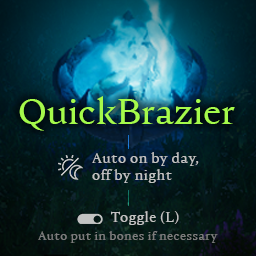
Auto turn on/off based on time of day. Hotkey (L) to quickly toggle mist braziers, also adds bones if brazier is empty.

A mod that allows players to withdraw items for a recipe directly from their stash.

A server side mod for V Rising which spawns a random NPC near a random online player at random intervals, and the player wins a random item reward if the NPC is killed within the given time limit.