

ULTRAKILL IN SPANISH
ULTRAKILL IN SPANISH es un mod que permite disfrutar el juego ULTRAKILL completamente en español.


 Мод для ULTRAKILL
от ESP_TEAM
Это продвинутый плагин-переводчик, который можно использовать для автоматического перевода игр на основе Unity, а также предоставляет инструменты, необходимые для перевода игр вручную.
autotranslator — мод для ULTRAKILL (Ультракилл) от автора ESP_TEAM. Это продвинутый плагин-переводчик, который можно использовать для автоматического перевода игр на основе Unity, а также предоставляет инструменты, необходимые для перевода игр вручную.
Его скачали 18,8 тыс. раз: это 158-е место среди модов ULTRAKILL в нашем каталоге, редкость — «обычный» (нижняя половина по скачиваниям). Мод обновлялся в течение года, актуальная версия — 5.1.1.
Для работы ему нужны: BepInExPack.
Текст автора на языке оригинала
All the basic information about the plugin is located here - XUnity.AutoTranslator Plugin author: bbepis Icon: https://uxwing.com/language-translation-icon/
For translating the whole game, it's recommended to use community translation from Crowdin instead. Check the description of the Crowdin page to learn how to convert json file to game locale files. https://crowdin.com/project/dyson-sphere-program
The following are some extracted important info for normal users. The full manual can be found in github repo or plugins\README (AutoTranslator).md in the zip package.
This is an advanced translator plugin that can be used to translate Unity-based games automatically and also provides the tools required to translate games manually. It does (obviously) go to the internet, in order to provide the automated translation, so if you are not comfortable with that, don't use it.
The following key inputs are mapped:
Via mod manager r2modman. Manual install:
core\XUnity.Common.dll -> BepInEx\core plugins\XUnity.AutoTranslator, plugins\XUnity.ResourceRedirector -> BepInEx\plugins
The config file BepInEx\Config\AutoTranslatorConfig.ini will be generated after the game start with this plugin. In order to translate, change the language settings in the config file and restart to let the config file take effect.
[Service]
Endpoint=GoogleTranslate         ;Endpoint to use. See the [translators section](#translators) for valid values.
FallbackEndpoint=                ;Endpoint to automatically fallback to if the primary endpoint fails for a specific translation.

[General]
Language=en                      ;The language to translate into
FromLanguage=ja                  ;The original language of the game. "auto" is also supported for some endpoints, but it is generally not recommended

[Files]
Directory=Translation\{Lang}\Text                                   ;Directory to search for cached translation files. Can use placeholder: {GameExeName}, {Lang}
OutputFile=Translation\{Lang}\Text\_AutoGeneratedTranslations.txt   ;File to insert generated translations into. Can use placeholders: {GameExeName}, {Lang}
SubstitutionFile=Translation\{Lang}\Text\_Substitutions.txt         ;File that contains substitution applied before translations. Can use placeholders: {GameExeName}, {Lang}
PreprocessorsFile=Translation\{Lang}\Text\_Preprocessors.txt        ;File that contains preprocessors to be applied before sending a text to a translator. Can use placeholders: {GameExeName}, {Lang}
PostprocessorsFile=Translation\{Lang}\Text\_Postprocessors.txt      ;File that contains postprocessors to be applied after receiving a text from a translator. Can use placeholders: {GameExeName}, {Lang}

[TextFrameworks]
EnableUGUI=True                  ;Enable or disable UGUI translation
EnableNGUI=True                  ;Enable or disable NGUI translation
EnableTextMeshPro=True           ;Enable or disable TextMeshPro translation
EnableTextMesh=False             ;Enable or disable TextMesh translation
EnableIMGUI=False                ;Enable or disable IMGUI translation

[Behaviour]
MaxCharactersPerTranslation=200  ;Max characters per text to translate. Max 2500.
IgnoreWhitespaceInDialogue=True  ;Whether or not to ignore whitespace, including newlines, in dialogue keys
IgnoreWhitespaceInNGUI=True      ;Whether or not to ignore whitespace, including newlines, in NGUI
MinDialogueChars=20              ;The length of the text for it to be considered a dialogue
ForceSplitTextAfterCharacters=0  ;Split text into multiple lines once the translated text exceeds this number of characters
CopyToClipboard=False            ;Whether or not to copy hooked texts to clipboard
MaxClipboardCopyCharacters=450   ;Max number of characters to hook to clipboard at a time
ClipboardDebounceTime=1.25       ;The number of seconds it takes for hooked text to reach the clipboard. Minimum is 0.1
EnableUIResizing=True            ;Whether or not the plugin should provide a "best attempt" at resizing UI components upon translation
EnableBatching=True              ;Indicates whether batching of translations should be enabled for supported endpoints
UseStaticTranslations=True       ;Indicates whether or not to use translations from the included static translation cache
OverrideFont=                    ;Overrides the fonts used for texts when updating text components. NOTE: Only works for UGUI
OverrideFontTextMeshPro=         ;Consider using FallbackFontTextMeshPro instead. Overrides the fonts used for texts when updating text compo
Описание длинное — здесь его начало. Читать целиком на странице автора
В r2modman ставится автоматически
1 в каталоге
ULTRAKILL IN SPANISH es un mod que permite disfrutar el juego ULTRAKILL completamente en español.
Файл скачивается с официального сервера Thunderstore, без перезаливов и сторонних установщиков
Подробная инструкция для ULTRAKILLВставьте значок в описание на Thunderstore, в README или в Discord — русскоязычные игроки сразу попадут на страницу с переводом и инструкцией.

[](https://modka.app/ultrakill/esp-team-autotranslator/)<a href="https://modka.app/ultrakill/esp-team-autotranslator/"><img src="https://modka.app/badge.png" alt="Описание на русском — Модка" height="44"></a>[url=https://modka.app/ultrakill/esp-team-autotranslator/]Описание на русском — Модка[/url]Скачайте менеджер модов r2modman (или Gale) и выберите в нём игру ULTRAKILL. Создайте профиль — так моды не смешаются с чистой версией игры. Найдите «autotranslator» во вкладке Online и нажмите Download — BepInEx и все зависимости подтянутся сами. Нажмите «Start modded» — игра запустится с модами. Чтобы сыграть без модов, запустите игру как обычно из Steam — r2modman не трогает чистую версию игры.
Файл скачивается с официального сервера Thunderstore, куда его загрузил ESP_TEAM. Мы не перезаливаем и не изменяем моды.
Установите вместе с ним: BepInExPack. В менеджере модов зависимости подтягиваются автоматически.
27 февраля 2026, актуальная версия — 5.1.1. Дата берётся с официальной страницы мода при каждом обновлении каталога.
Внутриигровой интерфейс для изучения, отладки и модификации игр Unity.
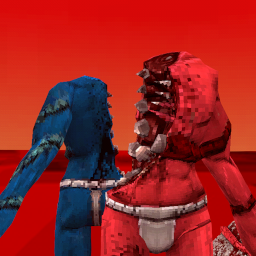
Обсуждение Rude Level Editor

Multikill все еще находится в разработке, поэтому я создал свой собственный многопользовательский мод для Ultrakill. Сделано с помощью xzxADIxzx, Sowler, Fumboy и других :3

Сделано компанией Hydraxous. Глупый дурацкий мод оружия!
Играть Габриэля в ULTRAKILL

Мод, который бьет стрелка. Много.