

SpeedometerV2
Customisable Speedometer. Now with ModSettings support.

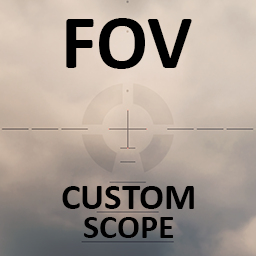
 Мод для Titanfall 2
от Avalar
Adding Custom fully customizable FOV and FOV Viewmodel settings for each scope separately, custom scopes for sniper, effects for projectile and several view models presets
CustomScopeFOV — мод для Titanfall 2 (Тайтанфол 2) от автора Avalar. Adding Custom fully customizable FOV and FOV Viewmodel settings for each scope separately, custom scopes for sniper, effects for projectile and several view models presets
Его скачали 9,1 тыс. раз: это 71-е место среди модов Titanfall 2 в нашем каталоге, редкость — «редкий» (топ-50% по скачиваниям). Мод давно не обновлялся — проверьте совместимость с текущей версией игры, актуальная версия — 1.0.4.
Для работы ему нужны: Northstar.
Автор пометил мод как клиентский: достаточно установить его себе, друзьям и хосту он не нужен.
7 шт · нажмите, чтобы открыть
Текст автора на языке оригинала
Adding Custom fully customizable FOV and FOV Viewmodel settings for each scope separately, custom scopes for sniper, effects for projectile and several view models presets And fixing iron sight position for Hemlok in Titanfall 2
This mod is compatible with:
VTOL and Thunderstore You can use one of those to install the mod
Or going on the GitHub page on Release section
1: Go to ~/Titanfall2/R2Northstar/mods/CustomScopeFOV/mod/scripts/weapons/mp__fov.txt
2: When opening file you will see something like this:
From the start we can chose one of many pre made viewmodel_offset for hipfire
WeaponData { MP_BASE { // Default: "0 0 0" // hipfire viewmodel that you can change how you like (-left/x/right front/z/-back up/y/-down) "viewmodel_offset_hip" "2.5 -2 -3" //my preference //"viewmodel_offset_hip" "-8.5 -2 -3" //my preference but who want it be on the left side //"viewmodel_offset_hip" "-3 3 -3" //DOOM like viewmodel //"viewmodel_offset_hip" "-3 -40 -3" //clear view //"viewmodel_offset_hip" "2 3 3" //gangsta style //"viewmodel_offset_hip" "-8 3 3" //gangsta style left handed
"dof_zoom_nearDepthStart" "0.0" //remove dof for iron sight "dof_zoom_nearDepthEnd" "0.0"
dof_zoom_focusArea_horizontal 0.0 dof_zoom_focusArea_top 0.0 dof_zoom_focusArea_bottom 0.0
In this part we can change our viewmodel_offset_hip that have several presets and at the end here we can change zoom_fov - fov while ADS and zoom_fov_viewmodel - fiew model fow while ADS when ads for iron sight specifically
}
"zoom_fov" "40" //edit iron sight fov here //"zoom_fov_viewmodel" "40"//edit iron sight fov viewmodel here
In this part we can change our viewmodel_offset_hip that have several presets and at the end here we can change zoom_fov - fov while ADS and zoom_fov_viewmodel - fiew model fow while ADS when ads for iron sight specifically you need to remove "//"comments to made value work or add "//" if you want value to stop affect this settings
By scrolling down in our txt file we will see this: This is where we can change fov in ADS and FOV of viewmodel for each scopre that weapon have specificaly Near values was named in game name of the each scope, so you know what exact scope you want to modify Just change value to what you like and ofc remove "//" In front of the value so changes will apply inside the game
{ "zoom_fov" "55" //this value will be active in game //"zoom_fov_viewmodel" "40" //this value will not be active in the game }
Just change value to what you like and ofc remove "//" In front of the value so changes will apply inside the game
Mods //Alternator bellow you can chagne fov("zoom_fov" or "zoom_fov_viewmodel") for each scope that you want, and change iron_sight fov in the value above this comment { iron_sights { } hcog //HCOG {
"dof_zoom_nearDepthStart" "0.0" "dof_zoom_nearDepthEnd" "0.0"
"zoom_fov" "55" //"zoom_fov_viewmodel" "40" dof_zoom_focusArea_horizontal 0.0 dof_zoom_focusArea_top 0.0 dof_zoom_focusArea_bottom 0.0 } holosight // ignore this one {
"dof_zoom_nearDepthStart" "0.0" "dof_zoom_nearDepthEnd" "0.0"
"zoom_fov" "45" //"zoom_fov_viewmodel" "55" dof_zoom_focusArea_horizontal 0.0 dof_zoom_focusArea_top 0.0 dof_zoom_focusArea_bottom 0.0 } redline_sight //HCOG Ranger {
"dof_zoom_nearDepthStart" "0.0" "dof_zoom_nearDepthEnd" "0.0"
"zoom_fov" "45" //"zoom_fov_viewmodel" "45" dof_zoom_focusArea_horizontal 0.0 dof_zoom_focusArea_top 0.0 dof_zoom_focusArea_bottom 0.0 } threat_scope //Threat Scope { "dof_zoom_nearDepthStart" "0.0" "dof_zoom_nearDepthEnd" "0.0"
"zoom_fov" "20" //"zoom_fov_viewmodel" "55" dof_zoom_focusArea_horizontal 0.0 dof_zoom_focusArea_top 0.0 dof_zoom_focusArea_bottom 0.0 } }
Here in mp_kraber_fov.txt we can find this values by scrolling at the end of the document Just decomment "//" effect that you like
//"projectile_trail_effect_0" "P_mastiff_proj_amp"// Amped Mastiff trail effect //this effect will not be active "projectile_trail_effect_0" "P_plasma_proj_LG_amp"// Amped EPG trail //this effect will be active
And apply it by saving file and restarging mod by using command in sonsole sv_cheats 1; weapon_reparse; reload_mods; sv_cheats 0 while in main menu lobby or where you can activate sv_cheats 1
//bellow is settings for Kraber projectile change, remove "//" before "projectile_trail_effect_0" to made this effect active //And reload mod
//"projectile_trail_effect_0" "P_mastiff_proj"// Mastiff trail effect //"projectile_trail_effect_0" "P_mastiff_proj_amp"// Amped Mastiff trail effect //"projectile_trail_effect_0" "P_plasma_proj_LG_amp"// Amped EPG trail //"projectile_trail_effect_0" "P_plasma_proj_LG_DLight"// EPG trail //"projectile_trail_effect_0" "P_doubletake_proj"// Doubletake pojectile trail //"projectile_trail_effect_0" "P_doubletake_proj_burn"//Amped Doubletake pojectile trail //"projectile_trail_effect_0" "P_dragonsbreath_trail"// Scorc pojectile trail //"projec
Описание длинное — здесь его начало. Читать целиком на странице автора
В r2modman ставится автоматически
Файл скачивается с официального сервера Thunderstore, без перезаливов и сторонних установщиков
Подробная инструкция для Titanfall 2Вставьте значок в описание на Thunderstore, в README или в Discord — русскоязычные игроки сразу попадут на страницу с переводом и инструкцией.

[](https://modka.app/titanfall-2/avalar-customscopefov/)<a href="https://modka.app/titanfall-2/avalar-customscopefov/"><img src="https://modka.app/badge.png" alt="Описание на русском — Модка" height="44"></a>[url=https://modka.app/titanfall-2/avalar-customscopefov/]Описание на русском — Модка[/url]Скачайте менеджер модов r2modman (или Gale) и выберите в нём игру Titanfall 2. Создайте профиль — так моды не смешаются с чистой версией игры. Найдите «CustomScopeFOV» во вкладке Online и нажмите Download — Northstar и все зависимости подтянутся сами. Нажмите «Start modded» — игра запустится с модами. Чтобы сыграть без модов, запустите игру как обычно из Steam — r2modman не трогает чистую версию игры.
Файл скачивается с официального сервера Thunderstore, куда его загрузил Avalar. Мы не перезаливаем и не изменяем моды.
Установите вместе с ним: Northstar. В менеджере модов зависимости подтягиваются автоматически.
13 августа 2022, актуальная версия — 1.0.4. Это больше года назад: перед установкой проверьте, работает ли мод на текущей версии игры.
Customisable Speedometer. Now with ModSettings support.

A stunning, visual-only overhaul of Glitch.

Adds the Halo Announcer to your game!

A Cyberpunk 2077 themed, visual-only mod for Angel City.
Cat Ears Grapple Pilot Female
Use the SP speedometer in MP.