
MaidHornet
Возьми свой пылесос и начни убирать Фарлум!


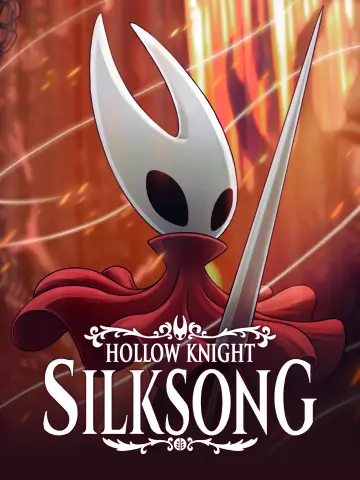 Мод для Hollow Knight: Silksong
от Ashiepaws
Специальный мод для Hollow Knight: Silksong с особым вниманием к простоте создания.
Patchwork — мод для Hollow Knight: Silksong (Силксонг) от автора Ashiepaws. Специальный мод для Hollow Knight: Silksong с особым вниманием к простоте создания.
Его скачали 39,2 тыс. раз: это 33-е место среди модов Hollow Knight: Silksong в нашем каталоге, редкость — «редкий» (топ-50% по скачиваниям). Мод обновлялся в течение года, актуальная версия — 2.5.0.
Для работы ему нужны: BepInExPack Silksong.
1 шт · нажмите, чтобы открыть
Текст автора на языке оригинала
A custom asset mod for Hollow Knight: Silksong with particular attention to ease of creation.
ALWAYS KEEP BACKUPS OF YOUR IN-PROGRESS ASSET PACKS OUTSIDE OF THE PATCHWORK FOLDER!!! Thunderstore (and Gale) delete all asset folder inside the Patchwork folder when updating to a new version. Please always back up asset packs you're working on in a safe location outside of any game folders.
DumpSprites: Enables sprite dumping, which saves sprites for any loaded scene into the "Patchwork/Dumps" folder. These files can be used to make new texture packs. DO NOT enable this during normal gameplay, as it slows down loading the game by a lot. If this is enabled, the mod will also let you dump textures from all scenes in the game by pressing the button configured under "Keybinds/FullDumpKey" (Default: F6)DumpText: Enables text dumping, which dumps all text in the game in all languages into the "Patchwork/TextDumps" folder. DO NOT enable this during normal gameplay, as it slows down the game boot process by a lot.LogAudioDuration: How long the name of a sound is shown in the log after being played, in seconds. (Default: 5)HideModdedAudioInLog: On by default. If enabled, sounds which already have a modded file are omitted from the log. This makes it easier to find the names of specific sounds you want to mod.TextLogDuration: How long the name of a text key is shown in the log after being requested by the game, in seconds. (Default: 10)ShowAudioLog: Keybind for showing the audio log window that logs the names of all sounds that are being played that Patchwork has access to. If you're adding custom files to the "Sounds" folder, you must name them exactly the same as shown in order for Patchwork to replace them. (Default: 1)ShowAudioList: Keybind for showing the audio list, which lists all statically loaded sound effects. Can be used to find names of sounds which don't show up in the Audio Log. (Default: 2)ShowAnimationController: Keybind for showing the animation controller, which lets you freeze individual objects, pause and play specific animations, and pick individual sprite images to be dumped and edited immediately. (Default: 3)ShowTextLog: Keybind for showing the text log, which logs the sheet/key names of any text the game requests to be shown. (Default: 4)AnimationControllerPauseKey: Toggles the "Paused" state on the currently selected object, freezing the animation and allowing for manual frame selection.AnimationControllerNextFrameKey: Advances the animation by one frame, if the selected object is pausedAnimationControllerPrevFrameKey: Shows the previous frame of the animation, if the selected object is pausedAnimationControllerFreezeKey: Toggles the "Frozen" state on the currently selected object, locking its position within the game world, to make animations that include movement easier to see and test.NOTE: You can find your custom sprites at BepInEx/plugins/Ashiepaws-Patchwork/Sprites after clicking the "Edit Current Sprite" button.
Описание длинное — здесь его начало. Читать целиком на странице автора
В r2modman ставится автоматически
3 в каталоге
Возьми свой пылесос и начни убирать Фарлум!

Оригинальное название: Hollow Knight: Silksong.

Пусть Хорнет наденет специальный плащ и маску в память о своем падшем брате, Призраке Хэллоуна.
Файл скачивается с официального сервера Thunderstore, без перезаливов и сторонних установщиков
Подробная инструкция для Hollow Knight: SilksongВставьте значок в описание на Thunderstore, в README или в Discord — русскоязычные игроки сразу попадут на страницу с переводом и инструкцией.

[](https://modka.app/silksong/ashiepaws-patchwork/)<a href="https://modka.app/silksong/ashiepaws-patchwork/"><img src="https://modka.app/badge.png" alt="Описание на русском — Модка" height="44"></a>[url=https://modka.app/silksong/ashiepaws-patchwork/]Описание на русском — Модка[/url]Скачайте менеджер модов r2modman (или Gale) и выберите в нём игру Hollow Knight: Silksong. Создайте профиль — так моды не смешаются с чистой версией игры. Найдите «Patchwork» во вкладке Online и нажмите Download — BepInEx и все зависимости подтянутся сами. Нажмите «Start modded» — игра запустится с модами. Чтобы сыграть без модов, запустите игру как обычно из Steam — r2modman не трогает чистую версию игры.
Файл скачивается с официального сервера Thunderstore, куда его загрузил Ashiepaws. Мы не перезаливаем и не изменяем моды.
Установите вместе с ним: BepInExPack Silksong. В менеджере модов зависимости подтягиваются автоматически.
13 декабря 2025, актуальная версия — 2.5.0. Дата берётся с официальной страницы мода при каждом обновлении каталога.

Этот мод заменяет Hornet на Kasane Teto SynthV. Обязательно скачайте вручную!!!

Гримм-труппа вдохновила мод кожи Hornet на Hollow Knight: Silksong

оригинальное название: Hollow Knight EnemyHPBar

Изменяет игровые активы в определенных областях, чтобы испытать их такими, какими они были раньше.

Genshin Impact — анимированный индикатор здоровья и индикатор удара. Мод, который поднимает боевую обратную связь на совершенно новый уровень.

Измените цвет плаща Хорнета. Полностью синхронизирован с другими игроками SSMP.