

QuickRestart
Позволяет быстро начать новый забег.


 Мод для Risk of Rain 2
от Lodington
Aerolt — современное меню отладки и чита для Risk of Rain 2.
Aerolt — мод для Risk of Rain 2 (Риск оф Рейн 2) от автора Lodington. Aerolt — современное меню отладки и чита для Risk of Rain 2.
Его скачали 752,5 тыс. раз: это 112-е место среди модов Risk of Rain 2 в нашем каталоге, редкость — «редкий» (топ-50% по скачиваниям). Мод обновлялся в последний месяц, актуальная версия — 4.3.1.
Для работы ему нужны: BepInExPack, ZioRiskOfOptions.
У мода стоят обе пометки — клиентская и серверная: он может работать и у одного игрока, и у хоста. Чтобы изменения были у всех, надёжнее поставить его всей компании.
Текст автора на языке оригинала
A rebuilt, networked cheat menu for Risk of Rain 2 with a fast new UniverseLib UI.
targeted tabs act on whoever is selected. Supports full 16-player lobbies.
A console command lets the host block clients from running Aerolt actions. There's also a toggle for it under the Settings tab.
aerolt_host_only        -> flips the current state
aerolt_host_only 1      -> force on   (also true/on)
aerolt_host_only 0 -> force off (also false/off)Toggles and actions for the selected player:
Edit any float stat on the selected player's body (health, move speed, damage, etc.).
Searchable grid of item icons for the selected player.
and the player's current inventory on the right (click to remove). Shift for ±5.
Searchable equipment list; click an entry to give it to the selected player.
Searchable buff editor; set per-buff counts and apply them to the selected player.
Change the selected player's character to any body in the game.
Spawn any monster and tune it before spawning:
Spawn any interactable that has a spawn card (chests, shrines, printers, etc.) at your aim point. Includes a Refresh button since the available cards depend on the stage.
Run- and stage-wide controls:
Highlights objects in the world. By default each enabled object shows its in-game locator icon at its screen position. Turn on Advanced Info (or hover the cursor over an object) to switch to detailed text labels with name, cost, distance, and contents.
Toggle any of:
ESP colors are configurable under Settings.
This app and/or service does not collect, store, or transmit any personal information. This mod only collects your Risk of Rain 2 profile name or your Steam name.
Support Lodington
Support Bubbet
A shout out to Voidsenight✨#0060 for helping make the icons!
Other BepInEx mods can add their own tabs (and windows) to the Aerolt menu without forking it. Everything lives in the Aerolt.API.AeroltAPI static class.
Aerolt.dll in your project.[BepInPlugin("my.cool.mod", "My Cool Mod", "1.0.0")]
[BepInDependency("com.Lodington.Aerolt")]
public class MyMod : BaseUnityPlugin { /* ... */ }Aerolt builds its UI the first time a run starts (not at the main menu), so the window may not exist when your plugin's Awake runs. The API handles this for you: RegisterSection queues your tab if the UI isn't ready yet and adds it as soon as the window is created.
Implement Aerolt.UI.IAeroltSection and register it:
using Aerolt.API;
using Aerolt.UI;
using UnityEngine;
using UniverseLib.UI;

public class MySection : IAeroltSection
{
    public string Title => "My Tab";          // nav button label
    public GameObject Root { get; private set; }

    public void Build(GameObject contentParent)
    {
        // Called once, when the tab is created. Build your controls under Root.
        Root = UIFactory.CreateVerticalGroup(contentParent, "MySection",
            false, false, true, true, 4, default, new Color(0.14f, 0.14f, 0.14f));
        UIFactory.SetLayoutElement(Root, flexibleWidth: 9999, flexibleHeight: 9999);

        var btn = UIFactory.CreateButton(Root, "Hello", "Say hi");
        btn.OnClick += () => Debug.Log("hi from my tab");
    }

    public void OnShown()
    {
        // Called every time this tab becomes active. Good place to refresh from the
        // currently targeted player.
        var user = AeroltAPI.SelectedPlayer;
    }
}
private vОписание длинное — здесь его начало. Читать целиком на странице автора
В r2modman ставится автоматически
Файл скачивается с официального сервера Thunderstore, без перезаливов и сторонних установщиков
Подробная инструкция для Risk of Rain 2Вставьте значок в описание на Thunderstore, в README или в Discord — русскоязычные игроки сразу попадут на страницу с переводом и инструкцией.

[](https://modka.app/risk-of-rain-2/lodington-aerolt/)<a href="https://modka.app/risk-of-rain-2/lodington-aerolt/"><img src="https://modka.app/badge.png" alt="Описание на русском — Модка" height="44"></a>[url=https://modka.app/risk-of-rain-2/lodington-aerolt/]Описание на русском — Модка[/url]Скачайте менеджер модов r2modman (или Gale) и выберите в нём игру Risk of Rain 2. Создайте профиль — так моды не смешаются с чистой версией игры. Найдите «Aerolt» во вкладке Online и нажмите Download — BepInEx и все зависимости подтянутся сами. Нажмите «Start modded» — игра запустится с модами. Для мультиплеера всем игрокам нужен одинаковый набор модов: в r2modman профиль можно экспортировать кодом и отправить друзьям.
Файл скачивается с официального сервера Thunderstore, куда его загрузил Lodington. Мы не перезаливаем и не изменяем моды.
У мода стоят обе пометки — клиентская и серверная: он может работать и у одного игрока, и у хоста. Чтобы изменения были у всех, надёжнее поставить его всей компании.
Установите вместе с ним: BepInExPack, ZioRiskOfOptions. В менеджере модов зависимости подтягиваются автоматически.
1 ноября 2026, актуальная версия — 4.3.1. Дата берётся с официальной страницы мода при каждом обновлении каталога.
Позволяет быстро начать новый забег.
Мод, который в настоящее время добавляет тонны всех новых предметов, оборудования, артефактов и многое другое в ROR2! Обновление концепции!

Исправляет непредсказуемое многопользовательское отставание для атаки пиццы Mithrix
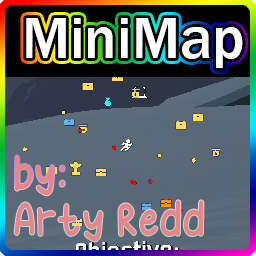
Добавьте мини-карту в игру v4

Этот мод добавляет наименее любимого выжившего из Risk of Rain Returns во всей его глупой славе. Он не очень хороший выживший, но в этом суть.
Воскрешение падших товарищей по команде. На каждой сцене есть святыня Дио (заменяющая собой святыню Леса).