


Начните вводить название — например, MoreHead, Sodium или PEAK

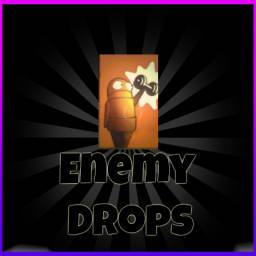
EnemyDrops — иконка
Обложка R.E.P.O.Мод для R.E.P.O.

EnemyDrops

от OsmarBriones

Монстры бросают предметы, когда умирают. Полностью настраиваемый. Это нужно только хозяину; клиенты с модом также видят свечение на каплях. Родной BepInEx.

  • Обычный
  • 132,5 тыс. скачиваний
  • Версия 2.2.1
  • Обновлён 31 октября 2026
  • Кому ставить: только хосту
  • Предметы
  • Улучшения
  • Оружие
  • Дроны

О моде EnemyDrops

EnemyDrops — мод для R.E.P.O. (Репо) от автора OsmarBriones. Монстры бросают предметы, когда умирают. Полностью настраиваемый. Это нужно только хозяину; клиенты с модом также видят свечение на каплях. Родной BepInEx.

Его скачали 132,5 тыс. раз: это 363-е место среди модов R.E.P.O. в нашем каталоге, редкость — «обычный» (нижняя половина по скачиваниям). Мод обновлялся в последний месяц, актуальная версия — 2.2.1.

Для работы ему нужны: BepInExPack.

Автор пометил мод как серверный: достаточно, чтобы он стоял у хоста.

Полное описание EnemyDrops

Текст автора на языке оригинала

Enemy Drops

Make monsters drop items when they die — fully configurable and host-only. Native BepInEx mod.

### 👥 Multiplayer: Only Host Needed (Clients Optional) Your friends do NOT need to install this mod to join and play! * For Clients WITHOUT the mod (Vanilla): * ✅ 100% full gameplay (enemy drops, item pickup, and item preservation between levels). * ℹ️ Dropped items look like regular items, without the dark tint or reddish glow. * For Clients WITH the mod (Enhanced): * ✅ Full gameplay + the dark tint and pulsating reddish glow on enemy drops.

Inspired by the original REPO Enemy Drops mod by ImVertro. This version is a fully native BepInEx implementation for users who prefer not to use MelonLoader, with additional usability improvements.

What's new

  • New items: Human Gun, Human Adventure Cable and Recharge Orb from the Sunstone update can now drop.
  • Balanced by shop price: cheap items drop from easy monsters, expensive ones from hard monsters.
  • Live weights: drop weights changed in-game apply to the very next drop.
  • New switches: Enabled, ResetWeightsToDefault and ZeroAllWeights.
  • Glow for clients with the mod: players who also have the mod see the glow on drops.

Preview

Features

  • Monsters drop items upon death based on their danger level.
  • Configure drop chances and weights for every item per monster difficulty tier.
  • Set a maximum limit on item drops per level.
  • Visual Distinction (Color Modification): Optional color tinting and multipliers on enemy-dropped items while keeping all original surface textures, screen displays, labels, and details intact (disabled by default).
  • Centered Light Aura: A soft, pulsating reddish point light aura centered directly inside enemy-dropped items that automatically dims or switches off when held or equipped (enabled by default).
  • Item Preservation: Option to keep items secured in the truck or inventory across subsequent levels.
  • Preservation Limit: Configurable cap on the maximum number of enemy-dropped items that can be preserved simultaneously (default: 10).
  • Only the host needs to have the mod installed. Clients with the mod also see the tint and glow on drops.
  • 100% native BepInEx implementation.

Requirements

Installation

  1. Install the latest BepInEx Pack.
  2. Place EnemyDrops.dll into your BepInEx/plugins folder.
  3. Launch the game once — the configuration file will be generated automatically inside BepInEx/config.

How to Use

  1. Install the mod on the host (friends do not need it).
  2. Play. Monsters drop items when they die; stronger monsters drop pricier items.
  3. Tune the weights in the in-game config menu or in osmarbriones.EnemyDrops.cfg. Items are listed by their game names (e.g. Item Gun Revolver is the Human Gun).

Configuration

All settings are controlled through the generated file: osmarbriones.EnemyDrops.cfg located in BepInEx/config.

General Settings

  • Enabled (Default: true): Turns the mod off entirely. When false, enemies drop nothing.
  • ResetWeightsToDefault (Default: false): Set to true (e.g. from the in-game config menu) to restore every drop weight, for all three monster tiers, to its default. The switch turns itself off afterwards.
  • ZeroAllWeights (Default: false): Set to true to set every drop weight to 0, so you can then enable only the items you want. The switch turns itself off afterwards.
  • MaxDropsPerLevel (Default: 200): Maximum number of items that can drop in a single level.
  • PreserveItemsBetweenLevels (Default: false): When enabled (true), enemy-dropped items that players carry to safety inside the truck or keep in their inventory will persist into future levels and be saved with your run.
  • MaxPreservedItems (Default: 10): Maximum number of enemy-dropped items that can be preserved simultaneously. Standard shop-purchased items do not count toward this limit.

How Item Preservation Works

When PreserveItemsBetweenLevels is enabled (true), you can save enemy drops across levels and into your saved game:

  • Securing items: An item is considered secured if it is inside the truck room, held/grabbed by any player, stored in a player's inventory slot, or placed near the truck entrance (within 8 meters).
  • Preservation cap (MaxPreservedItems): You can keep up to the configured limit (default: 10) of enemy drops active at the same time. If more secured enemy drops are brought than the cap allows, items up to the limit are preserved and any surplus is discarded.
  • Shop items are exempt: Items purchased from the shop do not count toward this limit.
  • Dynamic slot recycling: When you consume (e.g. syringe, medkit) or lose a preserved item, its slot is freed up automatically so new enemy drops can take its place.
  • Host-authoritative: Only the host needs this enabled. Items secured by any player (host or connected clients) are properly evaluated and saved.

Difficulty-Based Drop Tables

The .cfg file includes three difficulty sections:

[Easy Monsters (Elsa for example)]
[Med. Monsters (Chef for example)]
[Hard Monsters (Robe for example)]

Each section contains entries like:

## Weight for "Item Gun Shotgun" on medium monsters. (range 0..12)
# Setting type: Int32
# Default value: 2
# Acceptable value range: From 0 to 12
Item Gun Shotgun = 2

How weights work

  • A value of 0 means the item will not drop for that monster difficulty.
  • Higher numbers increase the probability of the item being selected when a monster

Описание длинное — здесь его начало. Читать целиком на странице автора

Скриншоты

1 шт · нажмите, чтобы открыть

Нужно для работы

В r2modman ставится автоматически

Как установить EnemyDrops

Файл скачивается с официального сервера Thunderstore, без перезаливов и сторонних установщиков

Подробная инструкция для R.E.P.O.
  1. Скачайте менеджер модов r2modman (или Gale) и выберите в нём игру R.E.P.O..
  2. Создайте профиль — так моды не смешаются с чистой версией игры.
  3. Найдите «EnemyDrops» во вкладке Online и нажмите Download — BepInEx и все зависимости подтянутся сами.
  4. Нажмите «Start modded» — игра запустится с модами.
  5. Для мультиплеера всем игрокам нужен одинаковый набор модов: в r2modman профиль можно экспортировать кодом и отправить друзьям.
Вы автор мода? Поставьте ссылку на русское описание

Вставьте значок в описание на Thunderstore, в README или в Discord — русскоязычные игроки сразу попадут на страницу с переводом и инструкцией.

Описание на русском — Модка
Markdown[![Описание на русском — Модка](https://modka.app/badge.png)](https://modka.app/repo/osmarbriones-enemydrops/)
HTML<a href="https://modka.app/repo/osmarbriones-enemydrops/"><img src="https://modka.app/badge.png" alt="Описание на русском — Модка" height="44"></a>
Steam (BBCode)[url=https://modka.app/repo/osmarbriones-enemydrops/]Описание на русском — Модка[/url]

Частые вопросы о EnemyDrops

Как установить EnemyDrops?

Скачайте менеджер модов r2modman (или Gale) и выберите в нём игру R.E.P.O.. Создайте профиль — так моды не смешаются с чистой версией игры. Найдите «EnemyDrops» во вкладке Online и нажмите Download — BepInEx и все зависимости подтянутся сами. Нажмите «Start modded» — игра запустится с модами. Для мультиплеера всем игрокам нужен одинаковый набор модов: в r2modman профиль можно экспортировать кодом и отправить друзьям.

Безопасен ли EnemyDrops?

Файл скачивается с официального сервера Thunderstore, куда его загрузил OsmarBriones. Мы не перезаливаем и не изменяем моды.

Нужно ли друзьям ставить EnemyDrops?

Автор пометил мод как серверный: достаточно, чтобы он стоял у хоста.

Что нужно для работы EnemyDrops?

Установите вместе с ним: BepInExPack. В менеджере модов зависимости подтягиваются автоматически.

Когда EnemyDrops обновлялся последний раз?

31 октября 2026, актуальная версия — 2.2.1. Дата берётся с официальной страницы мода при каждом обновлении каталога.

Похожие моды

Все моды на R.E.P.O.
CrowdControl REPO — иконка

CrowdControl REPO

Crowd Control позволяет вашим зрителям в прямом эфире взаимодействовать с вашей игрой в режиме реального времени на Twitch, YouTube, TikTok и многое другое! Зрители могут вызывать эффекты, используя советы, биты или точки канала, что делает их интересными и интерактивными.

Обычный129,3 тыс.Предметы

REPO Enemy Drops — иконка

REPO Enemy Drops

Мод, который бросает предметы при убийстве врагов, полностью настраиваемый

Обычный155,1 тыс.Предметы

AllTheMods — иконка

AllTheMods

AllTheMods a Modpack, который добавит в R.E.P.O в настоящее время более 130 модов

Обычный90,5 тыс.Оружие

MoreStandsForShops — иконка

MoreStandsForShops

Добавляет больше торговых стендов и настраиваемое распределение товаров для R.E.P.O.

Обычный86,7 тыс.Предметы

WILDCARD REPO — иконка

WILDCARD REPO

Добавляет контент на основе YouTube org WILDCARD!

Редкий391,5 тыс.Предметы

DeathHeadHopperFix — иконка

DeathHeadHopperFix

Исправления для DeathHeadHopper: расширенная совместимость с последней версией игры, восстановленные элементы / обновления, некоторые настройки заряда и добавленная батарея.

Обычный123,7 тыс.Улучшения