
Authentic Z
Хотите веселый и реалистичный мод для зомби? Этот мод для вас! Этот мод добавляет множество зон в игру, которая дает зомби наряды, чтобы соответствовать их ..
 Мод для Project Zomboid
от Akyrohunter
🔥 I'm back with a brand new mod from the Legendary series! If this type of mod is well received, I might add even more to the collection. 🔍 Find Legendary Backpacks! This mod…
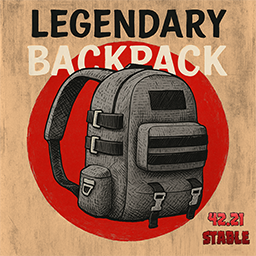
Legendary Backpacks — мод для Project Zomboid (Проджект Зомбоид) от автора Akyrohunter. 🔥 I'm back with a brand new mod from the Legendary series! If this type of mod is well received, I might add even more to the collection. 🔍 Find Legendary Backpacks! This mod…
На него подписались 529 тыс. раз в Мастерской Steam: это 300-е место среди модов Project Zomboid в нашем каталоге, редкость — «обычный» (нижняя половина по подпискам). Мод обновлялся в последние полгода.
Нужны ли ему другие моды, видно на его странице в Мастерской Steam в блоке «Необходимые продукты» — при подписке Steam сам предложит их добавить.
В Мастерской у мода стоит метка Build 42; тега Multiplayer нет — работу по сети уточняйте в описании мода.
Текст автора на языке оригинала
🔥 I'm back with a brand new mod from the Legendary series! If this type of mod is well received, I might add even more to the collection.
🔍 Find Legendary Backpacks! This mod lets you discover 10 Backpacks in the world, all upgraded to legendary quality.
🛠️ Craft Your Own You can craft them yourself after finding the recipe in magazines, or unlock it automatically by leveling up your tailoring skill.
💪 Become Unstoppable! With these legendary Backpacks, survival has never been easier. Gear up and dominate the apocalypse!
✅Capacity The maximum allowed by the base game 49. ✅Weight Reduction The highest possible. ✅Running Speed Reduction The lowest possible. ✅5 attachment slots: Small Belt Left & Right, Webbing Left & Right, and Bedroll Bottom ✅Hydro Backpack: 1.5L reservoir ✅10 Colors (Grey, Green, Brown, Black, Pink, Orange, Purple, Blue, Red and White) ✅Not satisfied? You can tweak all values via the Sandbox options.
🔸Every color has its own unique patch, plus the classic Spiffo and zombie ones. 🔸Right-click → Sew Patches with a needle, thread and a fabric strip (sheet, denim or leather). 🔸Right-click → Remove Patches with scissors or a sharp knife. 🔸Your gear stays inside while you sew, and backpacks you find may already have patches.
🔸Each color spawns in places that fit it: green in army sites, red in fire stations and clinics, blue in schools, orange in hardware stores... 🔸Survivor houses almost always have one, and zombies can carry them too.
🔸You can configure capacity, weight reduction, and running speed reduction. 🔸Spawn levels from 0 to 10 (0 = never, 1 = extremely rare, 5 = default, 10 = 3 times the default) for: Backpack (Common: houses, shops, etc.), Backpack (Rare: police, military, survivor houses, etc.), Backpack (Zombies) and Magazine.
🔸There's a chance to find a magazine that teaches you how to craft the backpack. 🔸NEW Unlock the recipe by leveling your tailoring skill.
🔹English (EN) 🔹Spanish (ES) 🔹German (DE) 🔹French (FR) 🔹Russian (RU) 🔹Korean (KO) 🔹Thai (TH) 🔹Chinese (Simplified) 🔹Brazilian Portuguese (PTBR) 🔹Turkish (TR)
▶ Can I add this mod to an already started save? Yes. It's a pure loot/item addition mod — it doesn't touch existing world data, so you can safely add it mid-save. Keep in mind newly placed loot only spawns in areas not yet "seen"/loaded by the game, so you may need to explore new zones to start finding backpacks.
▶ What can I put in the webbing slots? Small utility items only — things like a flashlight, knife, canteen, or walkie-talkie. Bulkier items (like scissors) won't fit; the webbing slots are meant for compact gear, not general storage.
▶ I dropped the backpack (or died) and now I can't pick it up / equip it. Is it a bug? No, this is how weight reduction works. While equipped, the backpack's weight reduction bonus is active — so a bag holding 18kg of items might only "weigh" 7kg on your back. The moment it hits the ground (dropped or after death), that bonus disappears and it reverts to its full real weight. If that's more than your character can lift, the game won't let you pick it up. Fix: take a few items out of the backpack (or drop some of your own inventory) until you're under the 50kg carry limit, then pick it up and equip it — you'll be able to add the items back in afterward.
▶ How do the spawn options work? Backpack and Magazine spawns use levels from 0 to 10. Level 5 is the default and 0 disables spawning entirely. All levels follow one smooth curve: level 1 is about 13 times rarer than 5 and level 10 is 3 times the default, so the loot never floods a container. If you update from an older version, the spawn options have new names, so they start at the default level 5: set them again if you had customized them.
▶ Are the Legendary mods (Backpack, DuffelBag, Fanny Pack, Satchel, etc.) compatible with each other? Yes, all my legendary mods are designed to work together safely.
▶ Does it work on the current stable build (42.21)? Yes, confirmed working on 42.21 stable, both singleplayer and multiplayer (dedicated and hosted/LAN).
▶ Can I go over the 49 capacity cap with another capacity-overwrite mod? No — 49 is the hard limit set by the base game itself, not something this mod can bypass. It's already set to the maximum vanilla allows.
▶ I use Customizable Containers and my Legendary Backpack capacity changed. Is it a bug? No. Customizable Containers is designed to change the capacity of every container in the game, and it includes the Legendary Backpacks, so its settings take priority. If you want to keep the legendary values, adjust them in that mod's options.
▶ The bags/magazines feel too common — how do I make them rarer? Loot in Project Zomboid is random: one player may find several and another none. That is normal luck, not a bug. Lower the Backpack and Magazine spawn levels in the Sandbox options (0 disables them). Want them ultra-exclusive? Set Common and Zombies to 0 and Rare to 1.
🔹[v.3.1.0] New patches: every color has its own unique patch design, and you can sew them on or remove them with right-click. Loot system rebalanced and unified with the other Legendary mods: new spawn levels from 0 to 10 (Common, Rare, Zombies and Magazine) — if you had customized the old spawn values, set them again with the new options. Backpacks now really spawn in survivor houses and on zombies, several places that no longer existed in Build 42 were replaced, and each place now gives one backpack instead of stacking every color. 🔹[Previous versions](https://steamcommunity.com/sharedfiles/filedetails/changelog
Описание длинное — здесь его начало. Читать целиком на странице автора
Мод ставится подпиской в Мастерской Steam — без архивов, перезаливов и сторонних установщиков
Подробная инструкция для Project ZomboidВставьте значок в описание на Мастерская Steam, в README или в Discord — русскоязычные игроки сразу попадут на страницу с переводом и инструкцией.

[](https://modka.app/project-zomboid/legendary-backpacks/)<a href="https://modka.app/project-zomboid/legendary-backpacks/"><img src="https://modka.app/badge.png" alt="Описание на русском — Модка" height="44"></a>[url=https://modka.app/project-zomboid/legendary-backpacks/]Описание на русском — Модка[/url]Откройте страницу мода «Legendary Backpacks» в Мастерской Steam (кнопка «Скачать» на нашем сайте ведёт именно туда) и нажмите «Подписаться» — Steam сам скачает мод и будет его обновлять. Если Steam покажет список обязательных модов, подпишитесь и на них — без них мод не заработает. Запустите Project Zomboid, откройте «Моды» в главном меню и включите «Legendary Backpacks». Проверьте, что мод подходит для вашей версии игры — здесь собраны моды с пометкой «билд 42». Чтобы добавить мод в уже начатую игру, нажмите «Загрузить», выберите сохранение, затем «Ещё» → «Выбрать моды». В мультиплеере набор модов должен совпадать у сервера и у всех игроков: хост добавляет моды в настройках сервера, а остальным Steam скачает их при подключении.
Мы ничего не перезаливаем: кнопка скачивания открывает официальную страницу мода в Мастерской Steam. Там нужно нажать «Подписаться» — файлы загрузит и будет обновлять сам Steam.
В мультиплеере Project Zomboid набор модов должен совпадать у сервера и у всех игроков. Хост добавляет мод в настройках сервера, а остальным Steam скачает его при подключении.
30 сентября 2026. Дата берётся с официальной страницы мода при каждом обновлении каталога.
Хотите веселый и реалистичный мод для зомби? Этот мод для вас! Этот мод добавляет множество зон в игру, которая дает зомби наряды, чтобы соответствовать их ..
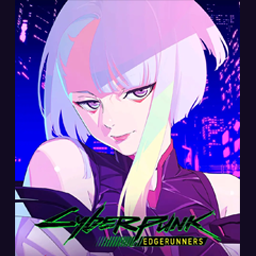
合成栏增加cosplay商店,使用钞票购买。 可购买物品: • 作战服(三宫三叶,柊筱娅,绫波丽,DVA,明日香,02,萨姆斯零式) • 服装(赛博朋克:露西,约尔,莉可丽丝,FGO,猫娘乐园,兽娘皮肤,伊401水手服,猫猫连帽衫,GGO诗乃服装) • 武器(原初之火,薙刀,魔杖,黑卡蒂II狙击枪,朗基努斯枪) •…
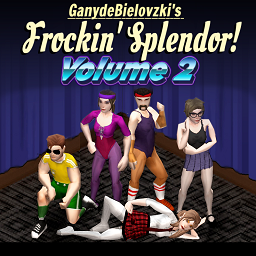
Миграция! Если вы видите ошибку при попытке загрузить сохранение или инициировать сервер с некоторыми модами Frockin', показанными красным цветом, это потому, что вы не подписались на Frockin'
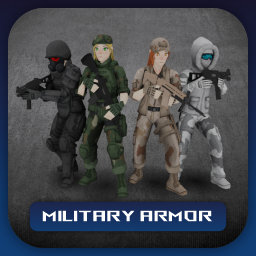
Совместим с B42 Stable! Подготовьтесь к нападению нежити с набором военной брони KATTAJ1, всеобъемлющим дополнением к вашему арсеналу. Этот мод представляет собой..
Миграция! Если вы видите ошибку при попытке загрузить сохранение или инициировать сервер с некоторыми модами Frockin', показанными красным цветом, это потому, что вы не подписались на Frockin'
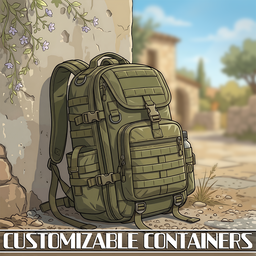
Независимо настроить снижение веса, емкость и вес, все через варианты песочницы. Поддерживает более 150 модов с тоннами настроек для точной настройки вашего опыта. Кроме того, высоко..