
BiggerMap
This mod allows you to change the size of the island. Default size: 241


 Мод для Muck
от iiVeil
Packet Helper is a helper mod designed to easily create client and server packets as well as attaching them to your mod's custom methods.
PacketHelper — мод для Muck (Мак) от автора iiVeil. Packet Helper is a helper mod designed to easily create client and server packets as well as attaching them to your mod's custom methods.
Его скачали 182 тыс. раз: это 9-е место среди модов Muck в нашем каталоге, редкость — «легендарный» (топ-5% по скачиваниям). Мод давно не обновлялся — проверьте совместимость с текущей версией игры, актуальная версия — 1.0.3.
Это библиотека: сама по себе ничего не добавляет, но нужна другим модам.
Текст автора на языке оригинала
Packet Helper is a helper mod designed to easily create client and server packets as well as attaching them to your mod's custom methods.
An example of implementing this library can be found at https://github.com/iiVeil/ShareEm
Packet Helper uses a class called Session to store data for your packets
Session session = new Session("YOUR.MOD.GUID") Session uses your mod GUID to create a unique packet offset to ensure that you don't overwrite packets on the game or other mods.
Creating packets with Packet Helper is insanely easy first we will be creating a client packet.
It is important to remember that you must only add your packet once. Be sure to patch a method that gets called once.
public static Session session = new Session("YOUR.MOD.GUID"); public void MyClientPacketMethod(Packet packet) { // do some stuff with the packet }
// This is my go-to method to create client packets [HarmonyPatch(typeof(LocalClient), "InitializeClientData")] [HarmonyPostfix] static void CreateNewClientPackets() { session.CreateNewClientPacket("A Unique Packet Name", MyPacketMethod); }
The packet name will be used later to identify which packet to send. The unique packet name does not have to correspond to the method name in any way.
Next, we will create a server packet.
public static Session session = new Session("YOUR.MOD.GUID"); public void MyServerPacketMethod(int fromClient, Packet packet) { // do some stuff with the packet }
// This is my go-to method to create server packets [HarmonyPatch(typeof(Server), "InitializeServerPackets")] [HarmonyPostfix] static void CreateNewServerPackets() { session.CreateNewServerPacket("A Unique Packet Name", MyPacketMethod); } It is important to note that server packet methods differ from client packet methods. They include a fromClient parameter that indicates the client.id that the packet came from.
When creating a packet it's vital to understand that the method you attach to a packet will be handling how that packet is interacted with when received.
Sending a packet is slightly more complicated as it uses the class Data shown below
public class Data { public int[] ints = null; public string[] strings = null; public bool[] bools = null; public float[] floats = null; public short[] shorts = null; public long[] longs = null; public Vector3[] vector3s = null; public Quaternion[] quaternions = null; } Data is an important class as it allows us to send any amount of data through the packet.
Here we will be sending a packet to the server.
public static Session session = new Session("YOUR.MOD.GUID"); public void MyServerPacketMethod(int fromClient, Packet packet) { itemId = packet.ReadInt(); Debug.Log($"{fromClient}, {itemId}"); }
[HarmonyPatch(typeof(Server), "InitializeServerPackets")] [HarmonyPostfix] static void CreateNewServerPackets() { session.CreateNewServerPacket("MyServerPacket", MyServerPacketMethod); }
[HarmonyPatch(typeof (ClientSend), "PickupItem")] [HarmonyPrefix] static void ClientSendSharePacket(ClientSend __instance, int itemID) { Item item = ItemManager.Instance.list[itemID].GetComponent (); if (item.powerup) { // Create new data object Data data = new Data();
// Add the powerup id to the data data.ints = new int[] { item.powerup.id };
// Send packet to the server and call subsequent method MyServerPacketMethod() session.SendPacketToServer("MyServerPacket", data); } }
Next is sending a packet to the client.
Remember, when sending a packet to the client, fromClient is not accessible. If you need that value in the method that handles the packet, put it in the data class.
public static Session session = new Session("YOUR.MOD.GUID"); public void MyClientPacketMethod(Packet packet) { fromClient = packet.ReadInt(); itemId = packet.ReadInt(); Debug.Log($"{fromClient}, {itemId}"); }
public void MyServerPacketMethod(int fromClient, Packet packet) { itemId = packet.ReadInt(); Debug.Log($"{fromClient}, {itemId}"); Data data = new Data(); data.ints = new int[] { fromClient, itemId }; // Send packet to all connected clients, the host is Client(0) session.SendPacketToAllClients("MyClientPacket", data); }
[HarmonyPatch(typeof(Server), "InitializeServerPackets")] [HarmonyPostfix] static void CreateNewServerPackets() { session.CreateNewServerPacket("MyServerPacket", MyServerPacketMethod); }
[HarmonyPatch(typeof(LocalClient), "InitializeClientData")] [HarmonyPostfix] static void CreateNewClientPackets() { session.CreateNewClientPacket("MyClientPacket", MyClientPacketMethod); }
[HarmonyPatch(typeof (ClientSend), "PickupItem")] [HarmonyPrefix] static void ClientSendSharePacket(ClientSend __instance, int itemID) { Item item = ItemManager.Instance.list[itemID].GetComponent (); if (item.powerup) { // Create new data object Data data = new Data();
// Add the powerups id to the data data.ints = new int[] { item.powerup.id };
// Send packet to the server and call subsequent method MyServerPacketMethod() session.SendPacketToServer("MyServerPacket", data); } } If you don't want every client to get the packet use SendPacketToAllClientsExcept instead.
SendPacketToAllClientsExcept(int[] except, Packet packet) where except is an array of client ids th
Описание длинное — здесь его начало. Читать целиком на странице автора
23 в каталоге · показаны самые популярные
This mod allows you to change the size of the island. Default size: 241

A muck mod made to share items with other players.

a modpack containing around 30 mods or something, its alright i guess

Mod Validator is a mod to easily create required, blacklisted, or require an entire list of mods.

Harder Muck Modpack with 33 Mods! Recommend Gamer Difficulty. Added weapons, tools, armor, and food to enhance gameplay. Big thanks to the mod creators! For more info or help, click the website button to view the Read Me on ThunderStore.

This mod Is a Quality Of Life modpack this will make muck more enjoyable (SHOUTOUT TO ALL CREATORS THAT MADE THESE MODS THESE ARE NOT MINE)ENJOY!.
Файл скачивается с официального сервера Thunderstore, без перезаливов и сторонних установщиков
Подробная инструкция для MuckВставьте значок в описание на Thunderstore, в README или в Discord — русскоязычные игроки сразу попадут на страницу с переводом и инструкцией.

[](https://modka.app/muck/iiveil-packethelper/)<a href="https://modka.app/muck/iiveil-packethelper/"><img src="https://modka.app/badge.png" alt="Описание на русском — Модка" height="44"></a>[url=https://modka.app/muck/iiveil-packethelper/]Описание на русском — Модка[/url]Скачайте менеджер модов r2modman (или Gale) и выберите в нём игру Muck. Создайте профиль — так моды не смешаются с чистой версией игры. Найдите «PacketHelper» во вкладке Online и нажмите Download — BepInEx и все зависимости подтянутся сами. Нажмите «Start modded» — игра запустится с модами. Для мультиплеера всем игрокам нужен одинаковый набор модов: в r2modman профиль можно экспортировать кодом и отправить друзьям.
Файл скачивается с официального сервера Thunderstore, куда его загрузил iiVeil. Мы не перезаливаем и не изменяем моды.
Автор не указал, клиентский это мод или серверный. Безопаснее, чтобы одинаковый набор модов был у всех игроков в лобби: проще всего поделиться профилем r2modman.
17 июня 2021, актуальная версия — 1.0.3. Это больше года назад: перед установкой проверьте, работает ли мод на текущей версии игры.

A Mod Menu For Muck. With Custom Weapons, Flying, Etc. This Is The Second Version Of Muck God Powers

This mod creates a new command /give 'name or id of the item' 'how much'.
Harder Muck Modpack with 33 Mods! Recommend Gamer Difficulty. Added weapons, tools, armor, and food to enhance gameplay. Big thanks to the mod creators! For more info or help, click the website button to view the Read Me on ThunderStore.
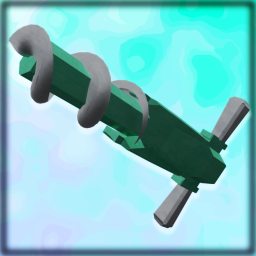
This mod adds various Drill Tools to Muck!
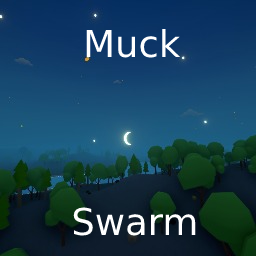
Muck Swarm is a gamemode for muck where it is always night. Mobs start half as powerfull, but with the added change of the mob cap being set to 100. Can you survive?

Essential mod for furries.